


Cloud Point Of Sale System
Get Started with a Free Demo
New Lead: Ravzora
Synergy Landing Page Form, connected with the Mailchimp.
"*" indicates required fields
How Cloud-Based Point of Sale Works: Complete Guide
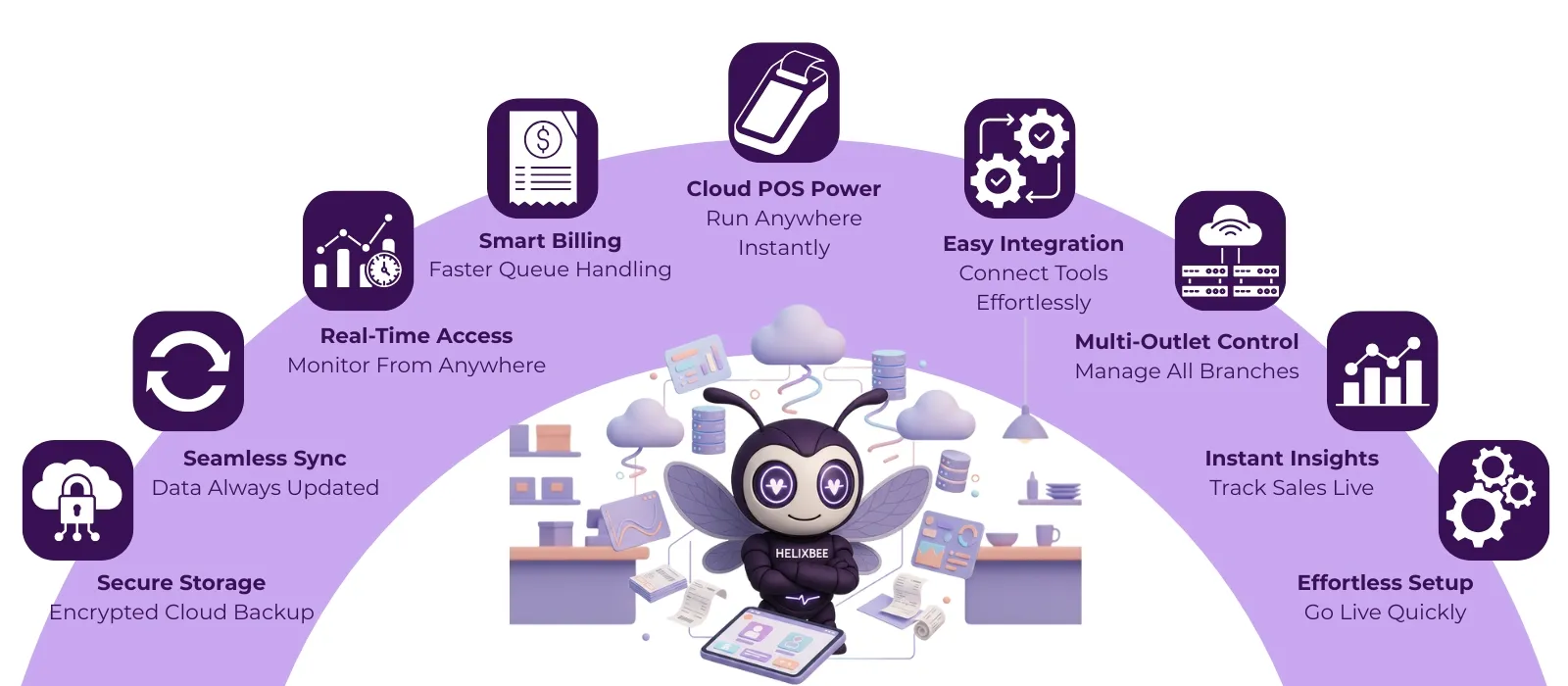
The solution is simple, switch to a cloud point of sale system.This modern tool works completely online and helps you manage your restaurant smoothly from anywhere. With a cloud based POS system, all your sales, inventory, and staff details are saved safely in the cloud, so you can check and control everything using your phone, tablet, or computer.
A cloud based restaurant POS system also gives real-time updates, faster billing, and easy access to reports, even if you’re not at the restaurant. Some businesses even use a web based POS system for restaurant to monitor sales across different outlets with just a few clicks.
Here, you’ll learn how a cloud POS system works, what makes it different from traditional POS, and why using platforms like RavZora can make managing your restaurant simpler, faster, and stress-free.
Short Note on Point of sale (POS) System
A Point of Sale (POS) system is the place where your customer makes a payment for products or services. It’s more than just a billing machine, it helps you record sales, manage inventory, track customer data, and generate reports.
An Introduction to Cloud-Based POS Systems
A cloud-based POS system is a modern version of the traditional billing setup that works entirely online. Instead of saving data on local computers, it stores everything securely on the cloud, allowing you to access your business information anytime and from anywhere.
A cloud based POS system also updates automatically, so you always have the latest features without needing any manual upgrades. It’s simple to use, saves time, and helps you run your business without worrying about data loss or server problems.
Difference Between Cloud-Based POS and Traditional POS
| Key Area | Cloud-Based POS System | Traditional POS System |
| Data Access & Control | Offers real-time access to sales, reports, and inventory from any device using the internet. | Data is stored locally and can only be viewed on specific machines within the store. |
| System Updates | Automatically updates software and features through the cloud without downtime. | Requires manual updates and regular maintenance, which can disrupt daily operations. |
| Integration Capability | Easily connects with third-party apps like accounting, CRM, and online ordering systems. | Limited integration options, often requiring additional tools or manual data transfer. |
| Cost & Scalability | Lower upfront cost and flexible subscription plans; easily scales with new outlets or devices. | High setup and hardware costs; expansion requires separate installations and configurations. |
| Data Security & Backup | Uses encrypted cloud servers with automatic backups to prevent data loss. | Vulnerable to hardware failures, theft, or system crashes since data is stored locally. |
Core Feaatures to look in Restaurant Accounting Software
1. POS System Integration
Your POS (Point of Sale) system is the heart of your restaurant’s transactions. The best accounting software for a restaurant should seamlessly integrate with your POS to automatically sync daily sales, taxes, and tips.
2. Expense and Vendor Management
Restaurants deal with numerous suppliers, from produce vendors to utility providers. Restaurant accounting software should help track vendor invoices, due payments, and credit terms in one place.
The best accounting software for small restaurant owners automates reminders, organizes bills, and even links expenses to specific menu items for better cost analysis.
3. Inventory and Stock Control
4. Payroll and Staff Payment Automation
Payroll management is one of the most time-consuming tasks for restaurant owners. The best accounting software for restaurants includes built-in payroll automation to calculate salaries, tips, and tax deductions accurately.
5. Financial Reporting and Insights
Having access to clear, real-time financial data can help restaurant owners make smarter decisions. The best accounting software for a restaurant offers easy-to-read dashboards showing profit margins, daily sales, and expense breakdowns.
What Are the Challenges Can Be Overcome With Restaurant Accounting Software
1. Manual Entry & Data Inaccuracy
2. Poor Expense Visibility & Cash Flow Management
Restaurants often struggle to identify where profits are leaking. The best accounting software for restaurants provides automated expense categorization, real-time dashboards, and spend analytics – helping identify wastage and optimize procurement costs.
3. Complicated Tax Compliance
4. Inefficient Inventory & Food Cost Control
5. Limited Financial Forecasting
Many small restaurants operate without a clear understanding of their monthly financial position. With automated reporting and forecasting tools, owners can visualize revenue patterns, predict low seasons, and plan smarter — leading to a 20–25% improvement in cost efficiency, according to Toast’s 2024 Restaurant Insights report.
When implemented strategically, restaurant accounting software doesn’t just automate bookkeeping — it transforms it into a real-time decision-making engine that improves accuracy, reduces waste, and enhances profitability across every outlet.
Statistics Related to Online Restaurant Accounting Software
- The global restaurant accounting software market was valued at approximately USD 2.5 billion in 2023, and is projected to reach around USD 5.3 billion by 2032, registering a compound annual growth rate (CAGR) of about 9.1%.
- In 2024, the broader restaurant management software market (which includes accounting, inventory, payroll modules) was estimated at USD 5.79 billion, with the cloud deployment segment already accounting for over 54% of that market.
- A survey by the National Restaurant Association found that 73% of restaurant operators increased their technology investments in 2024, indicating strong momentum toward digital tools including online accounting systems.
If you like, I can pull India-specific or restaurant-size-specific statistics (e.g., for small restaurants) to make the content more relevant to your target audience.
Why Most of the Restaurants Choose RavZora Accounting Software
It’s not just a regular accounting tool, it’s a complete restaurant management system that helps owners save time, reduce errors, and make smarter financial decisions.
Here’s why most restaurants trust RavZora:
1. All-in-One Platform
2. Multi-Channel Access
3. Real-Time Insights
4. Seamless Integrations
5. 24/7 Support & Scalability
In short, RavZora Accounting Software gives restaurant owners full control over their finances and daily operations in a simple, connected way, helping them focus more on food and customers, and less on paperwork.
Want to simplify your restaurant finances? Book a free demo with RavZora today and see how effortless accounting can be!