


A Complete Guide to Selenium Test Automation Services in 2026
Get Started with a Free Demo
New Keyword Page
New Keyword Page
"*" indicates required fields
Software releases are faster than ever, with businesses pushing multiple updates every week. In this high-speed environment, relying solely on manual testing slows down delivery and increases the risk of human errors. Teams need a solution that can keep up with rapid development cycles while maintaining consistent quality.
This is where Selenium test automation services come in. As a powerful open-source automation solution, they help businesses test web applications across browsers and platforms efficiently.
In this guide, you’ll learn what Selenium test automation services include, why they remain relevant in 2026, their key components, the challenges they solve, and how to choose the right provider to streamline your testing processes.
What Are Selenium Test Automation Services?
Selenium is an open-source tool that automates testing for web applications across different browsers and platforms. While the tool itself is powerful, Selenium test automation services go beyond just using the software.
These services typically include:
- Designing test strategies
- Developing automation frameworks
- Creating and maintaining test scripts
- Integrating tests with CI/CD pipelines
- Generating analytics and reports
The difference is simple: the tool is Selenium, but the service is the expertise and processes applied to make testing efficient and scalable.
Companies that benefit from Selenium services include startups looking to accelerate their releases, SaaS companies managing frequent updates, and large enterprises aiming for consistent quality across web applications.
Why Businesses Are Investing in Selenium Automation in 2026
Businesses are increasingly turning to automated solutions to keep up with faster development cycles.
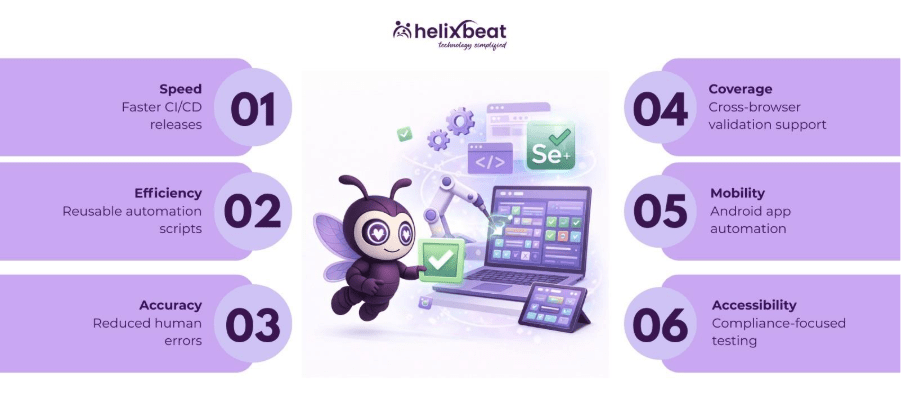
1. Accelerated CI/CD Release Cycles
Modern software development relies heavily on Continuous Integration and Continuous Deployment (CI/CD) pipelines. Selenium test automation services enable teams to automatically execute regression, functional, and smoke tests at every stage of the pipeline.
This allows businesses to release multiple updates per week without compromising quality and supports agile development models.
2. Cost Efficiency Through Script Reusability
Selenium scripts are highly reusable across multiple test scenarios and browser environments. By leveraging modular and data-driven testing frameworks, organizations minimize repetitive manual testing efforts.
This includes Android app automation testing using Selenium, which helps mobile teams validate features efficiently, saving both time and QA costs.
3. Enhanced Accuracy and Risk Mitigation
Automated Selenium tests eliminate the inconsistencies associated with manual testing. Incorporating assertions, checkpoints, and automated error logging helps detect edge-case bugs before production deployment.
Companies also benefit from accessibility automation testing with Selenium, ensuring their web and mobile applications meet compliance standards while reducing human error.
4. Cross-Browser and Cross-Platform Validation
Selenium supports testing across Chrome, Firefox, Safari, Edge, and mobile browsers. With Android app automation testing using Selenium, teams can test apps across multiple devices and OS versions efficiently.
Additionally, accessibility automation testing with Selenium guarantees consistent user experiences for all users, including those relying on assistive technologies.
5. Scalability for Complex Web Applications
As applications grow in complexity, Selenium test automation services allow for parallel test execution using Selenium Grid and cloud-based environments.
This makes it possible to scale horizontally, covering more test cases in less time and supporting enterprise-grade web applications, mobile apps, and accessibility compliance simultaneously.
Investing in Selenium automation ensures faster releases, higher quality, and scalable testing for modern web and mobile applications.
Key Components of Selenium
Selenium is more than just a tool—it’s a set of solutions that power Selenium test automation services for web and mobile applications. Knowing its key parts helps businesses test faster, reduce errors, and make automation easier.
Selenium WebDriver
Selenium WebDriver is used to control browsers and simulate user actions like clicking, typing, and navigating pages. It works with many programming languages like Java, Python, and C#. WebDriver is also useful for Android app automation testing using Selenium, letting teams test mobile apps across different devices and browsers.
Selenium Grid
Selenium Grid lets you run multiple tests at the same time on different machines and browsers. This saves time, especially for big applications, and helps teams deliver updates faster. Cloud-based Selenium Grid can make testing even more scalable.
Selenium IDE
Selenium IDE is a simple record-and-playback tool for creating automation scripts quickly, without much coding. It’s helpful for small tests, prototyping, or automating repetitive tasks. It can also support accessibility automation testing with Selenium to check if websites are usable for everyone.
Integration with Frameworks (TestNG, JUnit)
Selenium works well with frameworks like TestNG and JUnit, which help organize tests, run them efficiently, and generate reports. These integrations make it easier to do both Android app automation testing using Selenium and accessibility automation testing with Selenium, while keeping scripts reliable and easy to maintain.
When Should You Choose Selenium Automation?
Selenium automation is ideal when your application undergoes frequent updates or has a large, complex web or mobile interface. If your team struggles to test every release manually, Selenium test automation services can save time, reduce errors, and ensure consistent quality across browsers and devices. It’s especially useful for teams following Agile or DevOps practices, where fast and reliable testing is crucial.
You should also consider Selenium when your project requires regression testing, cross-browser validation, or Android app automation testing using Selenium. It can even support accessibility automation testing with Selenium to make sure your application works for all users. Choosing Selenium helps businesses scale testing efficiently without slowing down development.
Selenium vs Other Automation Tools (Quick Comparison)
Feature / Criteria | Selenium | Cypress | Playwright | Notes / Advantage of Selenium |
Cross-Browser Support | Chrome, Firefox, Safari, Edge, plus mobile via Appium | Chrome, Edge only | Chrome, Firefox, WebKit | Selenium supports more browsers, making it ideal for enterprise web applications. |
Mobile App Testing | Yes, via Android app automation testing using Selenium | Limited | Limited | Selenium allows mobile testing on Android and iOS, unlike most modern tools. |
Accessibility Testing | Supports accessibility automation testing with Selenium via scripts and frameworks | Limited | Partial | Selenium can integrate accessibility checks directly into automation workflows. |
Language Support | Java, Python, C#, JavaScript, Ruby | JavaScript only | JavaScript, Python, C# | Selenium is versatile for teams using multiple programming languages. |
Enterprise & Scalability | High, with Selenium Grid & cloud execution | Moderate | Moderate | Selenium scales well for large projects, parallel tests, and CI/CD pipelines. |
Why Choose HelixBeat for Selenium Test Automation Services
At HelixBeat, we specialize in providing Selenium test automation services that help businesses accelerate software releases while maintaining high-quality standards. Our team of experienced automation engineers builds robust frameworks, creates reusable scripts, and integrates tests seamlessly with CI/CD pipelines.
We also offer android app automation testing using Selenium, allowing your mobile applications to be tested across multiple devices and operating systems efficiently. In addition, our accessibility automation testing with Selenium helps ensure your applications meet compliance standards and provide a seamless user experience for all users.
With our services, businesses can reduce manual testing efforts, optimize QA processes, and confidently release high-quality software every time.
Frequently Ask Questions
1. Why is health information exchange important in healthcare?
It improves care coordination, reduces duplicate tests, minimizes errors, and helps providers make timely, data-driven decisions across different healthcare settings.
2. What are the main models of health information exchange?
3. Which standards guide health information exchange?
Standards like FHIR and HL7 define consistent data formats, making it easier for EHRs, HIEs, and other healthcare platforms to exchange information.
4. What are the benefits of using health information exchange?
HIE improves care coordination, reduces healthcare costs, supports population health management, enhances research, and increases operational efficiency.
5. How does AERIS enhance healthcare information exchange?
AERIS leverages FHIR standards, connects legacy systems, automates workflows, reduces manual errors, and provides real-time access to patient records and lab results.
1. How do Selenium test automation services support Agile and DevOps teams?
Selenium test automation services can be integrated directly into CI/CD pipelines, allowing automated regression and functional tests to run after every code change.
This helps Agile and DevOps teams detect bugs early, reduce release risks, and maintain application stability without slowing down development cycles.
2. When should a business shift from manual testing to Android app automation testing using Selenium?
A business should consider android app automation testing using Selenium when mobile applications receive frequent feature updates or need testing across multiple devices and OS versions.
Automation becomes essential when manual testing starts increasing release timelines or fails to cover all test scenarios consistently.
3. How does accessibility automation testing with Selenium improve user experience?
No, modern systems are designed with intuitive interfaces, making it easy for staff to manage reservations without advanced technical knowledge.