Nano Banana image editing has taken the AI creative world by storm. Powered by Google’s Gemini 3 Pro Image model, Nano Banana allows anyone to transform simple photos into stunning 3D figurines, retro-style artworks, or cinematic posters with ease. Its speed, accuracy, and photorealistic output make it a top choice compared to other tools.
Thanks to Banana prompts, creating eye-catching images is as simple as copy and paste. Whether you are exploring Banana Pro prompts, experimenting with Banana prompts XYZ, or trying a single Banana prompt, Nano Banana makes generating viral-ready visuals fast and effortless.
Here, we’ll share the latest step-by-step Banana prompts for Google Gemini AI, along with practical tips to help you get the most out of Nano Banana image editing, all without needing a premium subscription.
Table of Contents
How to Write Google Nano Banana Prompts As Beginner
Creating the perfect image with Nano Banana image editing starts with a well-structured prompt. To make the most of Banana Pro prompts, your basic prompts should include six key factors:
- Subject: Define who or what should appear in the image. For example, a bartender, a yoga instructor, or a vintage car.
- Composition: Specify camera angles, shot types, and framing. Examples include low-angle shot, close-up, wide shot, or overhead view.
- Action: Describe what is happening in the scene. It could be someone working out, eating a meal, or even a timeline or diagram.
- Setting/Location: Clearly mention where the scene takes place, such as a roadside gym, a cozy kitchen at golden hour, or a futuristic café.
- Style: Indicate the art type and mood. Options include realistic, product shoot, oil painting, scribble or line art, cinematic film scene, or group photo.
- Editing Instructions: For image edits or remixes using Banana prompts XYZ, provide precise instructions. For example, replace the background, change furniture, or adjust lighting.
By including these six elements in your basic Banana prompt, you ensure that Nano Banana delivers accurate, high-quality, and creative results every time.
Difference Between Nano Banana and Nano Banana Pro in Gemini
| Feature | Nano Banana | Nano Banana Pro |
| Model Power | Powered by Google Gemini 2.5 Flash Image, suitable for standard image generation and basic edits. | Powered by Google Gemini 3 Pro Image, offers faster processing and highly detailed, photorealistic outputs. |
| Image Quality | Produces good quality images with realistic details, suitable for casual use. | Generates ultra-realistic and highly detailed images, ideal for professional and advanced creative projects. |
| Editing Capabilities | Basic image editing like adding/removing elements or simple remixes. | Advanced editing features including detailed remixes, style transfers, object replacements, and background adjustments. |
| Prompts Complexity | Works well with simple Banana prompts or basic image instructions. | Supports complex Banana Pro prompts and Banana prompts XYZ, allowing detailed step-by-step guidance. |
| Best For | Beginners or casual users exploring AI image creation. | Professionals, marketers, designers, or creators who need high-quality, viral-ready visuals. |
50 + Best Nano Banana Pro Prompts to Try
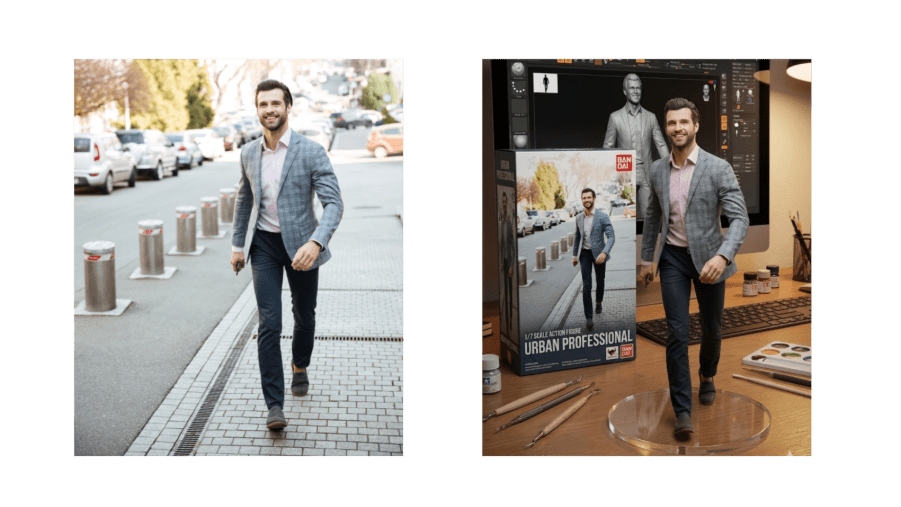
1. 3D Action Figure
Transform your photos into lifelike 3D action figures using Nano Banana prompts. With Google Gemini 3 Pro, you can copy and paste prompts to quickly generate stunning, detailed models.
Prompt:
Generate a highly detailed 1/7 scale action figure of the character from the uploaded illustration in a realistic style. Place the figure on a computer desk with a transparent circular acrylic base. On the computer screen, show the ZBrush modeling process of the figure. Beside the screen, add a toy packaging box inspired by BANDAI, featuring the original character artwork. Ensure the scene has realistic lighting and textures.
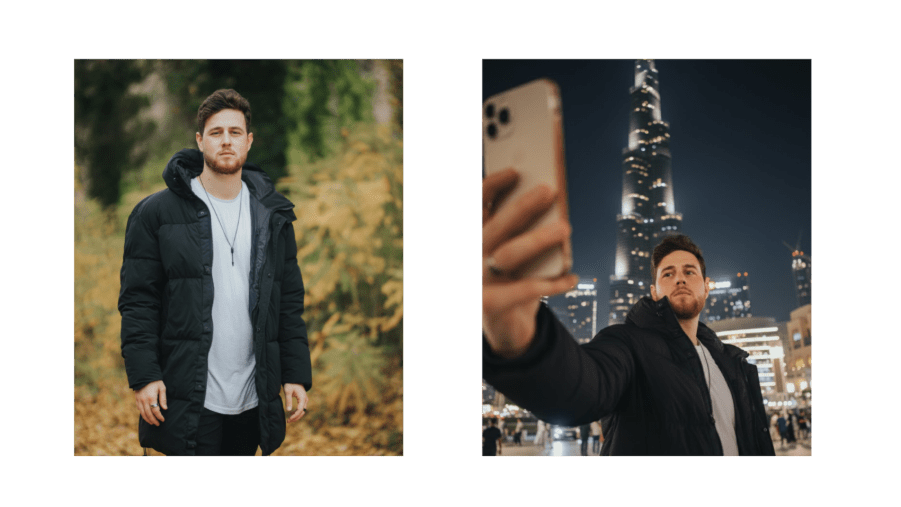
2. iPhone Selfie
Create realistic iPhone-style selfies with Banana Pro prompts. Copy and paste Gemini 3 Pro prompts to get professional-looking casual selfies quickly.
Prompt:
Generate a casual iPhone-style selfie featuring [Names] next to [Location]. The photo should look like a spontaneous snapshot with slight motion blur, uneven lighting, and mild overexposure. Include an awkward angle or messy composition for realism. The scene should feel natural, like the photo was taken casually on a phone, indoors or at night, with authentic lighting and shadows.
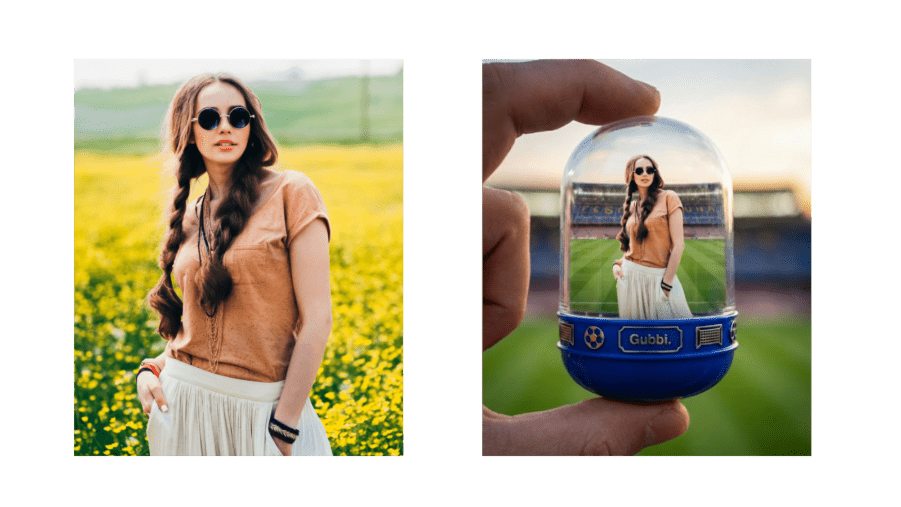
3. Character Capsules
Generate compact, stylized character capsules from your photos using Banana Pro prompts and Gemini 3 Pro AI prompt copy paste.
Prompt:
Create a transparent gashapon capsule held between fingers featuring [NAME] in their [ICONIC POSE / STYLE]. Inside, show their outfit, accessories, and key features. Add a miniature background like a stadium, stage, or classroom. The capsule should have a colored base (e.g., royal blue, gold, black, red) decorated with themed motifs, and a label with [NAME or NICKNAME]. Lighting should be cinematic, and the capsule should look like a realistic collectible with soft bokeh.
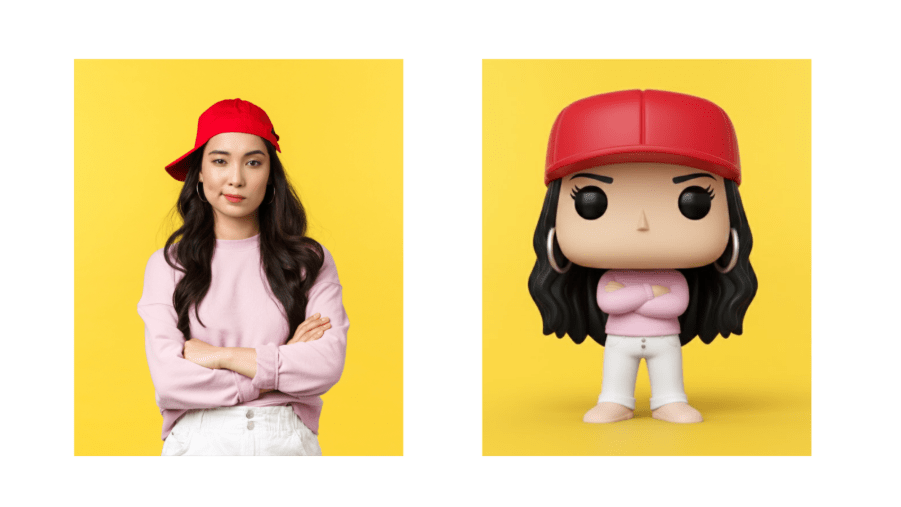
4. Funko Pop Figure
Turn photos into collectible Funko Pop-style figures using Banana prompts and Gemini 3 Pro prompt copy paste.
Prompt:
Create a detailed 3D render of a chibi Funko Pop figure based on the reference photo. The figure should match the person’s hairstyle, outfit, and key features accurately. Use photorealistic textures, studio lighting, and a pure white background. Ensure the proportions and chibi-style details are consistent and collectible-ready.
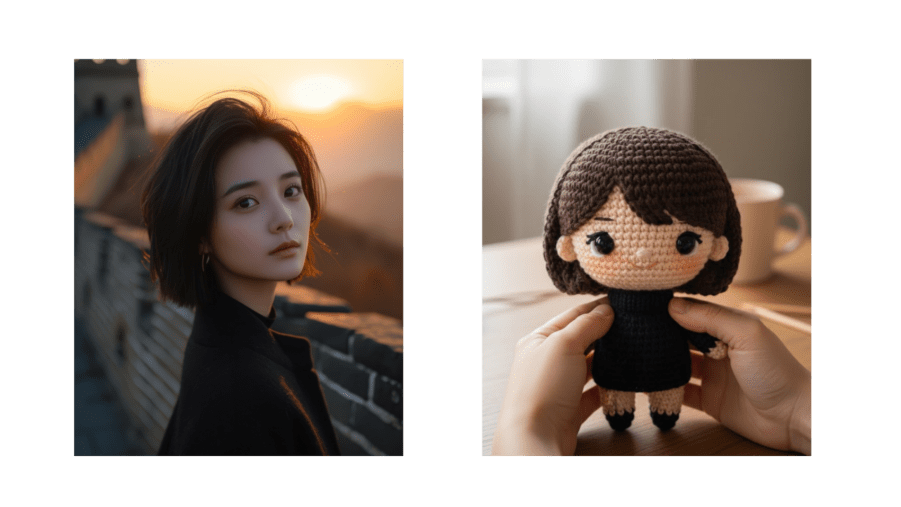
5. Chibi Knitted Doll
Turn your images into cute chibi-style knitted dolls with Nano Banana Pro prompts. Using Gemini 3 Pro prompt copy and paste, you can quickly generate high-quality results every time.
Prompt:
Create a close-up, professional photo of a hand-crocheted yarn doll shaped like the [upload image] character. The doll should be rounded and colorful, with vivid details. Display it gently held in two natural hands, showing realistic skin texture and light-shadow transitions. The background should be slightly blurred, like a warm indoor setting with natural light and a wooden tabletop. Ensure the image feels cozy, intimate, and showcases excellent craftsmanship.
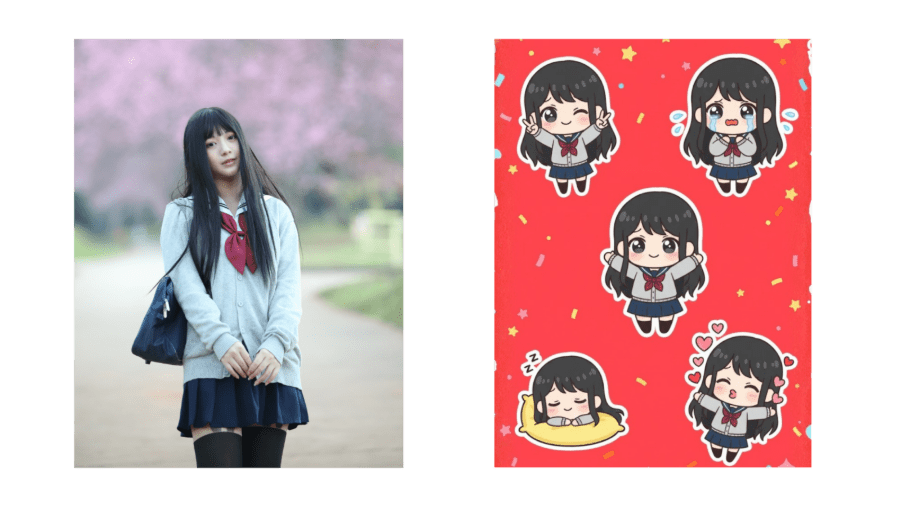
6. Chibi Emoji Sticker
Create playful chibi emoji stickers from any image using Nano Banana Pro prompts and Gemini 3 Pro prompt copy paste for quick results.
Prompt:
Generate a chibi character in multiple poses:
- Peace sign with both hands while winking
- Tearful eyes with trembling lips showing a cute crying expression
- Hugging pose with arms wide open
- Sleeping on a tiny pillow with a sweet smile
- Blowing a kiss with floating heart symbols
Keep the chibi aesthetic with exaggerated, expressive eyes and soft facial lines. Background: vibrant red with stars or confetti. Leave some clean white space around each sticker. Aspect ratio: 9:16.
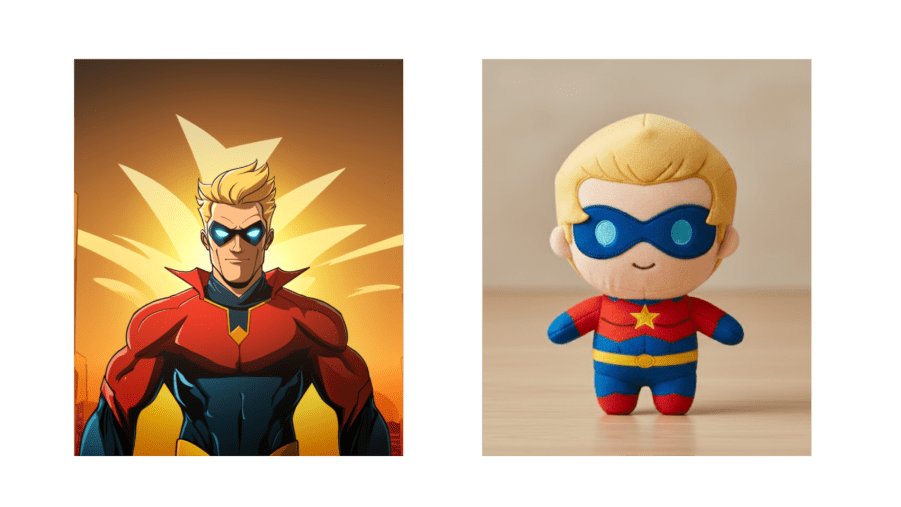
7. Character Plush Toys
Transform your characters into adorable plush toys with Nano Banana image editing. Use Gemini 3 Pro prompt copy and paste for consistent results.
Prompt:
Generate a high-quality plush toy of [CHARACTER], with an oversized head, small body, and stubby limbs. Make it soft and fuzzy with visible stitching and embroidered facial features. Show the plush sitting or standing against a neutral background. Include simple clothing or signature accessories if relevant. Lighting should be soft and even, making the plush look realistic and collectible. Center the figure for a full-body view.
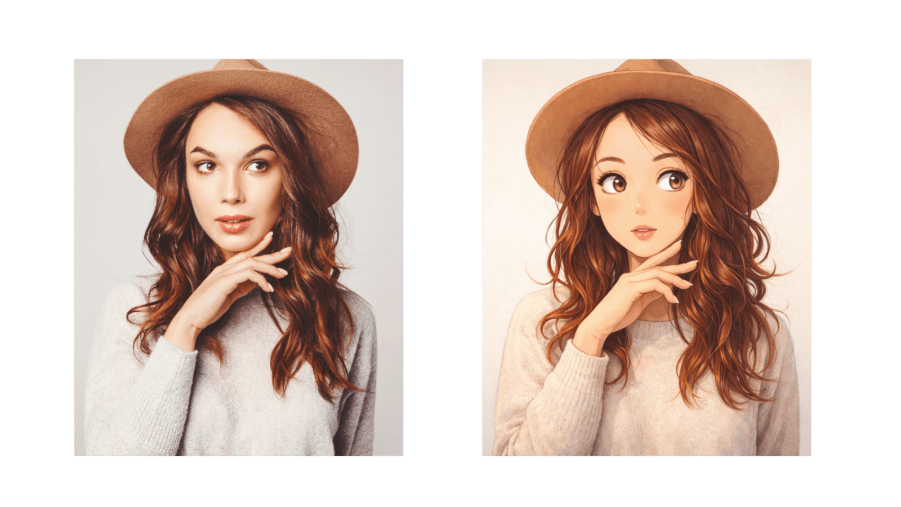
8. Ghibli Style
Transform any image into a magical Studio Ghibli-inspired scene with Nano Banana Pro prompts and Gemini 3 Pro prompt copy paste.
Prompt:
Redraw this image in a whimsical Ghibli style, keeping the characters and main objects intact. Emphasize soft colors, hand-drawn textures, and warm lighting to create an enchanting, cinematic scene.
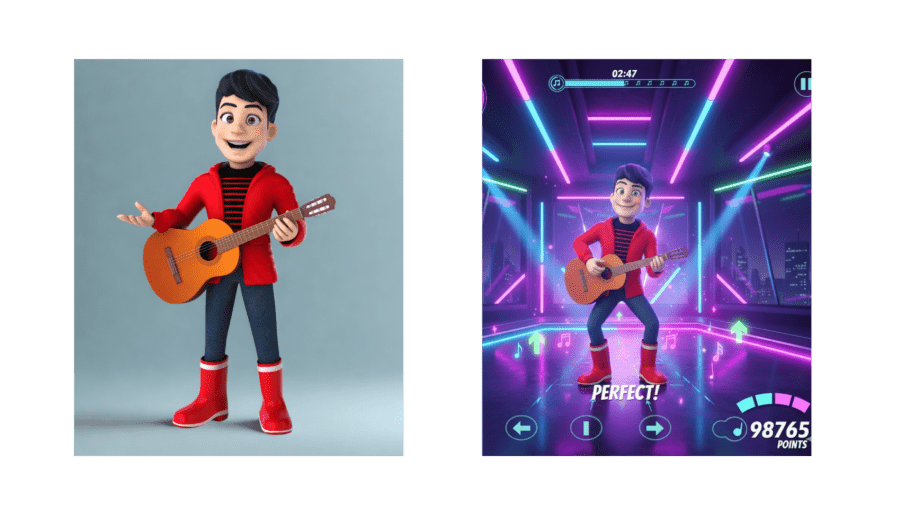
9. Game UI
Convert your designs into dynamic game UI elements using Banana Pro prompts and Gemini 3 Pro prompt copy paste.
Prompt:
Create a vibrant rhythm dance game screen featuring the 3D character from the reference photo. Keep their outfit, style, and dance pose. Add cinematic neon lighting, reflective floors, and animated UI elements like score meters, stage timers, and combo numbers. Make it immersive, energetic, and detailed like a real game interface.
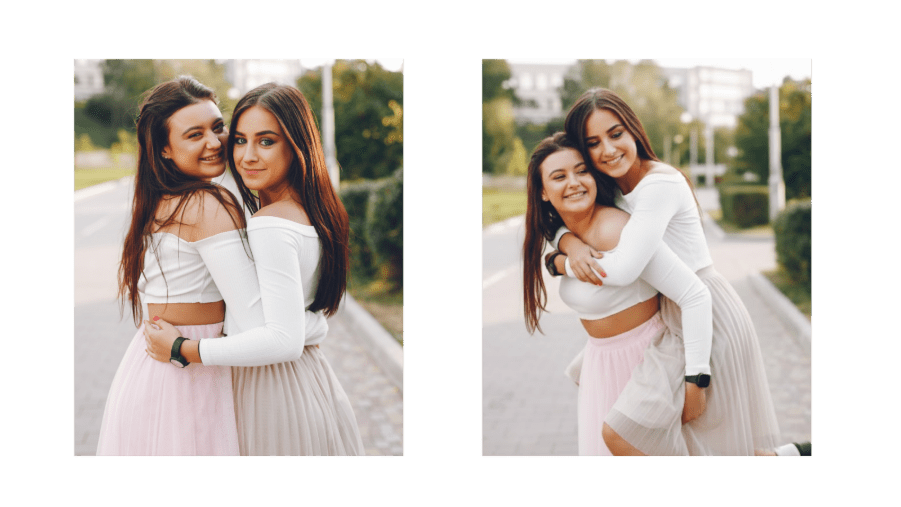
10. Pose Control
Adjust body posture with Nano Banana Pro prompts for natural or dynamic poses.
Prompt:
Place the two men in the exact poses of the man in green carrying the man in red. Keep identities, proportions, and clothing accurate. Ensure the poses look natural, with consistent lighting and realistic perspective.
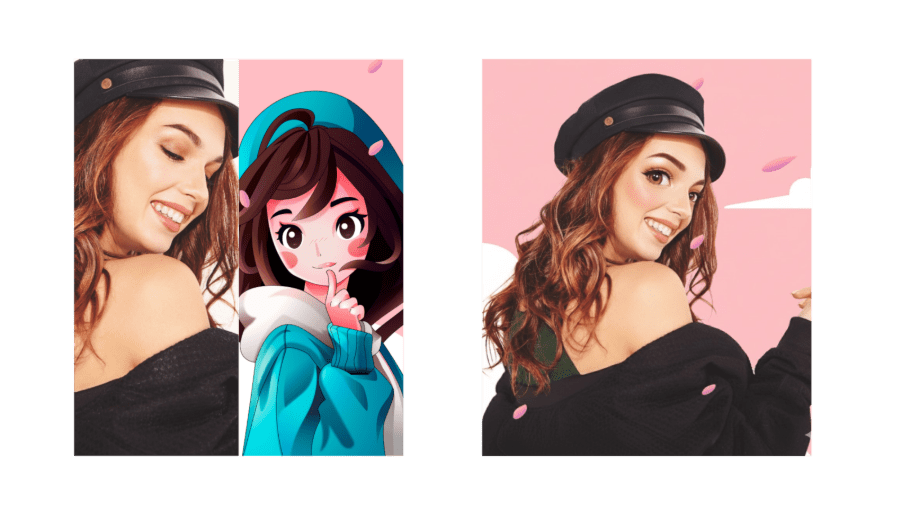
11. Style Fusion
Blend the look of two images to create a unique, harmonious design using Banana Pro prompts.
Prompt:
Transform [Image1] in the style of [Image2]. Preserve the main subject, composition, and details from [Image1], while applying the colors, textures, and artistic style of [Image2]. Keep it high-quality, consistent, and visually striking.
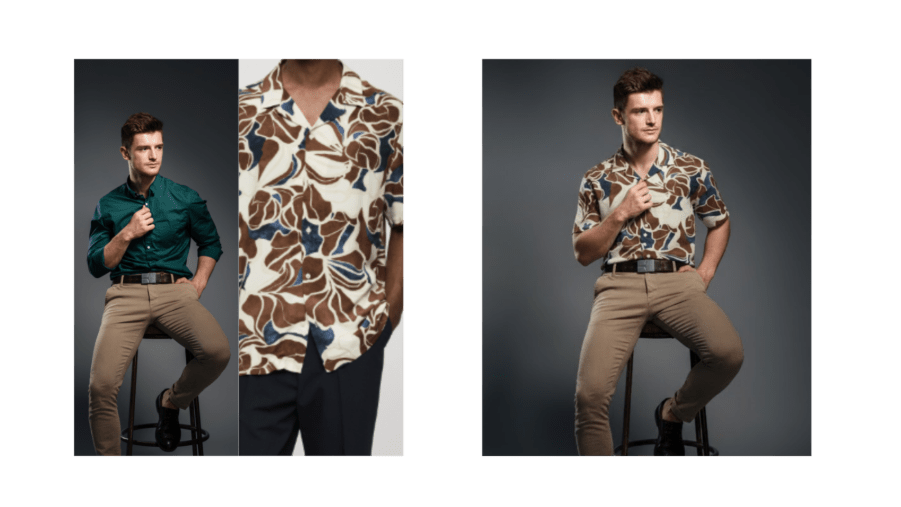
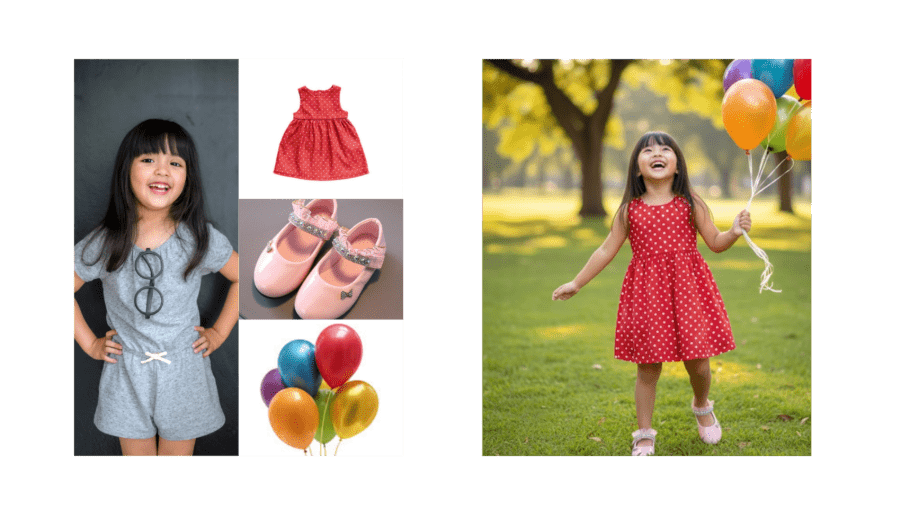
12. Virtual Change Clothes
Change outfits on your subjects instantly using Nano Banana image editing.
Prompt:
Keep the person from [Image1] unchanged, but replace their pants with the outfit from [Image2]. Maintain the same pose, proportions, and facial features while applying the color, texture, and style from [Image2]. Ensure the result is realistic and high-quality.
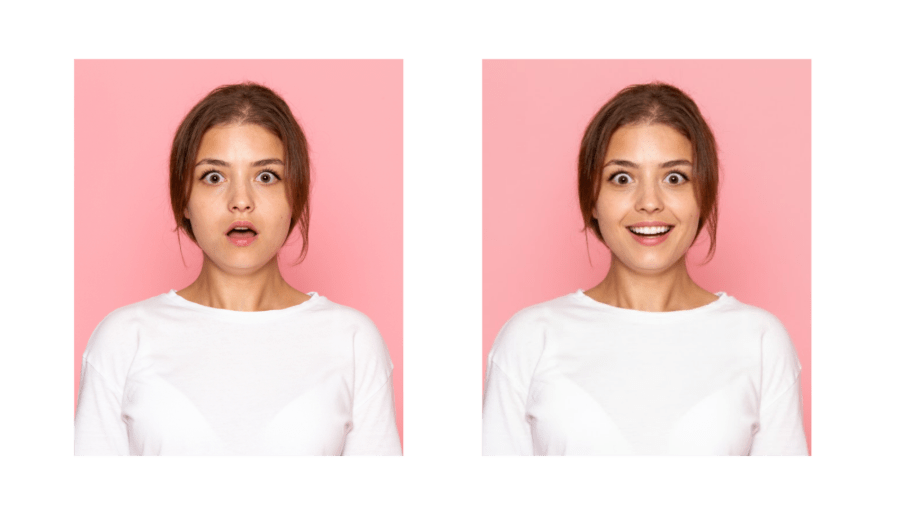
13. Facial Expression Control
Modify facial expressions with Banana prompts XYZ for realistic emotion adjustments.
Prompt:
Keep the person from [Image1] unchanged, but change their facial expression to [desired expression, e.g., smiling, surprised, angry]. Preserve pose, proportions, hairstyle, and features. Maintain photorealistic lighting and shadows.
14. Image Fusion
Combine multiple images into one cohesive scene with Nano Banana image editing.
Prompt:
Merge images ([Image1], [Image2], [Image3]) into a single, seamless composition. Keep key subjects recognizable, maintain proportions, and blend lighting, shadows, and style naturally. Make it photorealistic and high-resolution.
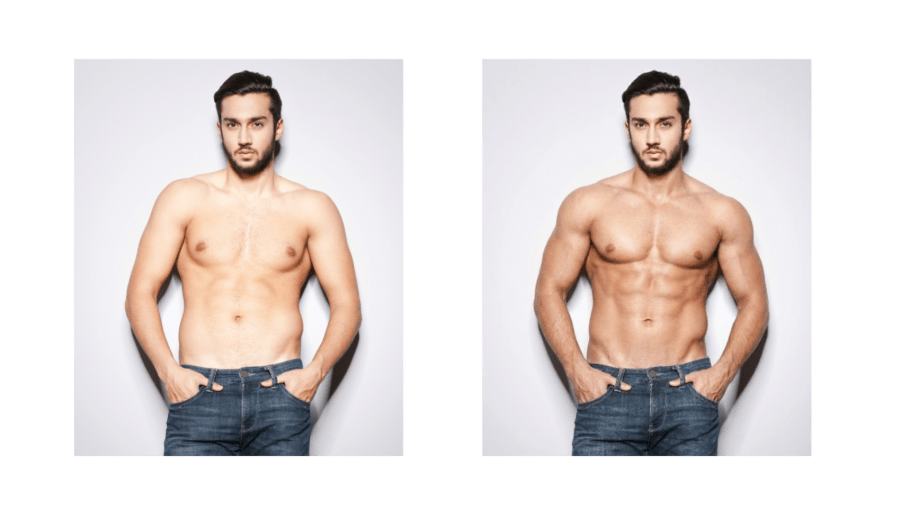
15. Body Reshape
Easily reshape bodies from muscular to slim or fuller using Gemini 3 Pro prompt copy paste.
Prompt:
Reshape the person in [Image1] into a [target body type]. Keep the face, hairstyle, clothing, and identity intact. Ensure natural proportions, realistic anatomy, and photorealistic detail.
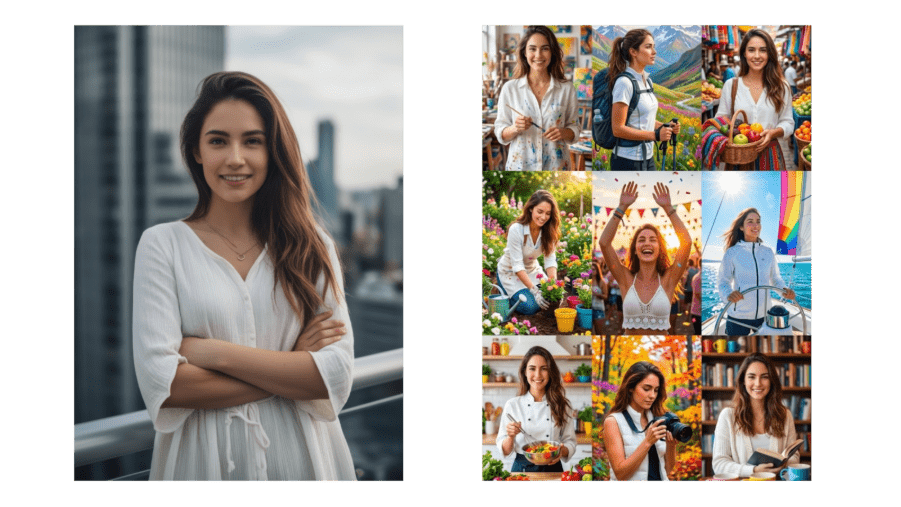
16. 3×3 Grid Portrait
Generate multiple portraits in a single grid layout using Nano Banana image editing.
Prompt:
Using [Image1] as a reference, create nine half-length portraits showing different poses and settings. Each portrait should highlight unique life experiences with vibrant, colorful details. Keep style, proportions, and photorealistic quality consistent across all nine images.
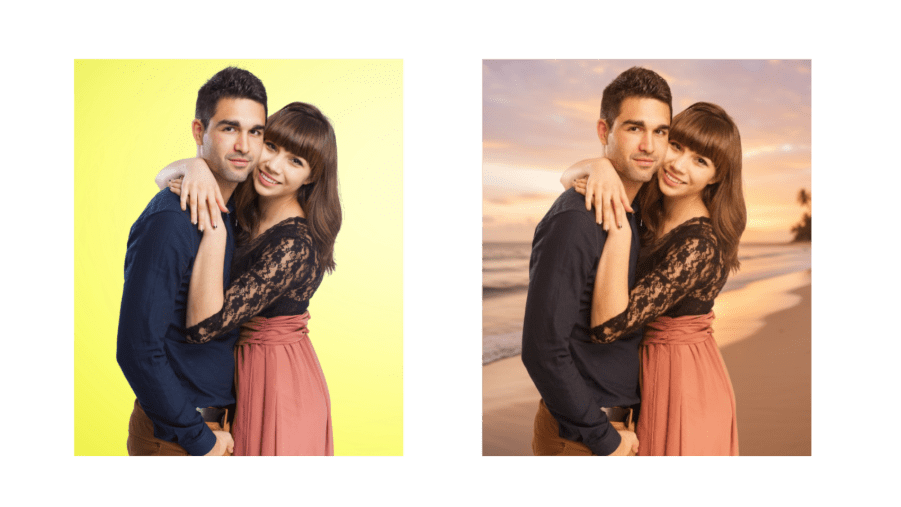
17. Change Image Background
Replace backgrounds while keeping subjects intact using Banana Pro prompts.
Prompt:
Replace the background of [Image1] with [desired background, e.g., beach, forest, city skyline]. Keep the main subject unchanged with correct proportions and lighting. Ensure the subject blends naturally in the new scene.
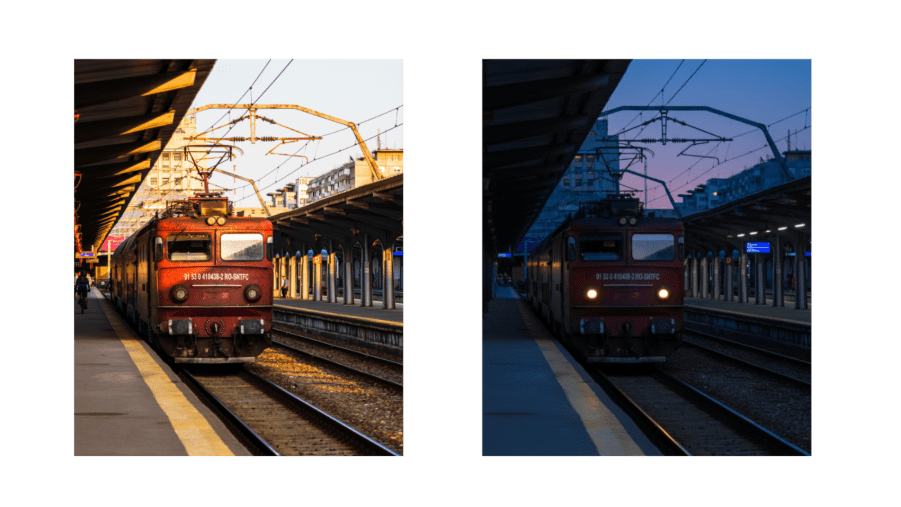
18. Time-Based Image Generation
Show scenes at different times with Nano Banana image editing.
Prompt:
Generate [Image1] scene 10 minutes later. Keep style, environment, and characters consistent. Add realistic changes like light, shadows, or minor environmental updates.
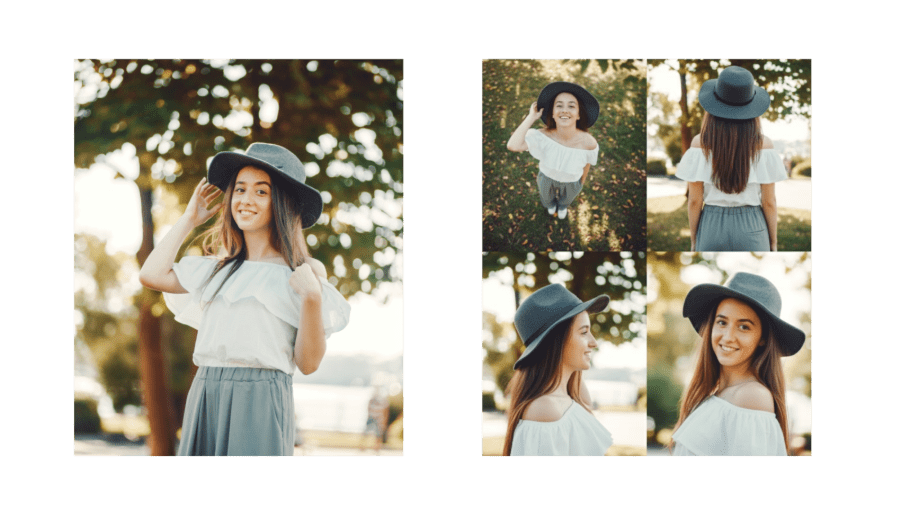
19. Change Camera Angle
Capture your subjects from any viewpoint with Nano Banana Pro prompts.
Prompt:
Recreate the person from [Image1] in four different perspectives:
- Bird’s-eye view
- Rear view
- Side profile
- Close-up portrait
Keep identity, proportions, clothing, and background consistent. Ensure photorealistic lighting, shadows, and details.
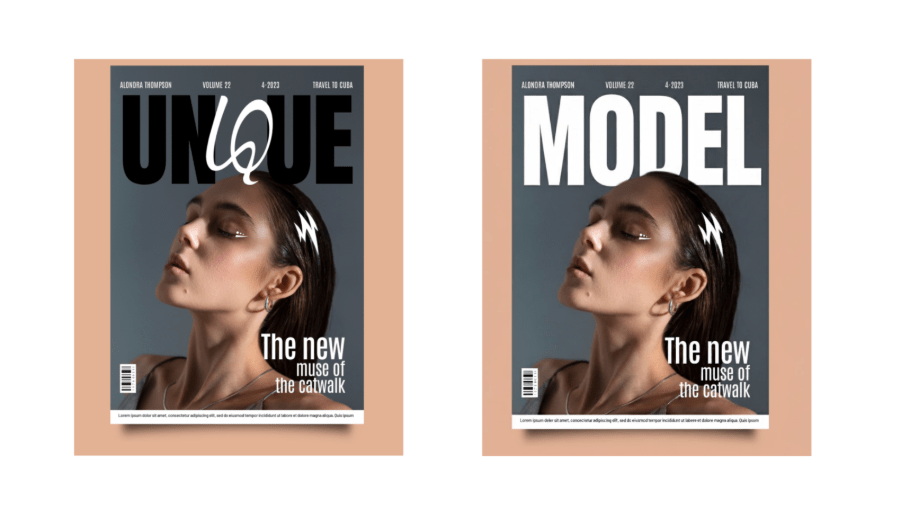
20. Edit Text in Image
Modify text while keeping designs intact using Banana prompts XYZ.
Prompt:
Replace text in [Image1] with “[new text]” while keeping the background, style, and elements unchanged. Match font, size, and color for a seamless, realistic look.
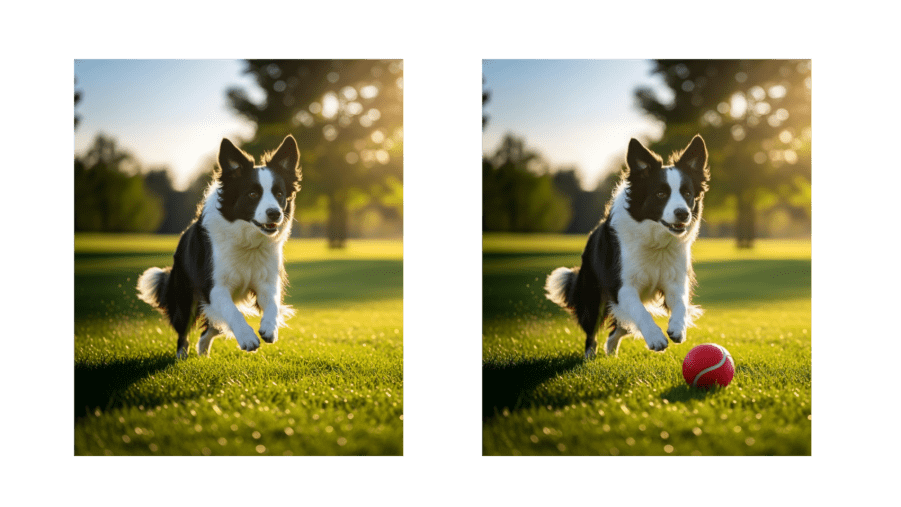
21. Add and Remove Objects
Add Objects:
Insert new elements seamlessly with Nano Banana image editing.
Prompt:
Add [desired object, e.g., tree, lamp, dog] to [Image1]. Place it naturally in the scene, matching lighting, perspective, and style. Keep original elements unchanged.
Remove Objects:
Clean up unwanted items using Banana Pro prompts.
Prompt:
Remove [object, e.g., person, car, sign] from [Image1]. Fill the background naturally to maintain continuity, lighting, and style. Keep all other elements intact.
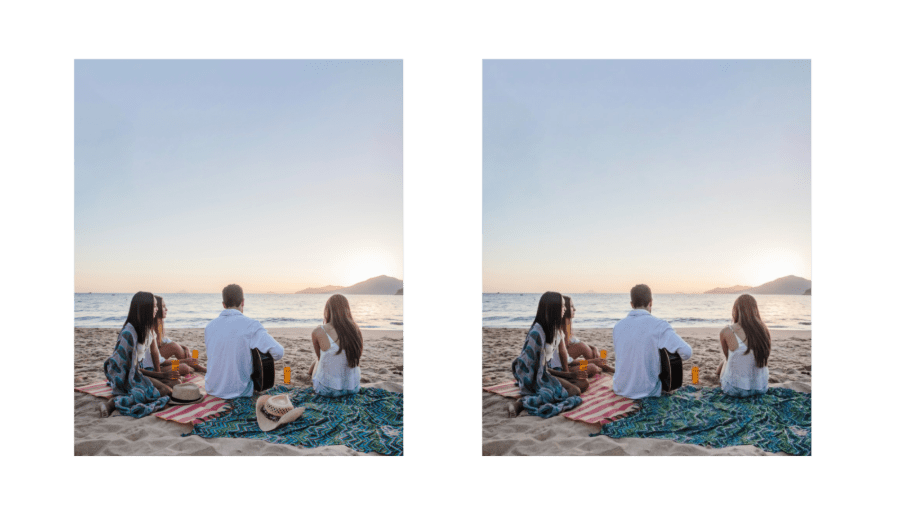
22. Object Extraction
Isolate objects for reuse or editing with Nano Banana Pro prompts.
Prompt:
Extract clothing from [Image1] as a clean product photo. Remove the model’s body. Keep garment shape, fabric folds, seams, and textures realistic. Place on white or transparent background, high-resolution, perfect for e-commerce catalogs.
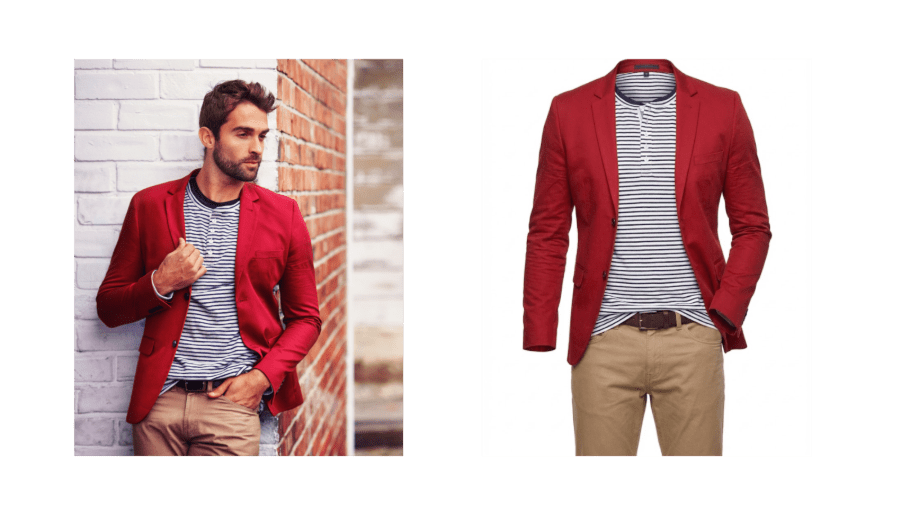
23. Enhance Image
Boost image quality, sharpen details, and improve clarity effortlessly.
Prompt:
Enhance [Image1] to improve resolution, sharpness, and texture details. Keep the original composition, colors, and style intact. Output a photorealistic, high-resolution image with natural lighting and realistic details.
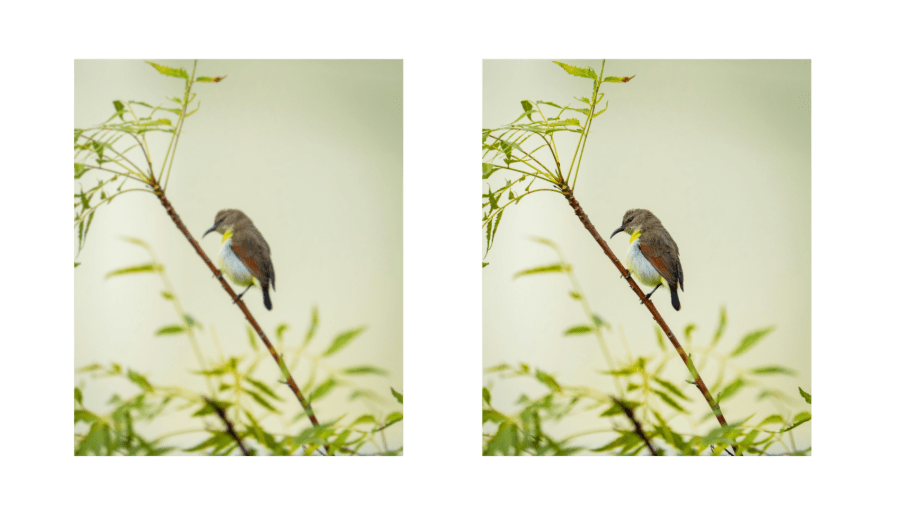
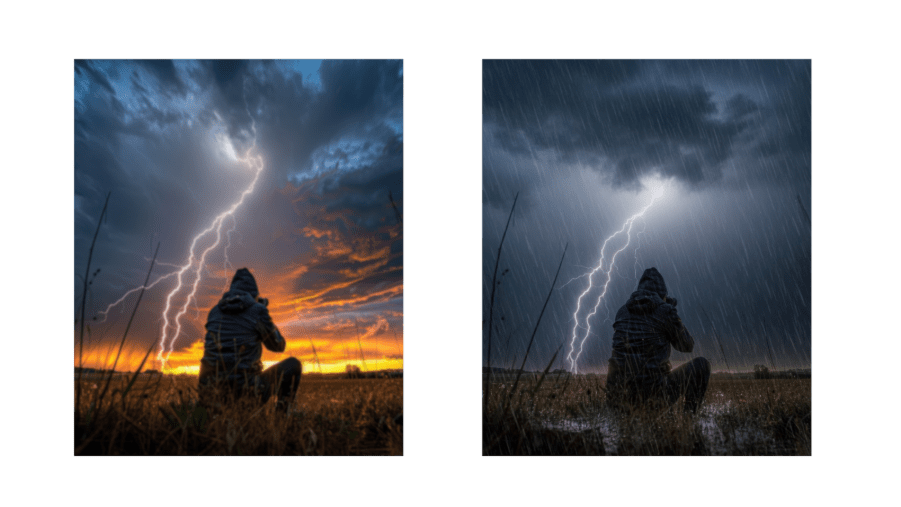
24. Change the Weather
Instantly switch weather conditions in your scene while keeping it realistic.
Prompt:
Change the weather in [Image1] to [desired weather: rainy, snowy, foggy, sunny]. Keep the main subject unchanged. Adjust lighting, shadows, and environmental effects to match the new weather. Make it photorealistic and high-resolution.
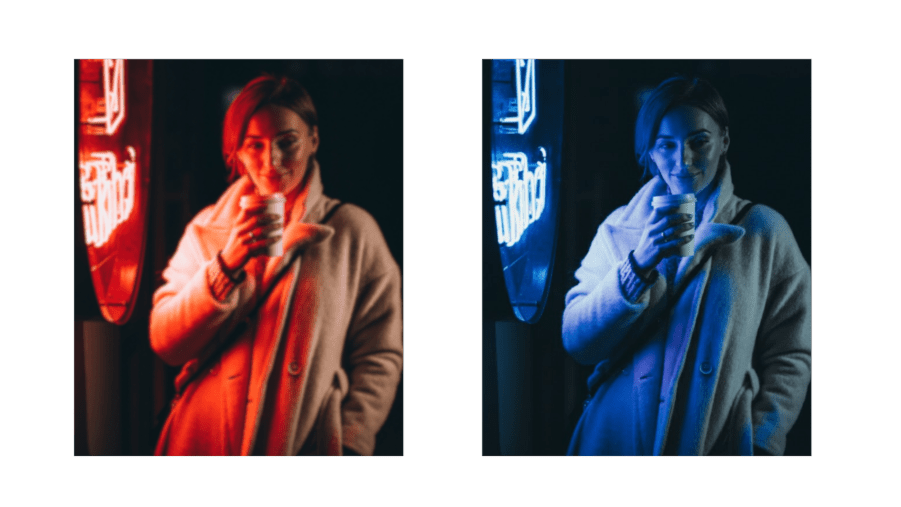
25. Change Image Color
Adjust your image colors to fit any mood, aesthetic, or style.
Prompt:
Update the colors in [Image1] to [desired color/style: warm tones, cool blues, pastels]. Preserve the subject and composition. Adjust shadows, lighting, and overall color balance for a natural, photorealistic look.
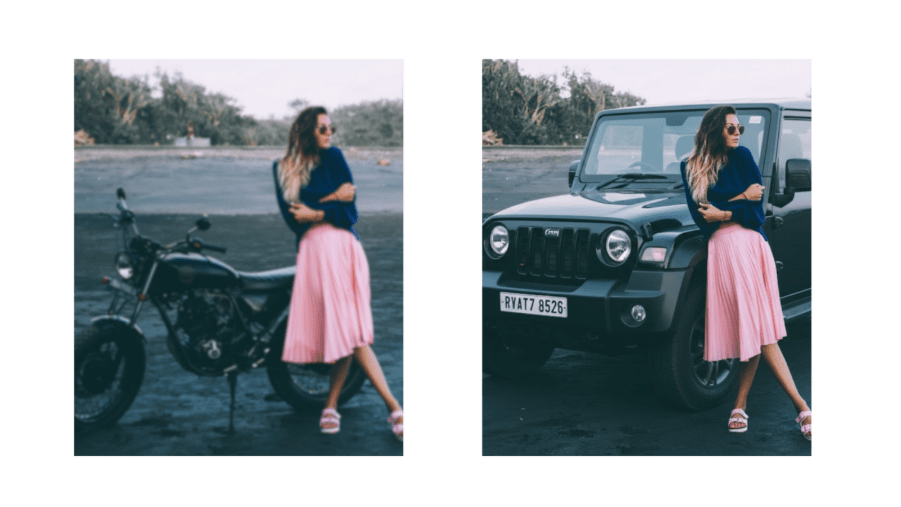
26. Image Replace
Swap specific objects, people, or areas seamlessly in your images.
Prompt:
Replace [target element/area] in [Image1] with [new element/reference: person, object, or scene]. Keep the rest of the image unchanged. Match lighting, perspective, and style for a natural, high-resolution result.
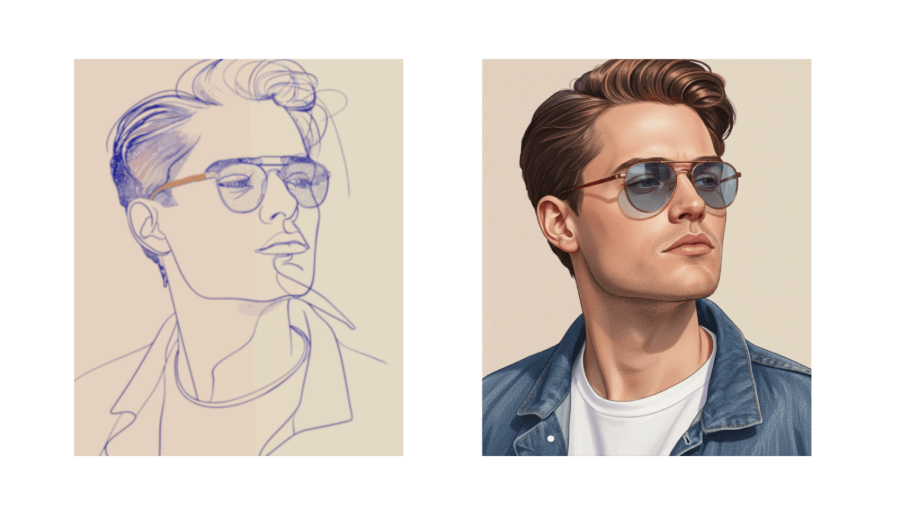
27. Line to Image
Turn sketches or line art into full-colored, detailed images.
Prompt:
Convert the line art in [Image1] into a fully colored and detailed image. Keep all original outlines and composition. Apply [desired style: photorealistic, anime, cartoon, digital painting] with realistic lighting, shadows, and textures. Produce a high-resolution, seamless image.
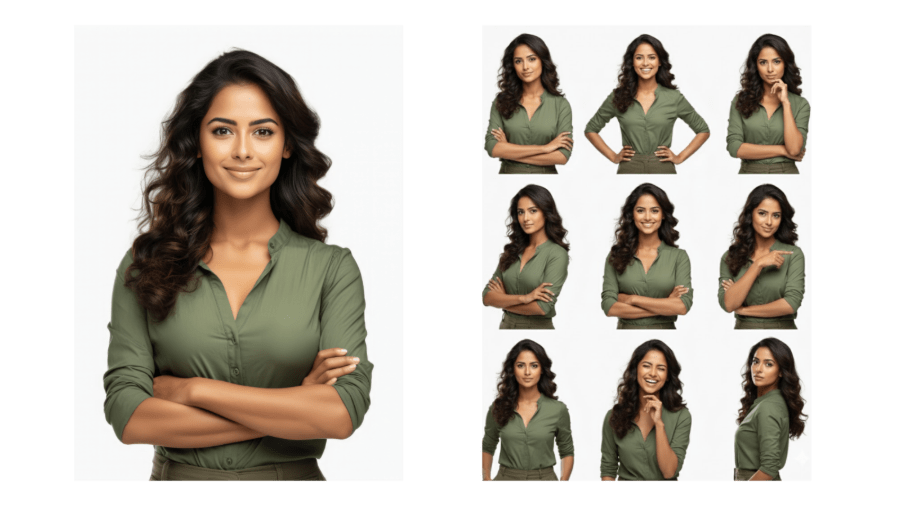
28. 3×3 Photo Grid Pose
Create dynamic grids of portraits with varied poses.
Prompt:
Transform [Image1] into a 3×3 photo grid, showing different poses and expressions for each portrait. Ensure studio-style lighting and consistent image quality across all nine shots.
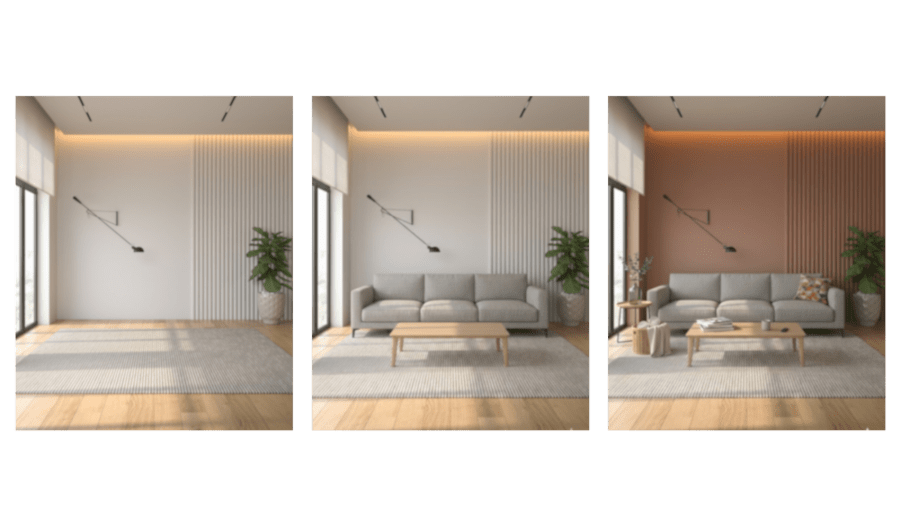
29. AI Interior Design
Visualize and redesign any room step by step using AI.
Prompt:
- Place a gray sofa and a wooden coffee table in the center, matching a modern, photorealistic style.
- Add extra furniture and daily items to the foreground. Change the wallpaper to a warmer tone. Maintain realistic lighting, shadows, and textures for a stylish interior look.
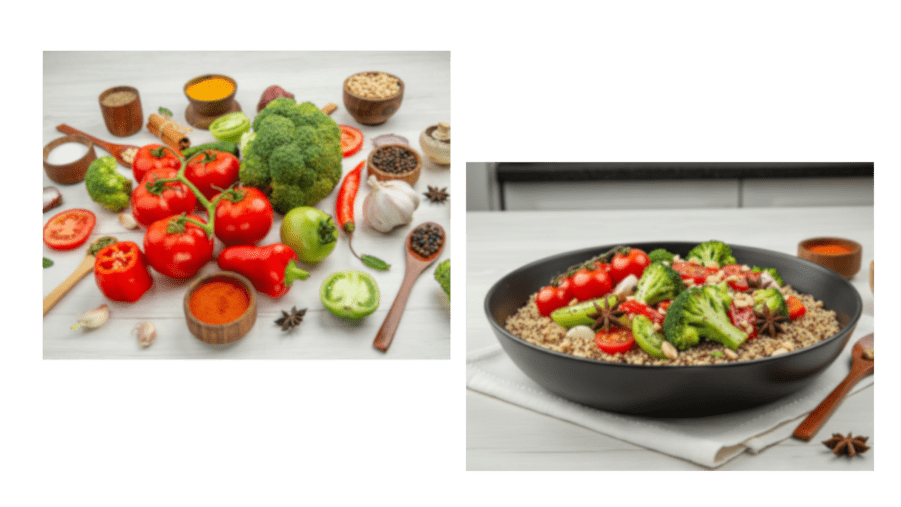
30. Ingredients to Dish
Turn raw ingredients into a beautifully plated dish using AI.
Prompt:
Here are the ingredients: [List of items]. Create an image of a [dish/type of object] using these items. Arrange the ingredients logically and proportionally. Apply [visual style: photorealistic, illustrative, stylized] with clear placement and attention to detail.
Note: Replace [List of items], [dish/type of object], and [visual style] with your specific details.
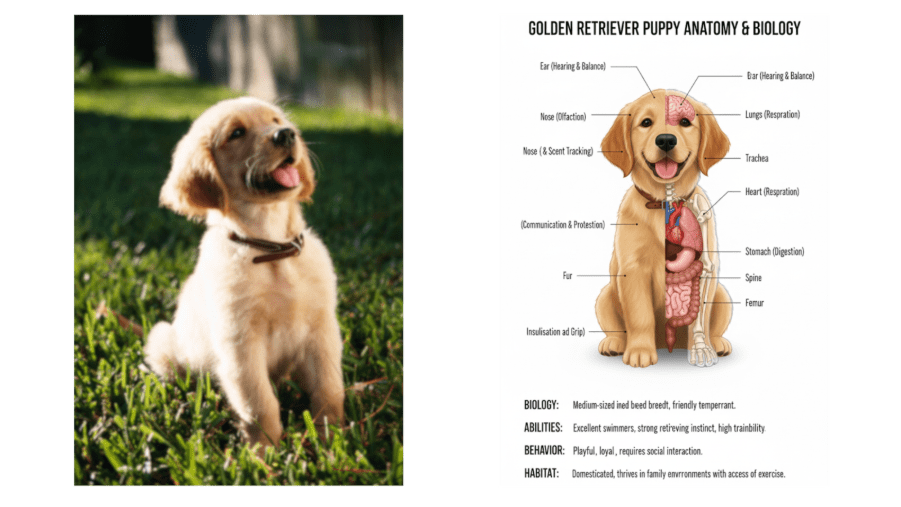
31. Anatomy Illustration
Create highly detailed anatomical illustrations for learning or creative projects.
Prompt:
Draw a front-facing, bilaterally symmetrical anatomical illustration of [Character], in an infographic style. Show the creature’s external features on both sides and partially reveal internal anatomy. Add clear, labeled text explaining its biology, abilities, behavior, habitat, and functions of each anatomical structure. Keep the design clean, educational, and visually similar to a scientific illustration.
Note: Replace [Character] with the specific subject you want to illustrate.
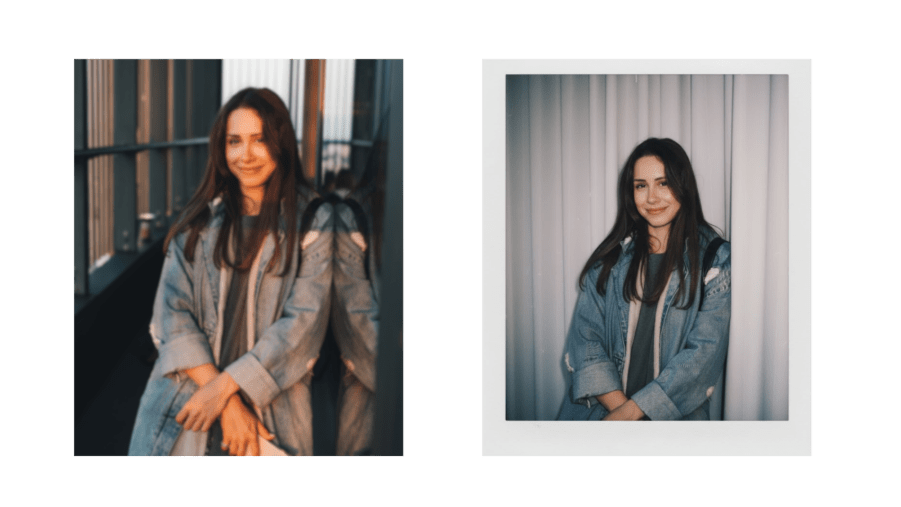
32. Gemini AI Polaroid-Style Photo
Turn your photos into retro, vintage Polaroid-style images with Gemini AI.
Prompt:
Convert [Image1] into a Polaroid-style photo. Make it look like a casual snapshot with slight blur and natural light, as if taken in a dim room with a flash. Keep the people’s faces unchanged. Replace the background behind the two subjects with a white curtain. Ensure a nostalgic, retro aesthetic with soft shadows and subtle lighting.
Final words
If you want Gemini AI photo prompts that actually work for your projects, this guide is for you. All templates are ready to use with Nano Banana Pro, Google’s advanced AI image generator.
We’ve used Nano Banana Pro on real client work like portraits, product packaging, marketing dashboards, and documents. When used professionally, it delivers high-quality, client-ready results every time.
At Helixbeat, we believe in using the latest tools like Nano Banana to bring out creativity and innovation. We also help businesses grow their brand with effective social media marketing services, making your content reach the right audience.