US businesses with deskless employees face a quiet but costly problem—time tracking systems designed for desks, not people.
Construction crews, healthcare staff, field technicians, retail associates, and logistics teams rarely work behind computers, yet most employee timesheet software still assumes they do. The result is missed punches, payroll errors, compliance risks, and frustrated employees.
This is precisely where mobile-first employee timesheet software, like Synergy HRMS, makes a difference. Built as a mobile-first solution—not a desktop workaround—Synergy HRMS enables US organizations to track time accurately, stay compliant, and provide deskless employees with a system that truly fits the way they work.
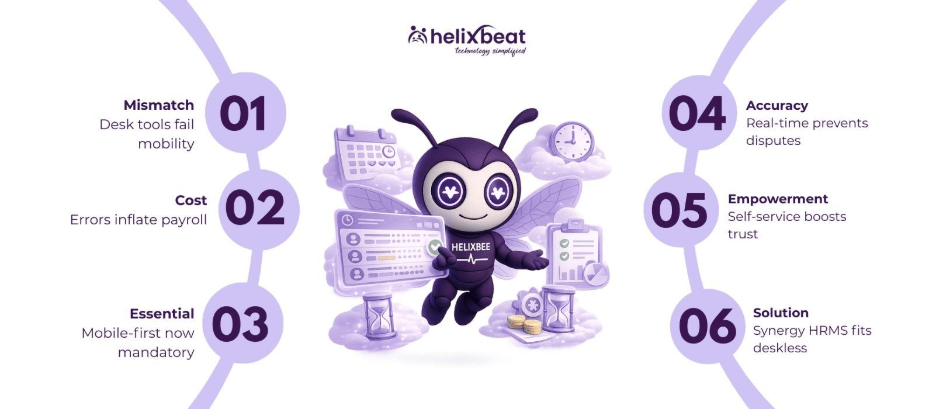
Table of Contents
Why asking deskless employees to use desk-based timesheets is already costing your business
Desk-based systems were never designed for mobile or location-based work, yet many organizations still rely on them. The gap between how deskless employees work and how time is tracked creates measurable costs.
The mismatch between how deskless employees work and how legacy systems track time
Deskless employees rarely start or end their shifts near a shared computer or physical punch clock. Expecting them to remember hours later—or rely on supervisors to log time—creates gaps that affect both accuracy and trust.
Nearly 75% of businesses experience payroll errors, with time tracking being a major contributor. Desk-based systems simply do not align with mobile, location-based work.
Manual corrections quietly inflate labor costs
When timesheets are corrected after the fact, businesses often round hours up instead of down to avoid disputes. Over time, this leads to consistent overpayment. Even a 10-minute daily error per employee can cost thousands annually in large workforces.
Employee frustration is the hidden cost no one tracks
Deskless employees notice when systems do not work for them. Repeated clock-in issues, missed punches, and delayed corrections reduce trust and engagement—two factors directly tied to turnover.
Mobile-first employee timesheet software is no longer a ‘nice-to-have’ in the US
With a growing deskless workforce, mobile-first solutions are becoming essential, not optional. They provide accuracy, compliance, and a better employee experience.
The shift in the US workforce toward deskless roles
Over 80 million US workers are deskless, spanning industries like healthcare, retail, logistics, utilities, and construction. Yet most of the time tracking tools were built for office environments.
Mobile-first employee timesheet software flips this model by designing for the phone first, rather than adapting desktop systems afterward.
What “mobile-first” means (and what it doesn’t)
Mobile-first is not:
- A web portal squeezed into a smaller screen
- A limited companion app
True mobile-first employee timesheet software offers:
- One-tap clock-in/out
- Offline time capture
- GPS validation
- Real-time syncing with payroll and HR systems
Why US compliance standards demand real-time accuracy
With strict enforcement of overtime rules and state-specific labor laws, inaccurate time data is a liability. Mobile-first systems reduce exposure by capturing time at the source, rather than hours or days later.
Real-time time capture matters more than perfect timesheets
Capturing time as it happens ensures accuracy and trust. Real-time employee timesheet software eliminates guesswork and provides actionable insights.
Real-time data eliminates guesswork and disputes
When employees log time as work happens, disputes drop sharply. Real-time capture removes ambiguity about start times, break durations, and overtime eligibility.
Businesses using real-time mobile time tracking report up to 45% fewer payroll disputes, improving HR efficiency and employee trust.
Managers gain visibility without micromanaging
Instead of chasing timesheets at week’s end, managers can:
- See who is on shift right now
- Identify absenteeism instantly
- Respond to labor shortages faster
This visibility improves operational decisions without adding oversight pressure.
Real-time insights directly impact scheduling efficiency
Accurate data allows better forecasting. Businesses can reduce unnecessary overtime and avoid understaffing—both major cost centers in deskless industries.
Deskless employees expect the same self-service experience as office staff
Deskless employees want visibility and control over their work just like office staff. Employee timesheet software provides the autonomy they expect.
The rise of employee self-service expectations
Today’s workforce expects transparency. Deskless employees want to:
- See logged hours
- Track overtime
- Understand pay calculations
Without mobile access, they remain in the dark until payday.
How mobile timesheets improve accountability without friction
Self-service does not reduce control—it improves accountability. When employees can see their own data, errors are caught earlier and resolved faster.
Why self-service directly improves retention
Employees who feel in control of their work experience are 43% less likely to leave. Mobile-first employee timesheet software contributes directly to this sense of autonomy.
Synergy HRMS Is Built Specifically for Deskless, Mobile-First Workforces
Deskless employees need more than traditional timesheet tools—they need software built around mobile workflows. Synergy HRMS was designed with this reality in mind, ensuring time tracking fits how work actually happens.
Synergy HRMS as More Than Employee Timesheet Software
Synergy HRMS, developed by Helixbeat, is a full HRMS solution, not just a standalone timesheet tool. Employee time tracking integrates seamlessly with:
- Attendance
- Payroll
- Leave
- Compliance
- Employee self-service
This approach eliminates data silos and gives managers a unified view of workforce operations.
Synergy HRMS Mobile App Matters
The Synergy mobile app allows deskless employees to:
- Clock in/out from approved locations
- Track hours and overtime in real time
- Receive alerts for missed punches
- Request corrections instantly
At the same time, managers can approve timesheets on the go—no laptop required—ensuring real-time oversight without micromanagement.
Built for US Compliance Realities
Synergy HRMS supports FLSA rules, overtime thresholds, and audit-ready reporting—essential for US organizations operating across multiple states and maintaining regulatory compliance.
Synergy HRMS vs a Typical Legacy Competitor: Where Mobile-First Truly Shows Up
Many legacy systems claim mobile access, but the real advantage comes when mobile-first design drives workflow efficiency. Synergy HRMS was built from day one with deskless employees in mind.
The Real Difference Is Not Features—it’s Usability in the Field
Most competitors add mobile access as an afterthought. In contrast, Synergy HRMS is optimized for mobile workflows, allowing deskless teams to track and manage time effectively from anywhere.
Synergy HRMS vs Legacy Timesheet Software
| Capability | Synergy HRMS | Legacy Competitor |
| Mobile-first design | Yes, app-native | Desktop-first |
| GPS-based clock-in | Yes | Limited or none |
| Offline time capture | Yes | No |
| Real-time dashboards | Yes | Delayed |
| Payroll integration | Seamless | Manual sync |
| Employee self-service | Full mobile access | Web-only |
| Compliance readiness | FLSA & state laws | Manual handling |
Why This Difference Directly Impacts ROI
US businesses that switch to Synergy HRMS report:
- 30% faster payroll processing
- Significant reduction in time theft
- Lower compliance risk
Mobile-First Timesheets Reduce Payroll Errors Before They Reach Finance
Errors often originate before payroll is processed, and mobile-first systems prevent mistakes at the source.
Errors Usually Happen Before Payroll—not During It
By capturing time as work happens, mobile-first employee timesheet software ensures accuracy from the start, reducing disputes and corrections downstream.
Automated Calculations Eliminate Human Assumptions
Synergy HRMS automatically calculates:
- Regular hours
- Overtime
- Break compliance
This removes subjective interpretations that can create disputes and payroll inconsistencies.
Audit Trails Protect Businesses During Compliance Reviews
Every clock-in, edit, and approval is logged—critical for labor audits and internal compliance reviews—giving managers with peace of mind.
Mobile-First Time Data Becomes a Strategic Asset, Not Just an HR Record
Time data has value beyond payroll—it informs workforce decisions and drives operational efficiency.
Turning Time Data into Workforce Intelligence
Accurate time tracking helps businesses:
- Identify chronic understaffing
- Reduce unnecessary overtime
- Improve shift planning
Cost Optimization Through Smarter Scheduling
US companies using mobile time analytics have cut overtime costs by up to 30% annually by aligning staffing with actual demand.
Better Data Leads to Better Leadership Decisions
When leaders trust time data, decision-making shifts from reactive to proactive, enabling better allocation of resources and workforce planning.
Wrapping Up
Deskless workforces can’t be managed with desk-based tools. Mobile-first employee timesheet software like Synergy HRMS aligns time tracking with how work actually happens. For US businesses, it means fewer errors, better compliance, and a workforce that feels supported—not slowed down.
Take the first step—schedule your Synergy HRMS demo today
FAQs
1. Can mobile timesheets increase time theft?
No. GPS validation and real-time logging reduce buddy punching and false entries.
2. Will older deskless employees struggle with mobile apps?
Simple, one-tap interfaces outperform paper and kiosks across age groups.
3. How does mobile time tracking impact union environments?
Rules can be configured to meet union-specific overtime and break policies.
4. What happens if an employee forgets to clock out?
Automated alerts and correction of workflows prevent payroll delays.
5. Is mobile-first software secure for sensitive employee data?
Yes. Synergy HRMS uses enterprise-grade encryption and access controls.
6. Can Synergy HRMS support multi-location US operations?
Absolutely. It scales across locations, states, and labor rules seamlessly.