

Table of Contents
How Visitor Watchlists Help Security Teams Stop High-Risk Entry
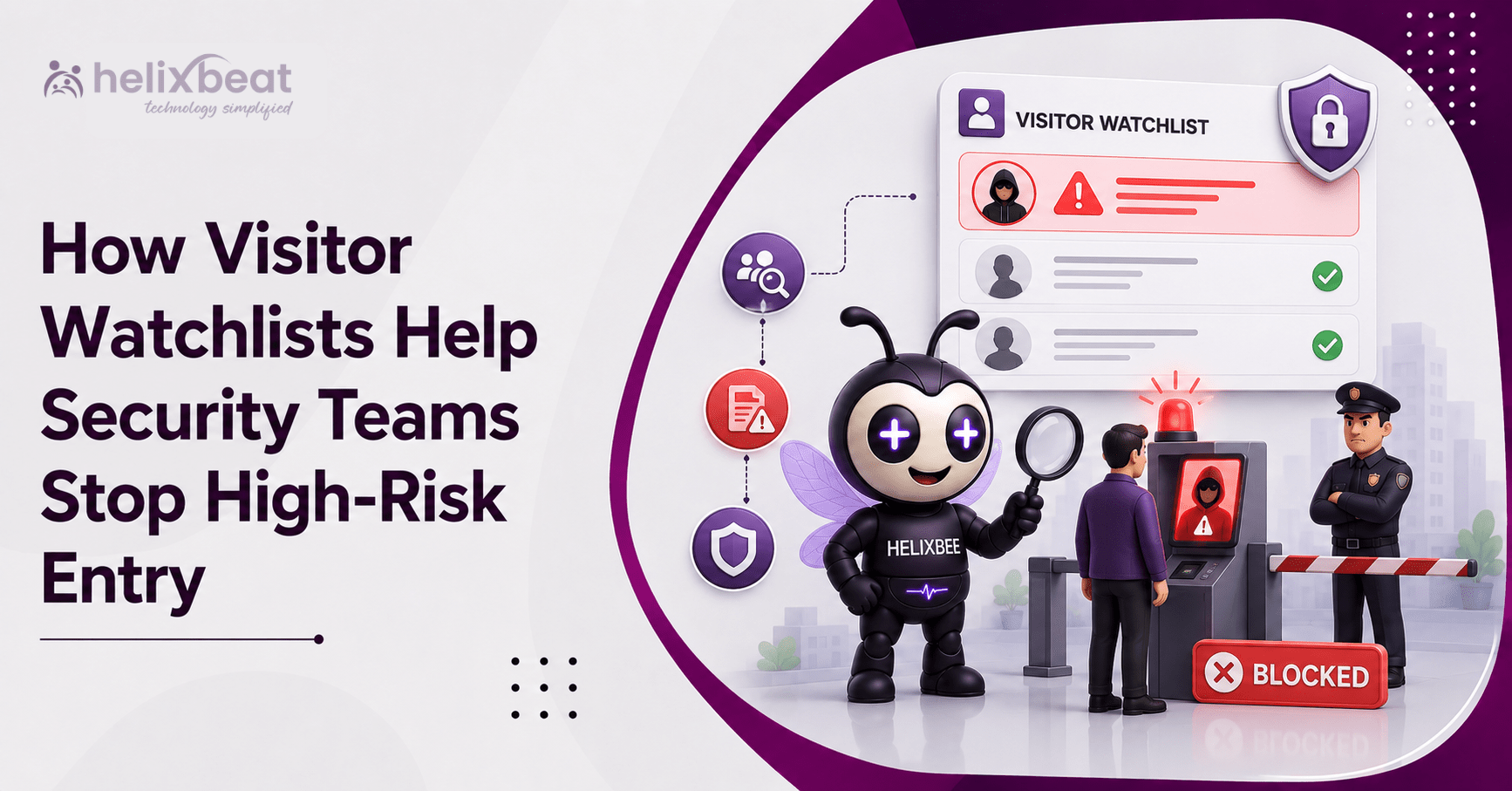
A contractor denied entry at one manufacturing facility arrives at another location weeks later using a different email address and another employee’s name as the host. The guard recognizes the face but cannot recall the earlier incident. A paper register offers no help.
A visitor authentication system can strengthen this decision. Instead of relying on memory, disconnected spreadsheets, or visual recognition, security teams can compare visitor information with approved internal records before access is granted.
A watchlist match does not prove that someone is dangerous. It creates a reason to pause, verify the information, review earlier records, and follow company policy. In this role, the visitor authentication system supports high-risk visitor detection without delaying every legitimate guest.
What Is a Visitor Watchlist?
A visitor watchlist is an organization-controlled list of people or profiles requiring additional review during registration or check-in. A record may include the reason, date, notes, status, and required action.
A watchlist may include:
- Visitors previously denied access
- Former contractors whose access was revoked
- Vendors with expired credentials
- People involved in an earlier security incident
- Individuals requiring management approval
- Duplicate or suspicious visitor profiles
- Visitors who attempted to enter restricted areas
Effective visitor watchlist screening uses clear categories. “Requires facilities manager approval” gives staff a useful next step. A vague label such as “suspicious” may lead to inconsistent decisions.
Organizations should also define how security teams identify flagged visitors and who may add, edit, review, or remove a record.
Why Manual Visitor Screening Fails
Manual screening depends heavily on the guard or receptionist on duty. It becomes unreliable across multiple entrances, shifts, and facilities.
Paper registers cannot compare a new arrival with past entries. Spreadsheets may be outdated or unavailable at another building, and employees may not remember a visitor from months earlier.
These gaps weaken unauthorized access prevention. A denied visitor may try another gate, change one contact detail, or arrive during a different shift. Without centralized records, each attempt can look like a first visit.
A digital visitor authentication system gives authorized teams a shared view of visitor records, approvals, check-in status, and earlier decisions.
How a Visitor Authentication System Checks Watchlists
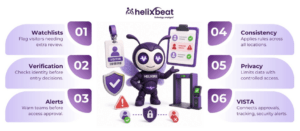
A visitor authentication system with watchlist screening turns a loosely defined security check into a consistent process:
- Registration: The visitor submits details before arrival or at reception.
- Verification: The system supports visitor identity verification based on company policy.
- Comparison: Visitor data is checked against internal records.
- Review: Exact or possible matches are highlighted.
- Notification: Security receives real-time security alerts.
- Decision: Entry is approved, escalated, restricted, rescheduled, or denied.
- Record: The action and reason are stored in an audit trail.
This shows how visitor watchlists prevent unauthorized entry: important information reaches staff before the access decision is completed. It also helps the same type of match receive a similar review at every reception desk.
Five Ways Watchlists Help Stop High-Risk Entry
- Identifying Previously Denied Visitors
A centralized visitor authentication system can make earlier entry decisions visible across authorized locations. When a previously denied person registers again, the team can review the original reason rather than treating the arrival as new.
This supports high-risk visitor detection while preserving human judgment. A past restriction may still be valid, may have expired, or may require reassessment.
- Detecting Expired or Revoked Contractor Access
Contractors, temporary workers, and vendors often have time-limited access. Someone may still possess an old badge, invitation, QR pass, or document after an engagement ends.
Visitor watchlist screening can flag the profile so security confirms current authorization before issuing a credential. This is valuable in hospitals, laboratories, data centers, financial institutions, and manufacturing sites.
- Finding Duplicate or Altered Profiles
A visitor may use a shortened name, new email address, different phone number, or another company affiliation. Such changes may be legitimate, but they can also create duplicate records that hide earlier activity.
Visitor identity verification helps staff decide whether two profiles belong to the same person. The purpose is not automatic denial. It is to identify inconsistencies that deserve review.
- Alerting Teams Before Access Is Granted
Real-time security alerts are most useful before a visitor receives a badge, enters a turnstile, or gains permission to access a department.
A clear alert should explain the flag and the next step. It may direct the guard to contact a supervisor, verify identification, call the host, or move the visitor to a waiting area. This improves unauthorized access prevention by connecting information with a defined response.
- Applying Consistent Rules Across Locations
A New York office and a Texas distribution facility may differ, but they should not apply completely different standards to the same visitor flag.
A centralized visitor authentication system helps authorized locations follow common screening, approval, and escalation rules. This makes digital visitor screening for US businesses more consistent while allowing each facility to apply local access requirements.
Example: A Flagged Contractor Attempts to Re-enter
A contractor is removed from a manufacturing site after entering a restricted production area without permission. The company documents the incident, revokes access, and adds the contractor to an internal list requiring security-manager approval.
Weeks later, the contractor pre-registers at another facility using a new email address. During check-in, the visitor authentication system finds matching identity information, displays a possible match, and pauses the process for review.
This is automated high-risk visitor screening for workplaces supporting—not replacing—a decision. The earlier violation, contract status, host confirmation, identification, and company policy all matter.
The team may deny entry, approve a supervised visit, or escalate the request. Staff should document the reason and update the record so future teams have accurate information.
Watchlist Alerts Should Support Decisions, Not Replace Them
Not every match means the same thing:
- Exact match: Submitted information closely matches an active record.
- Possible match: Some details match, but more verification is needed.
- Expired record: The restriction has reached its review date.
- Duplicate profile: Multiple records may belong to one person.
- Approval required: Entry needs an authorized manager’s decision.
A well-managed visitor authentication system should support fair, documented review. Staff should not treat a possible name match as proof of misconduct. Common names, typing errors, changed details, and outdated records can create false positives.
Teams also need instructions on who reviews a match, what information may be requested, where the visitor waits, and when the matter should be escalated.
Privacy and Compliance Considerations for US Organizations
Visitor watchlists involve personal information, so privacy safeguards should be built into the process.
Organizations should:
- Collect only the information needed for verification and access decisions.
- Explain why visitor information is collected and used.
- Limit watchlist access through role-based permissions.
- Set retention, review, correction, and deletion procedures.
- Record who created, edited, approved, or removed an entry.
- Review old restrictions so they do not remain active without a valid reason.
- Protect information through secure storage and controlled access.
Visitor identity verification should be proportionate to the facility and visit. A public office, school, laboratory, and data center may require different approval levels.
Technology can support an organization’s policies, but it does not automatically satisfy every federal, state, industry, or contractual requirement. Qualified legal and privacy professionals should review the final process.
Features to Look for in a Visitor Authentication System
A visitor authentication system should support more than digital sign-in. Useful capabilities include:
- Digital identity checks
- Custom visitor watchlists
- Duplicate-profile review
- Configurable matching and alert rules
- Approval and escalation workflows
- Multi-location visibility
- Role-based permissions
- Access-control integration
- Time-stamped activity records
- Configurable retention settings
- Entry and exit tracking
- A real-time security dashboard
Real-time security alerts should also be easy to understand. Too many unclear warnings can create alert fatigue, while specific alerts help teams respond consistently.
How VISTA Supports Safer Visitor Decisions
VISTA provides a centralized dashboard showing real-time visitor data, approvals, and check-in status. Its confirmed capabilities include pre-registration, approve-or-deny controls, secure digital ID verification, role-based access management, QR-code or facial-recognition-enabled touchless check-in, host notifications, visitor profiles, tracking, analytics, and digital check-out.
VISTA’s visitor authentication workflow is also described as comparing visitor information with pre-approved lists and security watchlists, sending alerts for flagged individuals, controlling access permissions, and maintaining records for review.
Together, these capabilities replace isolated records with a more consistent process. Authorized users can review history, manage approvals, apply access rules, monitor who is on-site, and retain entry and exit records.
By connecting registration, visitor identity verification, alerts, approvals, and tracking, VISTA can support high-risk visitor detection without making every approved guest wait unnecessarily. Organizations can use visitor watchlist screening as part of a broader security policy rather than treating it as a complete solution.
Build a Stronger Entry Decision Process
Watchlists work best when records are accurate, limited to legitimate business purposes, and connected to clear response procedures. They should help teams ask the right questions before granting access—not encourage automatic assumptions.
A modern visitor authentication system brings identity details, historical records, approvals, access rules, and alerts into one workflow. Combined with trained staff and regular record reviews, it can improve unauthorized access prevention across offices, hospitals, schools, factories, laboratories, financial institutions, and data centers.
VISTA helps organizations create a more visible, consistent visitor process while supporting a smoother experience for approved guests. Request a VISTA demonstration to see how a visitor authentication system can strengthen screening, entry decisions, and daily security operations.
Frequently Asked Questions
- What is a visitor watchlist?
A visitor watchlist is an internal record of people who require additional verification, approval, restricted access, or entry denial.
- How does a visitor authentication system use watchlists?
A visitor authentication system compares visitor details with internal watchlist records and alerts security teams when a possible match is found.
- Does a watchlist match mean a visitor is dangerous?
No. A match should trigger verification and human review according to the organization’s security procedures.
- What information can be added to a visitor watchlist?
Organizations may record denied visitors, former contractors, expired vendors, duplicate profiles, policy violations, and people requiring management approval.