

Table of Contents
Introduction: Is Your Retail Software Helping Your Business Grow or Holding It Back?
A retailer opens a second store after successfully operating the first location for several years. Sales are increasing, customer footfall is encouraging, and the business appears ready for its next phase of growth. However, within a few months, operational challenges begin to emerge. Inventory records do not match between locations, employees struggle to manage different billing processes, and the owner spends hours consolidating sales figures from separate systems. Customer information remains scattered, making it difficult to recognize repeat buyers or create consistent loyalty programs. The business is growing, but its operational complexity is increasing even faster.
This is a common challenge for retailers transitioning from small, independently managed stores to more structured business operations. Processes that work reasonably well at one outlet can become inefficient when replicated across several locations, product categories, or sales channels. Choosing the right retail software solutions therefore becomes more than an IT purchasing decision. It is a strategic investment in operational efficiency, customer experience, financial visibility, and long-term scalability.
The challenge is that retail technology comes in many forms. Businesses can choose standalone billing applications, inventory management platforms, customer relationship management systems, retail ERP software, or integrated retail management software. Each serves different requirements, and the most expensive or feature-rich platform is not necessarily the most appropriate choice. Understanding what the business needs today, and what it may require as it grows, is essential to making a sound decision.
What Are Retail Software Solutions?
Retail software solutions are digital platforms and applications designed to support the commercial and operational activities of retail businesses. These systems help retailers manage transactions, inventory, purchasing, customers, promotions, payments, reporting, and other processes involved in selling products or services. Depending on the software’s scope, it may perform one specialized function or connect multiple business activities within a single technology environment.
For example, basic POS software primarily supports sales transactions, billing, and payment processing. An inventory management system focuses on stock visibility, replenishment, and product movement. Customer relationship management applications help businesses organize customer information and engagement activities. More comprehensive retail management software combines several of these functions, allowing information to move between operational workflows without requiring repeated manual entry.
The importance of retail software solutions becomes clearer as businesses expand. A retailer managing 200 products at one outlet may initially operate effectively with straightforward billing and stock records. However, a business managing thousands of SKUs across multiple stores, warehouses, and online channels requires more sophisticated processes. Integrated retail business software can support this transition by improving information consistency, reducing administrative duplication, and providing management teams with better visibility into performance.
The objective is not simply digitization. It is to create an operational foundation capable of supporting sustainable business growth.
Why Choosing the Right Retail Software Matters for Business Growth
Growth introduces complexity that is not always visible in revenue figures. A retailer may generate higher sales while simultaneously experiencing increasing inventory losses, administrative costs, inconsistent customer service, or poor visibility into store-level profitability. These problems often emerge when software systems fail to keep pace with changing operational requirements.
Appropriate retail software solutions help businesses address this gap by standardizing processes and connecting information across relevant functions. When billing, inventory, purchasing, and reporting operate within a coordinated environment, management teams can spend less time reconciling records and more time improving commercial outcomes.
For example, a retailer introducing a new product category needs to understand purchasing requirements, stock availability, selling prices, promotional strategies, and expected profitability. If these activities are managed through disconnected applications, operational teams may depend on manually prepared reports and inconsistent records. A suitable retail management software platform can provide a more structured framework for managing the same process.
Technology alone does not guarantee growth. Retailers must still make sound merchandising decisions, maintain effective supplier relationships, train employees, and respond to customer demand. However, well-chosen retail business software can reduce avoidable friction and help businesses execute their strategies more consistently.
Types of Retail Software Solutions: Understanding Your Options
Before comparing vendors, retailers should understand the main categories of software available. Different technologies solve different problems, and choosing the wrong category can result in unnecessary costs or operational limitations.
| Software category | Primary purpose | Best suited for |
| POS software | Billing, checkout, transaction recording, and payment workflows | Retailers prioritizing efficient sales transactions |
| Inventory management software | Stock visibility, purchasing, replenishment, and product movements | Businesses handling complex inventory |
| Retail management software | Connected sales, inventory, customer, and operational workflows | Growing retailers seeking integrated operations |
| Retail ERP software | Broader enterprise resource planning, finance, procurement, and operational integration | Businesses with complex enterprise requirements |
| CRM and loyalty software | Customer profiles, engagement, retention, and rewards | Retailers focused on repeat purchases |
| Omnichannel retail software | Coordinating physical and digital sales channels | Businesses selling across stores and online platforms |
| Retail analytics software | Sales, inventory, margin, and business performance reporting | Data-driven management teams |
These categories frequently overlap. Many modern retail software solutions combine POS, inventory, CRM, and analytics features, while enterprise systems may integrate with specialized applications rather than replacing them entirely.
The best approach is to identify operational requirements before choosing a software category. For instance, a retailer struggling with slow checkout queues may need better POS functionality, but a business experiencing inconsistent stock availability across five stores may require broader retail operations management capabilities.
Nine Essential Features to Look for in Retail Software Solutions
The effectiveness of a retail platform depends on whether its capabilities address real business requirements. Instead of selecting software based solely on an extensive feature list, retailers should evaluate how each function contributes to operational efficiency, customer satisfaction, and profitability.
- Fast, Reliable POS Software for Everyday Transactions
The checkout counter is one of the most visible points of interaction between a retailer and its customers. Slow billing, incorrect product identification, payment delays, or complicated transaction workflows can create queues and negatively affect the shopping experience. As transaction volumes increase, these inconveniences can become operational bottlenecks that limit the store’s ability to serve customers efficiently.
Effective POS software should support accurate billing, straightforward product identification, appropriate payment methods, discounts, returns, and relevant transaction reporting. Retailers should also consider hardware compatibility, user permissions, transaction handling during connectivity interruptions where supported, and the ease with which new employees can learn the system.
The role of POS software has evolved beyond generating invoices. When sales transactions connect with inventory and customer information, retailers gain more meaningful insight into product demand, purchasing behavior, and business performance. This makes integrated POS functionality a valuable foundation for retail software solutions designed to support expansion.
For example, RavZora Retail POS Software includes express checkout, payment integration options, customer management, and inventory-related functionality. Its retail plans support web-based POS, with Windows and Android applications available in higher tiers.
These capabilities are relevant to retailers seeking to coordinate checkout operations with broader business management requirements.
- Inventory Management That Protects Working Capital
Inventory represents a substantial investment for many retail businesses. Excess stock can tie up capital and create storage expenses, while insufficient inventory can lead to missed sales and dissatisfied customers. Managing this balance becomes increasingly difficult when retailers handle large product catalogues, seasonal demand, or multiple sales locations.
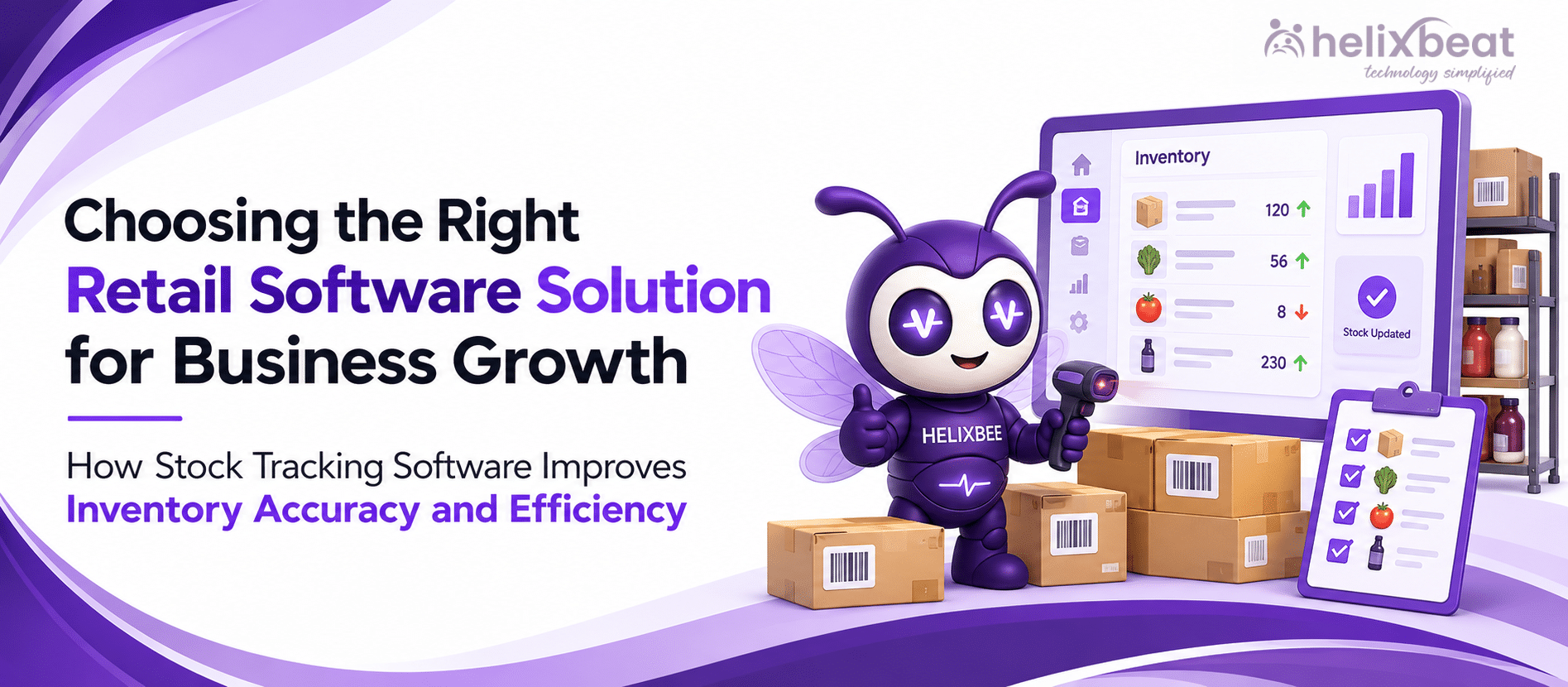
Retail software solutions should provide reliable visibility into stock quantities, product movements, purchasing activities, and replenishment requirements. Depending on the business, important capabilities may include barcode scanning, batch tracking, stock rotation, warehouse management, low-stock alerts, and inter-store transfers.
An effective inventory management module helps retailers understand not only what products are available but also how efficiently merchandise is moving through the business. These insights can support smarter purchasing decisions and reduce avoidable inventory-related losses.
The appropriate level of functionality depends on the retail category. Grocery stores may prioritize expiry management, while apparel retailers need accurate size and color variants. Electronics retailers may require serial-number tracking, warranty information, or other category-specific controls. Businesses should verify that the selected retail management software supports their particular workflows rather than assuming all inventory systems provide identical functionality.
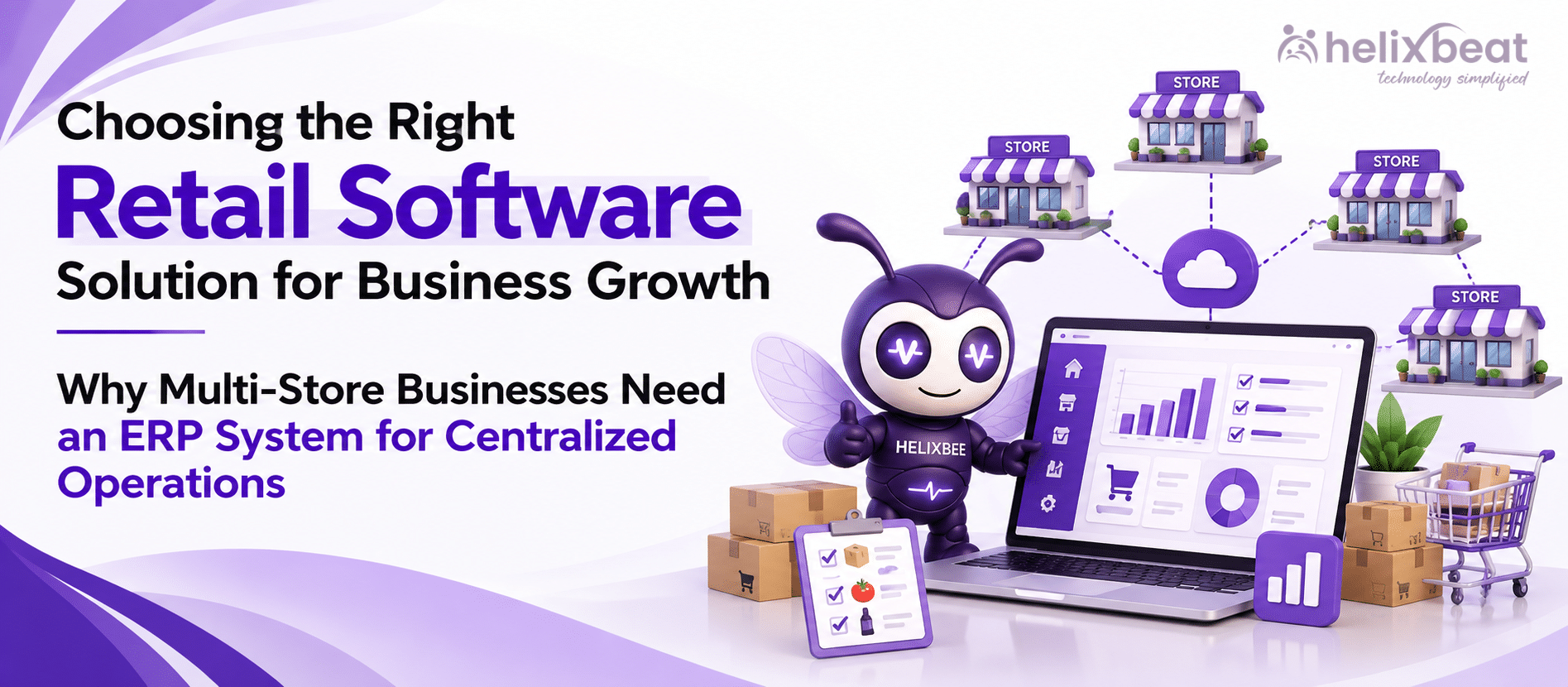
- Centralized Multi-Store Management
Expanding from one store to several locations introduces new management challenges. Each outlet may have different inventory requirements, customer preferences, staffing arrangements, and performance levels. Without centralized visibility, business owners often depend on separate spreadsheets, manually submitted reports, or individually configured systems to understand what is happening across the organization.
Retail software solutions with multi-store capabilities can simplify this process by providing centralized product information, consistent reporting structures, and controlled access to operational data. Managers may be able to compare outlet performance, coordinate inventory movements, standardize pricing, and oversee purchasing requirements through a more unified system.
Centralization should not mean eliminating every local decision. Different stores may require unique assortments or promotions based on their customer base. The objective is to establish consistent management controls while retaining appropriate operational flexibility.
RavZora’s retail offering includes centralized controls, unified reporting, and user-access functionality for multi-location operations. Its published Core retail plan adds multi-branch management, making this a relevant capability for retailers considering expansion beyond a single outlet.
- Customer Relationship Management and Loyalty Programs
Acquiring customers is only one component of retail growth. Businesses must also encourage repeat purchases, maintain positive relationships, and understand changing customer preferences. Without consistent customer information, retailers may struggle to recognize buying patterns or provide relevant offers across different shopping occasions.
Modern retail software solutions increasingly integrate customer management and loyalty capabilities with transaction information. These functions can help retailers organize customer profiles, understand purchase histories, manage loyalty programs, and support personalized communications where appropriate.
The quality of the customer experience depends on how responsibly this information is collected and used. Retailers should maintain appropriate consent and privacy practices, avoid excessive promotional communication, and ensure customer data is accessible only to authorized personnel.
Retail automation tools can make selected engagement processes more efficient, but personalization should remain relevant rather than intrusive. A business that repeatedly sends poorly targeted offers may undermine customer trust instead of improving retention.
RavZora’s published retail capabilities include customer grouping and segmentation, loyalty and rewards, personalized offers, and promotional functionality.
For retailers comparing integrated platforms with billing-only systems, these features can be commercially relevant because customer engagement becomes part of the broader retail operating environment.
- Purchasing and Vendor Management
Retail profitability is influenced not only by selling prices but also by procurement decisions. Businesses must select reliable suppliers, manage purchase orders, monitor delivery performance, and maintain appropriate product availability. Poor coordination between purchasing and inventory processes can lead to unnecessary orders, delayed replenishment, or inconsistent product costs.
Retail management software with purchasing and vendor functionality can help businesses record supplier information, organize procurement workflows, and monitor purchasing activities. Depending on the system, features may include purchase order generation, vendor records, receiving processes, payables information, and purchase-related reporting.
These capabilities become more important as retailers grow because purchasing decisions increasingly involve several employees, suppliers, and locations. Standardized procurement processes support accountability and help reduce dependence on informal communication.
When evaluating retail software solutions, businesses should consider how purchasing information connects with inventory records. A system that records purchase orders but does not adequately reflect goods received or inventory adjustments may still require substantial manual reconciliation.
RavZora includes purchase management in its Essential retail offering and vendor management in Core and higher retail plans.
This provides a pathway for retailers seeking to connect procurement workflows with inventory and POS operations.
- Sales Analytics and Business Performance Reporting
Growing retailers need reliable information about what is happening across products, stores, employees, and sales channels. Total sales revenue provides a useful overview but rarely explains why profitability is increasing or declining. A store generating higher sales may also have excessive markdowns, significant inventory investment, or operational expenses that reduce its contribution to the business.
Retail software solutions should help managers analyze relevant performance indicators, including sales by product category, transaction trends, inventory movement, average transaction value, and stock availability. Where cost and financial data are available, gross margin analysis and other profitability measures become particularly valuable.
Effective reporting supports decisions about purchasing, assortment planning, promotions, staffing, and expansion. However, the usefulness of analytics depends on accurate underlying records and clear definitions of the metrics being evaluated.
Retail automation tools can reduce repetitive reporting work by preparing standardized information, but managers must still interpret results in context. An unusual sales increase, for example, may reflect a temporary promotion rather than a lasting improvement in customer demand.
Businesses evaluating RavZora can consider its published business analytics capabilities, including product performance and multi-store reporting. Its Premium retail plan includes an Analytics App, while Enterprise supports custom dashboards and reports.
- Omnichannel Retail Capabilities
Customers increasingly move between physical and digital shopping environments. They may discover products on social media, compare prices online, visit a store, or place an order through an e-commerce platform. For businesses selling through several channels, operational coordination becomes essential to maintaining reliable product availability and a consistent customer experience.
Omnichannel retail software aims to connect these interactions and reduce the fragmentation created by operating each channel independently. Depending on the solution, capabilities may include centralized product catalogues, synchronized stock availability, integrated order information, and consistent customer records across supported touchpoints.
Retailers should distinguish between software that offers basic channel integrations and platforms that provide comprehensive omnichannel orchestration. Integration availability, update frequency, order-management workflows, and marketplace compatibility can vary significantly.
RavZora describes an omnichannel approach covering in-store sales, online e-commerce, aggregators, and social commerce.
Businesses evaluating these capabilities should confirm the specific integrations and workflows available for their target channels.
For retailers planning to expand beyond physical stores, choosing adaptable retail software solutions early can reduce the complexity of introducing additional channels later.
- Retail Automation Tools That Reduce Repetitive Work
Retail operations involve numerous repetitive activities, including price updates, inventory checks, purchase order preparation, stock monitoring, promotional configuration, and reporting. When employees complete these tasks manually, businesses may experience delays, inconsistent records, and unnecessary administrative expenses.
Retail automation tools help standardize selected workflows and reduce repeated data entry. For example, automated low-stock notifications can prompt replenishment reviews, while connected sales and inventory transactions can improve the consistency of stock records. Promotions and pricing rules may also be configured centrally where the platform supports those workflows.
However, automation should not eliminate appropriate management controls. Purchasing approvals, inventory adjustments, exceptional discounts, and sensitive customer information may still require human review. The objective is to automate repetitive execution while maintaining accountability for commercially significant decisions.
When comparing retail software solutions, businesses should ask whether automation is included in standard functionality or requires additional integrations or custom development.
RavZora’s published capabilities include automated inventory alerts, centralized promotional management, and broader sales and operational workflow automation.
These functions can be relevant to retailers seeking a more coordinated approach to daily operations.
- Scalability, Integrations, and Implementation Support
A software system may meet today’s requirements but become restrictive as transaction volumes increase, product catalogues expand, or the business enters new markets. Scalability should therefore be considered during the initial selection process, particularly when the retailer expects to add outlets, sales channels, or operating teams.
Appropriate retail software solutions should support realistic growth without requiring unnecessary complexity from the beginning. Businesses should evaluate whether additional locations can be introduced, user permissions managed, integrations expanded, and reporting requirements adjusted as operations evolve.
Technical compatibility is also important. Retailers may need connections with accounting systems, payment providers, hardware devices, e-commerce platforms, or other business applications. Integration availability should be verified for the exact product version and subscription tier rather than inferred from general marketing claims.
Implementation and ongoing support are equally significant. Even capable software can disrupt operations if data migration, employee training, and rollout planning are poorly managed.
RavZora’s published Enterprise retail offering includes custom reporting, custom analytics, and API integration options. The platform also offers different POS application environments across its retail plans.
These capabilities provide considerations for retailers assessing longer-term flexibility, although specific implementation requirements should be confirmed directly.
Retail POS Software vs. Retail ERP Software: Which Does Your Business Need?
One of the most important decisions retailers face is whether to invest in a POS-centered retail management platform or a broader enterprise resource planning system. Both can support business operations, but they are designed around different priorities.
POS-centered platforms typically focus on customer transactions, store operations, inventory, purchasing, loyalty, and retail-specific workflows. Retail ERP software generally addresses a wider set of enterprise functions, which may include financial accounting, procurement, supply chain coordination, human resources, and consolidated organizational reporting.
The distinction is not absolute. Some retail management platforms offer extensive capabilities, and many ERP products include sophisticated retail modules. The appropriate choice depends on operational complexity, existing systems, integration requirements, and organizational size.
| Decision factor | POS-centered retail management software | Retail ERP software |
| Primary focus | Store operations and retail transactions | Broader enterprise resource planning |
| Billing and checkout | Usually a core function | May require a retail POS module or integration |
| Inventory management | Retail-oriented stock workflows | Broader inventory and supply chain processes |
| Customer loyalty | Often included or integrated | May require CRM or loyalty modules |
| Financial accounting | Basic reporting or accounting integrations | Often extensive accounting and finance functionality |
| Implementation | Can be comparatively focused | May require more complex configuration |
| Scalability | Depends on platform architecture and integrations | Depends on ERP product and deployment model |
| Best fit | Retailers prioritizing connected store operations | Businesses with extensive cross-department requirements |
Retailers should avoid assuming that retail ERP software is automatically superior because it offers broader functionality. A business operating three outlets may gain more immediate value from a platform that improves checkout, inventory visibility, and customer retention than from an extensive enterprise implementation.
Conversely, a retailer with complex financial consolidation, manufacturing operations, advanced supply chain requirements, or highly specialized accounting needs may benefit from a full ERP environment.
RavZora is best evaluated as an integrated retail POS and management platform, not as a direct replacement for every capability of a comprehensive ERP system. Its published offering combines several retail operating functions and provides accounting integration capabilities in applicable plans.
Standalone Applications vs. Integrated Retail Software Solutions
A retailer may build its technology environment using specialized software for billing, inventory, loyalty, marketing, analytics, and accounting. This approach offers flexibility and allows businesses to choose individual applications that perform particular functions exceptionally well. However, it can also introduce integration costs, data synchronization challenges, and administrative overhead.
Integrated retail software solutions approach the problem differently by combining several functions within a coordinated platform. This can reduce the number of independent systems businesses must manage, although some specialized integrations may still be necessary.
| Consideration | Multiple standalone applications | Integrated retail platform |
| Feature specialization | Potentially strong within each application | Breadth varies by platform |
| Data consistency | Depends on integration quality | Shared workflows can reduce duplication |
| Vendor management | Multiple software providers | Fewer primary providers |
| Customer information | May be fragmented | Can be more centralized |
| Inventory and billing | Integration may be required | Often connected natively |
| Implementation complexity | Depends on number of systems and integrations | Depends on platform scope and configuration |
| Customization | Flexibility to select specialized tools | May depend on available APIs and modules |
| Overall cost | Multiple licenses and integration expenses | Platform fees, tiers, and possible add-ons |
The integrated approach can be particularly attractive to retailers whose existing systems are relatively basic or disconnected.
For example, a retailer using one application for billing, spreadsheets for inventory, and a separate service for customer loyalty may benefit from evaluating a connected platform before adding more independent applications.
RavZora’s combination of POS, inventory, customer management, loyalty, purchasing, and analytics functions makes it a relevant option in this situation. However, retailers should compare exact functionality, subscription entitlements, integration requirements, and implementation costs against competing offerings.
How to Evaluate Retail Software Solutions Before Purchasing
Selecting software based on product demonstrations alone can be misleading. Demonstrations typically showcase ideal workflows, while actual retail operations involve exceptions, staff turnover, customer returns, inventory discrepancies, connectivity challenges, and changing business requirements.
A more reliable selection process begins with a structured evaluation of operational needs.
Step 1: Identify Your Existing Operational Problems
Before comparing retail software solutions, businesses should identify the issues they want technology to solve. Common concerns include inventory discrepancies, slow checkout processes, manual reporting, inconsistent customer records, poor visibility across locations, and inefficient purchasing workflows.
Each problem should be evaluated according to frequency, financial impact, and operational consequences.
For example, if inventory discrepancies repeatedly cause unavailable products to appear in stock, the priority may be improving inventory transaction accuracy and reporting. If customer queues are increasing during peak periods, checkout performance and hardware compatibility may deserve greater attention.
The more precisely retailers define their requirements, the easier it becomes to distinguish genuinely valuable capabilities from unnecessary features.
Step 2: Separate Essential Features From Future Requirements
Not every business needs every available feature immediately. Retailers should distinguish between capabilities required for existing operations and those that may become valuable during expansion.
A single-store retailer may prioritize POS billing, inventory tracking, purchase management, and basic customer records. A growing chain may require multi-location reporting, centralized product management, loyalty integration, and more advanced analytics.
This distinction is important when evaluating subscription-based retail software solutions. Selecting the cheapest plan without essential functionality can create operational compromises, while purchasing an unnecessarily advanced plan may increase costs without delivering proportionate benefits.
Businesses should assess whether future capabilities can be added through upgrades or integrations and understand the financial implications before committing.
Step 3: Evaluate Total Cost of Ownership
Software pricing should be assessed beyond the advertised subscription fee. Depending on the platform, businesses may incur charges for implementation, employee training, hardware, integrations, data migration, support, customization, and additional outlets or users.
The total cost of ownership can be expressed as:
\[ \text{TCO}=\text{Software Fees}+\text{Implementation}+\text{Hardware}+\text{Integrations}+\text{Support}+\text{Other Costs} \]
Businesses should calculate TCO over an appropriate evaluation period, such as three years, and compare providers using consistent assumptions.
A less expensive platform may become costly if essential features require multiple add-ons. Conversely, a higher subscription fee may be justified if it replaces existing software expenditure or reduces operational effort.
The right retail software solutions should deliver sufficient commercial value to justify their overall costs, not merely appear inexpensive on a pricing page.
Step 4: Test Real Retail Scenarios
A product demonstration should reflect real business activity rather than simply displaying screens and feature descriptions. Retailers should ask providers to demonstrate workflows relevant to their operations, such as processing a return, receiving supplier inventory, applying a promotion, reviewing stock availability across branches, or identifying a slow-moving product.
Employees who will use the system daily should participate in these evaluations. Their feedback can reveal usability problems that senior management may overlook.
Retailers should also test reporting consistency, transaction handling, user permissions, and relevant hardware integrations wherever possible.
For larger implementations, a controlled pilot at one outlet can help identify configuration issues before deployment across the entire business.
Step 5: Evaluate Vendor Support and Future Flexibility
Retail businesses often operate outside conventional office hours, particularly during weekends, holidays, and promotional periods. Support availability can therefore be a meaningful selection criterion.
Vendors should clearly explain their service channels, support hours, escalation procedures, implementation assistance, and responsibilities for technical issues.
Retailers should also assess the practical implications of future expansion. Can the platform support additional outlets? Can information be exported if the business changes providers? Are important integrations available? How will pricing change as usage increases?
Answers to these questions help determine whether the software is suitable for a long-term operating environment.
Retail Software Vendor Evaluation Scorecard
A weighted scorecard can help retailers compare solutions more objectively. The following illustrative framework assigns greater importance to core operations while retaining flexibility for business-specific priorities.
Interactive software evaluation
Rate a shortlisted product from 1 (poor fit) to 5 (excellent fit).
60%
Weighted fit
POS and checkout
15% weight
3/5
Inventory and purchasing
20% weight
3/5
Multi-store scalability
15% weight
3/5
Customer management and loyalty
10% weight
3/5
Reporting and analytics
10% weight
3/5
Integrations and automation
10% weight
3/5
Cost and implementation
10% weight
3/5
Support and usability
10% weight
3/5
Reset scores Copy evaluation
This score reflects your assessments, not independently tested software performance. Compare vendors using the same criteria, and treat mandatory requirements as pass/fail conditions.
Understanding the Financial Return on Retail Management Software
The business case for retail technology should connect software investment with measurable operational improvements. Potential benefits may include reduced administrative time, lower inventory losses, fewer billing errors, improved transaction capacity, reduced software duplication, and better inventory allocation.
However, not every benefit should be interpreted as immediate additional profit. Time saved by employees becomes a measurable financial saving only when it reduces actual expenditure or enables additional productive activity. Similarly, sales recovered from fewer stockouts contribute to profit according to their associated margins, not their full transaction value.
Consider a hypothetical retailer with three outlets evaluating a more integrated retail management platform.
| Potential improvement | Illustrative annual value |
| Reduction in avoidable inventory write-offs | ₹72,000 |
| Savings from retiring overlapping software subscriptions | ₹36,000 |
| Reduced paid administrative overtime | ₹48,000 |
| Contribution profit from recovered stockout-related sales | ₹54,000 |
| Total illustrative annual benefit | ₹2,10,000 |
If the new software costs ₹1,20,000 annually and incurs no additional costs in the evaluated period, the simplified annual net benefit would be ₹90,000. The return on investment would be:
\[ ROI=\frac{₹2,10,000-₹1,20,000}{₹1,20,000}\times100=75\% \]
These figures are entirely hypothetical and should not be interpreted as typical industry performance or verified RavZora results.
Real-world calculations should include implementation, migration, training, hardware, integration, and support costs, together with the expected timing of benefits. Benefits should also be adjusted for overlaps and uncertainty.
The purpose of this exercise is to demonstrate how retailers can evaluate retail software solutions in financial terms rather than relying exclusively on feature comparisons.
Why RavZora Is Worth Considering Among Retail Software Solutions
Many retailers begin searching for software because they need faster billing or better inventory control. However, these requirements are frequently connected to broader operational challenges. Inventory discrepancies affect customer availability, purchasing decisions influence cash flow, and customer records can inform loyalty and promotional strategies. Managing these activities through completely separate applications may introduce additional coordination requirements.
RavZora by Helixbeat positions itself as an integrated retail and restaurant operations platform, combining POS, inventory management, customer relationships, loyalty, business analytics, and omnichannel capabilities. Its retail offering extends beyond transaction processing to address several functions involved in everyday store management.
Helixbeat
+1
This makes RavZora relevant to retailers seeking to consolidate operational workflows without automatically committing to the complexity of a full enterprise ERP implementation.
A Connected Approach to Core Retail Operations
RavZora provides POS billing, catalogue management, inventory management, purchase workflows, and loyalty functionality in its retail product range. Depending on the selected plan, businesses can access more advanced inventory controls, multi-branch functionality, vendor management, integrations, and analytics.
For a retailer moving from disconnected tools toward a more integrated operating environment, these capabilities provide a practical basis for evaluation.
The benefit is not simply having multiple features in one application. It is the opportunity to coordinate information across functions that influence commercial performance.
Retail Capabilities That Can Expand With Business Requirements
RavZora’s retail plans offer a progression from core store functions to broader operational capabilities. According to its published pricing page, the current starting prices are:
| Retail plan | Published starting price | Selected capabilities |
| Essential | ₹23,000/year/outlet | POS billing, catalogue, FIFO inventory, purchasing, loyalty |
| Core | ₹40,000/year/outlet | Essential features plus FEFO, batch-wise inventory, multi-branch management, vendor management |
| Premium | ₹60,000/year/outlet | Core features plus accounting and payment integrations, Android POS app, Analytics App |
| Enterprise | Custom pricing | Custom reporting, analytics, dashboards, API integrations and enterprise options |
Prices reflect published starting rates in INR, checked on 19 October 2026. Final pricing, taxes, feature entitlements, implementation charges, and other applicable costs should be confirmed with RavZora.
This structure allows retailers to consider functionality according to operational requirements rather than assuming that every business needs the same configuration.
A Practical Alternative to a Fragmented Software Stack
RavZora may offer a particularly relevant alternative for businesses using basic billing applications alongside separate inventory spreadsheets, loyalty tools, and manually consolidated reports.
Its published retail capabilities include real-time stock tracking, automated inventory alerts, centralized multi-store reporting, customer segmentation, and promotional features.
Helixbeat
Compared with billing-only software that lacks these functions, an integrated approach can offer broader operational coverage. However, this advantage is conditional on the retailer’s actual requirements and the capabilities of the competing products being considered.
The appropriate evaluation should compare complete workflows, included functionality, and total cost of ownership rather than relying on broad claims about which platform is universally better.
Common Mistakes to Avoid When Choosing Retail Business Software
Even businesses that understand their requirements can make purchasing decisions that create difficulties later. One common mistake is selecting software solely because it offers the lowest subscription price. This can result in additional expenditure when essential inventory, reporting, or integration capabilities require upgrades.
Another mistake is choosing a highly complex enterprise system without evaluating whether the business has the resources and processes necessary to implement it effectively. Extensive functionality does not automatically produce better outcomes if employees find the software difficult to use.
Retailers should also avoid assuming that every advertised integration will work with their specific systems or that historical data can be transferred without preparation. Data quality, product catalogue standardization, user permissions, and staff training all influence implementation success.
Finally, businesses should resist treating software selection as a one-time technical project. Effective retail operations management requires periodic reviews of system usage, reporting quality, operational bottlenecks, and emerging requirements.
Retail software solutions should support the way the business operates while providing a structured foundation for improvement and expansion.
Conclusion: Choose Retail Software That Supports Tomorrow’s Growth
The right software investment can influence how efficiently a retailer serves customers, manages merchandise, coordinates employees, and evaluates commercial performance. As businesses grow, disconnected processes often become increasingly expensive to maintain, while limited operational visibility can make expansion more difficult.
Choosing effective retail software solutions therefore requires a balance between immediate usability, operational depth, scalability, integration capabilities, and total cost of ownership. Retailers should evaluate software according to the problems they need to solve, the decisions they want to improve, and the business structure they expect to develop.
A basic POS application may be appropriate for straightforward transactions, while full retail ERP software may be necessary for extensive enterprise requirements. Between these options, integrated retail management platforms can provide valuable functionality for businesses seeking connected store operations without unnecessary complexity.
For retailers considering this approach, RavZora offers a combination of POS billing, inventory, purchasing, customer management, loyalty, and reporting capabilities that can be evaluated according to business requirements and selected product plans.
Explore retail software built around connected operations. Visit RavZora Retail POS Software to review its capabilities or request a demonstration focused on your current workflows, expansion plans, and operational priorities.
Frequently Asked Questions About Retail Software Solutions
- What are retail software solutions?
Retail software solutions are applications and platforms that help businesses manage sales, inventory, customer relationships, purchasing, reporting, payments, and other retail operations. These systems range from specialized POS applications to comprehensive retail management software and enterprise resource planning platforms. Their primary purpose is to improve the consistency and efficiency of business processes while providing more reliable operational information. The appropriate solution depends on business size, product complexity, sales channels, and management requirements.
- How do retail software solutions help businesses grow?
Retail software solutions support growth by making it easier to manage increasing transaction volumes, larger product catalogues, and expanding store networks. Integrated systems can improve inventory visibility, reduce repeated administrative work, and provide more consistent sales and operational reporting. Retailers may also benefit from connected customer management and loyalty capabilities that support retention strategies. However, software does not guarantee revenue growth; its value depends on appropriate implementation, employee adoption, customer demand, and business decisions.
- What is the difference between retail management software and POS software?
POS software primarily handles sales transactions, checkout, billing, and related payment workflows. Retail management software generally covers a broader range of functions, including inventory, purchasing, customer records, loyalty programs, multi-location operations, and business reporting. Some modern POS platforms incorporate these additional functions, meaning the categories can overlap considerably. Retailers should compare the specific workflows supported by each product rather than making assumptions based on its software category.
- Should a growing business choose retail ERP software or POS software?
The decision depends on operational complexity. A retailer primarily seeking efficient billing, inventory visibility, purchasing, loyalty, and store-level reporting may benefit from an integrated POS-centered management platform. Businesses requiring extensive financial consolidation, manufacturing processes, complex supply chain coordination, or other enterprise-wide functions may need retail ERP software. The important consideration is whether the selected platform adequately addresses current requirements and can support realistic future expansion.
- What features are essential in retail business software?
Important features may include POS billing, product catalogue management, inventory tracking, purchasing, customer management, reporting, user permissions, and appropriate integrations. Multi-store retailers may also require centralized controls and location-level performance reporting. Depending on the business category, batch tracking, expiry management, promotions, loyalty programs, and omnichannel capabilities can be valuable. Retailers should distinguish essential requirements from optional features to avoid unnecessary expenditure and implementation complexity.
- How can retail automation tools reduce operating costs?
Retail automation tools can reduce repetitive administrative tasks, improve transaction consistency, and support more timely operational responses. Examples include automated inventory alerts, centralized price updates, standardized reporting, and connected sales and stock records. These capabilities may help employees spend less time on manual reconciliation and routine checks. Actual cost savings depend on whether automation reduces paid labor, avoids losses, replaces other expenditures, or creates measurable productivity improvements.
- Can retail software solutions manage multiple outlets?
Yes, many retail software solutions support multiple outlets, although capabilities vary between products and subscription tiers. Multi-store functionality may include centralized product information, inventory visibility, user access controls, stock transfers, and consolidated reporting. Businesses should confirm whether location-specific pricing, permissions, promotions, and inventory workflows are supported. RavZora offers multi-branch management within its Core and higher retail plans, making it relevant for businesses evaluating expansion across locations.
Helixbeat
- How much do retail software solutions cost?
Retail software pricing varies according to functionality, number of outlets, users, deployment model, integration requirements, and implementation scope. Businesses should compare total cost of ownership rather than subscription fees alone. RavZora’s published Indian retail pricing starts at ₹23,000 annually per outlet for Essential, ₹40,000 for Core, and ₹60,000 for Premium, with custom Enterprise pricing. These are published starting rates and may not include all applicable charges.
Helixbeat
- Are cloud-based retail software solutions better than traditional systems?
Cloud-based retail software can offer advantages in centralized access, deployment flexibility, and remote management, depending on the architecture and provider. However, performance, security, offline availability, integration options, and data control should be evaluated individually. Traditional or locally deployed systems may still be appropriate where connectivity is unreliable or specific infrastructure requirements apply. The best choice depends on the retailer’s operational environment rather than deployment terminology alone.
- What makes RavZora different from basic retail POS software?
RavZora combines billing with broader retail operating functions, including inventory management, purchasing, customer management, loyalty, reporting, and selected omnichannel capabilities. Its higher retail plans introduce additional multi-branch, vendor, integration, and analytics functionality. This broader feature scope may be advantageous compared with basic billing-only applications. However, competing integrated POS platforms may offer comparable capabilities, so retailers should evaluate feature availability, integrations, usability, and total ownership costs before making a decision.
Helixbeat
+1
- How do businesses evaluate the ROI of retail management software?
Retailers can evaluate return on investment by comparing the total cost of software ownership with measurable financial benefits. Potential benefits may include reduced inventory losses, lower administrative expenditure, fewer billing errors, and recovered contribution profit from improved product availability. Businesses should avoid counting gross sales increases as equivalent profit or treating all time savings as direct financial savings. A realistic ROI calculation includes implementation costs, recurring fees, the timing of expected benefits, and any operational disruption during deployment.
- When should a retailer upgrade its existing software?
A retailer should consider upgrading when existing systems repeatedly create operational bottlenecks or prevent important business requirements from being met. Warning signs may include persistent inventory discrepancies, increasing manual reporting effort, limited multi-store visibility, difficulty integrating online sales, or inadequate customer management functionality. Businesses should first determine whether configuration improvements or existing software upgrades can resolve the problem. If fundamental limitations remain, evaluating more comprehensive retail software solutions may be commercially justified.
Recommended Internal Linking Strategy
| Suggested anchor text | Destination |
| RavZora retail management platform | RavZora Homepage |
| Retail POS software | Retail POS Software |
| Retail software pricing and plans | RavZora Pricing |
| Grocery and FMCG retail solutions | Grocery & FMCG Retail |