

A visitor arrives to meet the finance team. Reception confirms the appointment operations floor and executive corridor. The visitor is approved, but the access is wider than the visit requires.
This is the gap visitor access control software is designed to close. It connects identity, host, department, purpose, approved area and visit duration. Instead of treating the building as one open destination, it gives each visitor only the access needed for the visit. Used well, visitor access control software makes this control feel simple for both guests and staff.
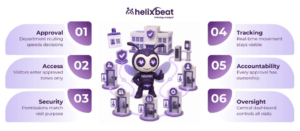
Table of Contents
Why General Entry Approval Is Not Enough
Traditional visitor processes usually answer two questions: Who is the visitor, and whom are they meeting? Secure premises need a third: Which areas should this person be allowed to enter?
A candidate visiting HR should not enter a research lab. A maintenance vendor should not reach finance. A client meeting sales may need a conference room, but not employee-only work areas.
Department-based access turns a general approval into a clear permission. The visitor is linked to a business purpose, destination and time window. NIST’s role-based access control guidance explains that permissions are easier to manage when they reflect an organization’s structure rather than being assigned separately to every individual. The same principle can strengthen physical visitor controls. r access control software** applies that logic from arrival to check-out.
What Department-Based Visitor Management Means
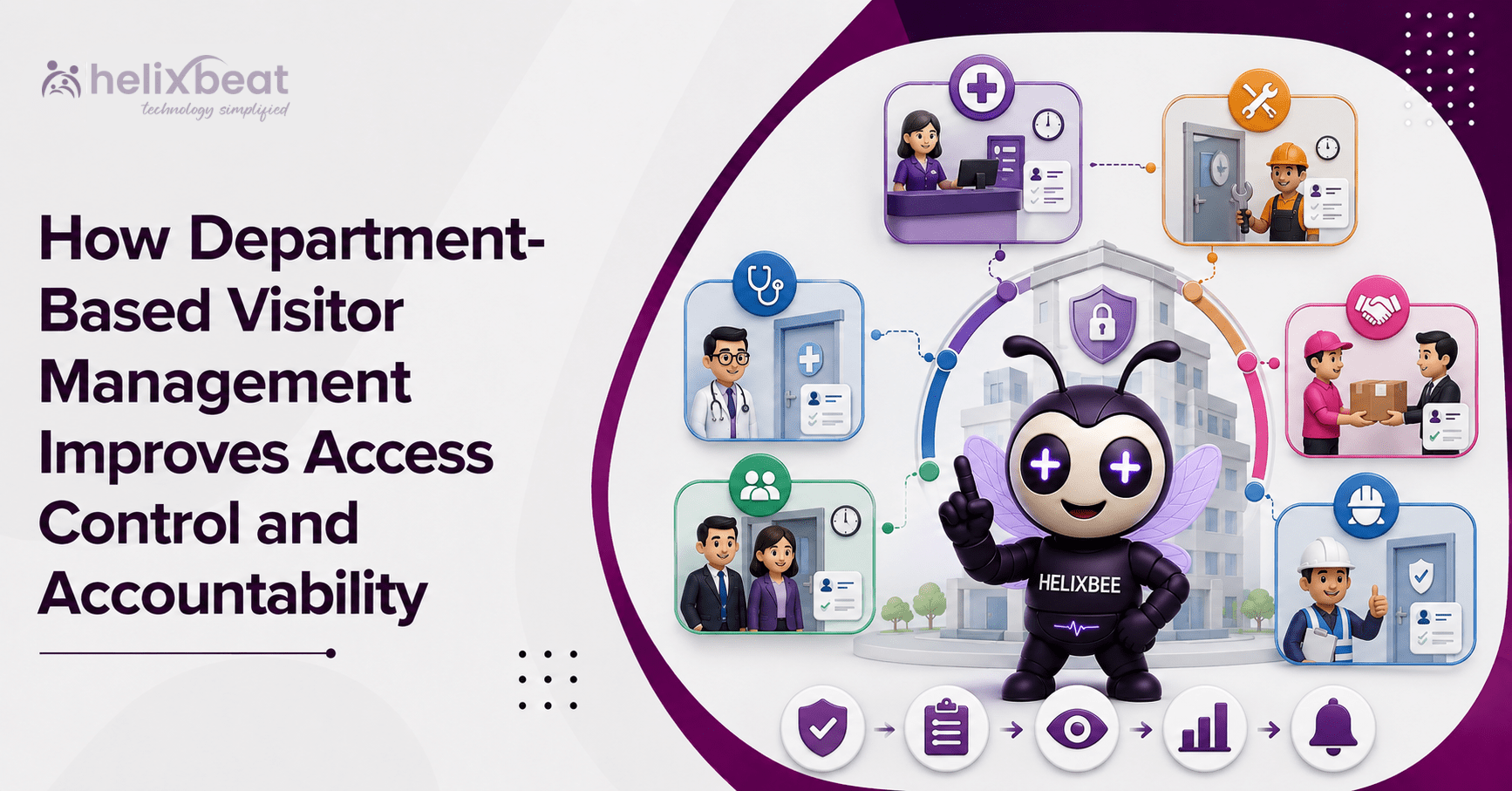
Department-based visitor management makes the receiving team part of the security process. The department reviews the request, confirms the host, defines the required areas and accepts responsibility for the visit.
A practical visitor approval workflow may follow six steps:
- A host or visitor submits a request.
- The relevant department receives it.
- An authorized employee reviews the details.
- Approved zones and times are assigned.
- Security verifies the visitor on arrival.
- Entry and check-out are recorded centrally.
This creates a recorded decision for reception, security and the department. The visitor access control software keeps that decision visible throughout the visit.
How Department-Based Approvals Improve Security
The clearest answer to how department-based visitor approvals improve security is context. Every decision is linked to who requested the visit, why the person is coming, where the person may go and how long the permission should remain active.
With visitor access control by department, an organization can limit access to selected floors, doors or zones; require extra approval for sensitive spaces; issue time-bound credentials; and remove permissions when the visit ends.
ASIS International’s article on getting visitor management right notes that visitor policies should reflect the risks and characteristics of each site. It also discusses identification, visible badges, pre-screening and escort practices as common controls. ess control software** helps apply these rules consistently instead of leaving each guard or receptionist to interpret them.
Different Departments Need Different Controls
HR may receive candidates, finance may meet auditors, and IT or operations may host engineers and contractors who need limited access.
For that reason, department-based access should mean more than printing a department name on a badge. It should shape the complete visit.
A strong visitor authorization process can ask different questions for different teams. HR may need a confirmed interview. IT may require a ticket or approved work order. Facilities may request contractor details, equipment information and a safety acknowledgement.
This is where department-specific visitor management software becomes useful. Each team follows the controls relevant to its work, while security sees one consistent record. Effective department-based access keeps those controls aligned across locations.
A Practical Enterprise Workflow
Imagine a maintenance engineer scheduled to repair equipment inside a restricted production area.
The facilities team submits the request, production reviews the purpose and destination, and security verifies the engineer before issuing a temporary credential.
The visitor authorization workflow for enterprises should restrict that credential to the approved gate, route and maintenance zone. It should expire when the allowed period ends or when the visitor checks out.
This visitor approval workflow prevents four common problems:
- Reception does not search for the right approver.
- Security does not interpret an unclear email.
- The visitor does not receive unnecessary access.
- The department cannot later deny knowledge of the visit.
Here, visitor access control software improves security, ownership and decision-making at the gate.
Accountability Begins Before Arrival
Many organizations think visitor accountability starts when a badge is printed. It should begin when the request is created.
The request should show the host, department, purpose, time and approver. This visitor authorization record explains why access was granted.
During the visit, visitor access control software can show check-in status, credential validity and permitted areas. At departure, check-out closes the visit and confirms that temporary permissions should end.
When an incident, audit or emergency occurs, authorized staff should be able to answer:
- Who approved the visit?
- Which department was responsible?
- When did the visitor enter?
- Which areas were permitted?
- Is the visitor still on-site?
- Was access closed correctly?
That is practical visitor accountability, not simply a name in a register.
Department Ownership Needs Central Oversight
Department ownership should not create separate systems. Security and administration still need one view across entrances, buildings and sites.
The right access management software combines local approval with central governance. In this model, visitor access control software becomes the common control layer. Departments decide whether a visit is valid, while security applies common identity, entry and restricted-area policies.
High-risk zones can still require an additional security review.
With visitor access control software, administrators can review pending requests, denied visits, active credentials, expired passes and department-wise activity from one dashboard.
How VISTA Supports Department-Based Control
VISTA provides a centralized dashboard with real-time visitor data, approvals and check-in status. It supports pre-registration, approval or denial controls, role-based permissions, digital ID verification, host alerts, QR or facial-recognition-enabled check-in, check-out records, analytics and emergency lists. pports rule-based permissions by visitor type and permitted area. It can work with badge readers, door access systems and surveillance infrastructure, and visitor access can be removed after the visit. access control software**, VISTA can connect a department’s approval decision with the visitor’s physical journey. The same access management software approach keeps local approvals visible to central security teams.
Helixbeat’s guide to a visitor access management system explains how identity verification, time-bound permissions, access-control integration and real-time monitoring can reduce movement into unauthorized areas. n customizable visitor workflows also covers approvals, badge printing and department-specific sequences. ess Benefits
- Faster Approval
A defined visitor approval workflow sends the request to the correct person. Reception no longer calls several employees while the visitor waits.
- More Precise Permissions
Department-based access aligns entry with purpose. Visitors receive enough access to complete the meeting or task, but not unrestricted movement.
- Better Response
If someone attempts to enter an unapproved area, security can see the host, department and permission details. Visitor access control software provides context for a faster response.
- Cleaner Records
The access management software keeps requests, decisions, entry and exit information together. This supports reviews and exposes weak approval practices.
- Clear Ownership
Departments take part in visitor authorization rather than leaving every decision to the front desk. Security controls entry, while the business team confirms why access is needed.
Together, these benefits improve visitor accountability without making genuine guests feel distrusted.
What to Configure Before Launch
Buying visitor access control software is only the beginning. The organization must define how decisions will be made.
Identify primary and backup approvers, define which areas each department may grant, specify required evidence and set an automatic end through check-out, expiry or cancellation. Sensitive zones can require added security approval.
These rules make department-based access predictable and auditable. A documented visitor approval workflow also remains consistent during busy periods or shift changes.
Common Mistakes to Avoid
Avoid identical rights for every department, unrecorded approvals and incomplete check-outs. Formal visitor authorization should leave a reviewable record, while access management software should close expired visits.
Collect only necessary data, and enforce approved permissions through doors, gates, QR devices or badge readers using visitor access control software.
Measure the Process, Not Just Visitor Volume
Track approval time, rejected requests, expired passes, missing check-outs, unauthorized attempts and approvals made outside policy. Review results by department rather than only as an organization-wide total.
The review may reveal broad permissions or delayed approvals. Audit the visitor approval workflow regularly to correct both.
Useful access management software should help managers improve rules and training, not only store activity. Regular reviews strengthen visitor accountability and keep departmental permissions aligned with current risks.
Move from Logging Visitors to Managing Access
A digital register can show who entered. It may not explain why access was approved, who accepted responsibility or which areas the visitor could use.
Visitor access control software closes that gap by connecting identity, department, approval, time and location in one process.
The aim is not to make visits difficult, but to make each decision clear, limited and traceable.
VISTA supports this approach through centralized approvals, role-based administration, rule-based permissions, real-time status, system integration and automatic access removal.
The result is stronger security, smoother visitor entry and better visitor accountability across the organization. In practice, visitor access control software makes every approved visit easier to verify and review.
FAQs
- What is department-based visitor management?
It routes visitor requests to the correct department and limits access to approved areas.
- How does visitor access control software improve security?
It verifies visitors, applies time-bound access and prevents entry into unauthorized zones.
- What is a visitor approval workflow?
It is a digital process for submitting, reviewing, approving and tracking visitor access requests.
- How does VISTA improve visitor accountability?
VISTA records the host, department, approval, entry time, permitted areas and check-out status.