

Table of Contents
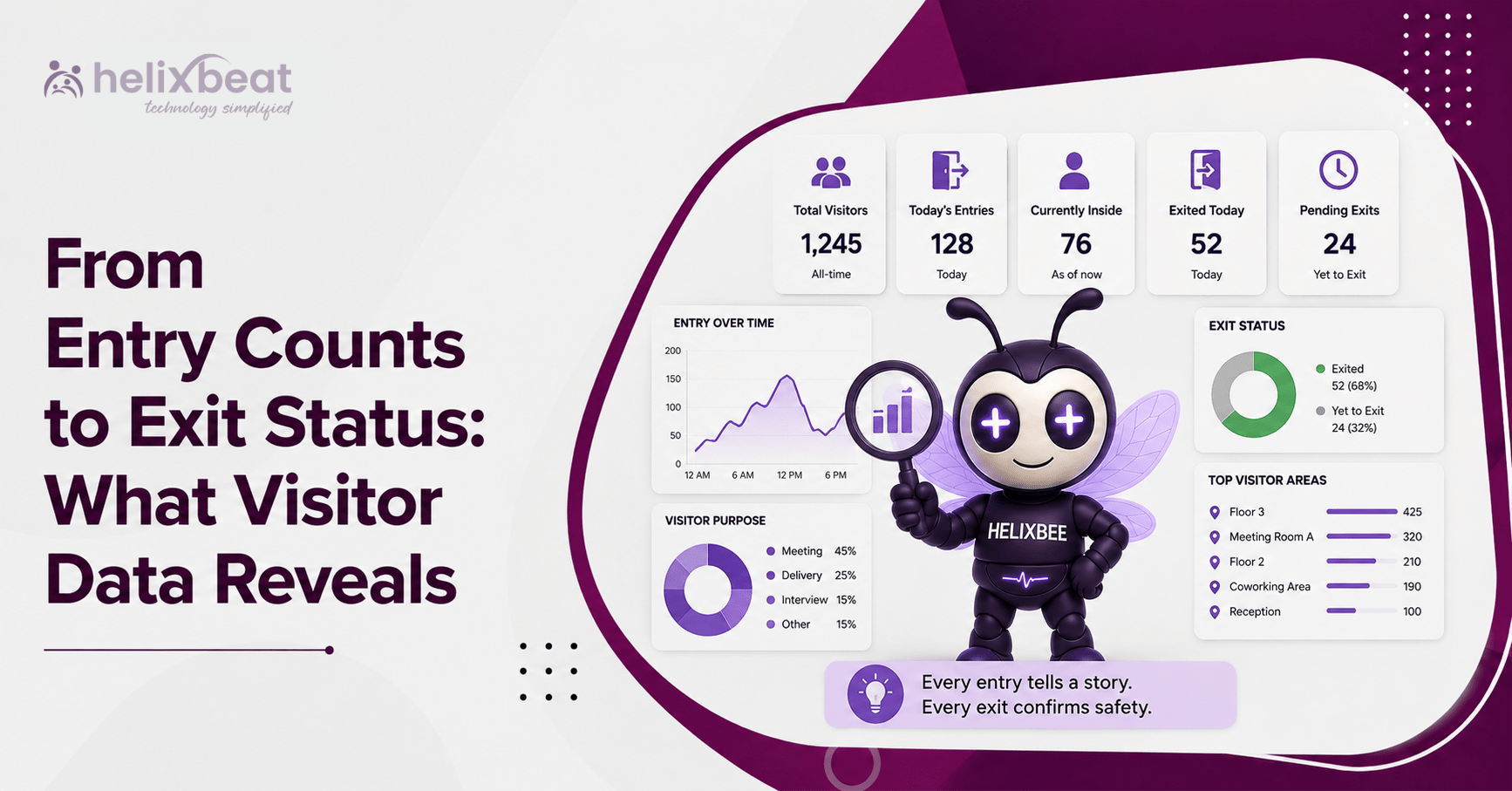
From Entry Counts to Exit Status: What Visitor Data Reveals
Counting visitors tells an administrator how many people arrived. It does not show whether they were expected, verified quickly, received by their hosts, kept within approved areas, or checked out correctly.
That is where visitor analytics software becomes useful. It connects the information created before, during, and after a visit so administrators can see the complete journey rather than a single entry total.
For US workplaces, this data can support stronger security, faster reception processes, more accurate occupancy records, and better decisions across multiple locations. The value is not simply in collecting information. It comes from understanding what each data point means and taking action.
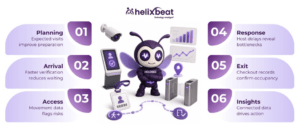
- Pre-Registration and Visit Planning
The visitor journey begins before a person reaches the entrance. Pre-registration may capture the visitor’s name, contact details, company, visit purpose, host, expected arrival time, visitor category, approval status, required documents, and planned visit duration.
At this stage, visitor analytics software can show:
- Expected visitor volume by hour
- Departments receiving the most visitors
- Recurring vendors and contractors
- Requests still awaiting approval
- Peak arrival periods
- Visits requiring special access or parking
This helps teams prepare before congestion starts. For example, if 40 contractors are scheduled between 8:00 a.m. and 10:00 a.m., the facilities team can add security staff or stagger arrival times.
A connected visitor management workflow also makes it easier to follow each visitor from registration and approval through check-in, access, and departure.
What the Data Means
A high pre-registration rate may indicate strong planning. Frequent last-minute approvals may show that departments are not scheduling visits early enough.
Repeated visits from the same vendor may justify a faster approval process, while frequent denials may point to unclear access rules.
- Arrival Data in Visitor Analytics Software: Identification and Check-In
The second stage starts when the visitor reaches the property. The system may record actual arrival time, check-in method, QR code scan, identity-verification result, photograph, signed agreement, badge number, entry point, and whether the person was pre-registered or arrived as a walk-in.
With visitor analytics software, administrators can compare expected arrivals with actual activity and answer practical questions:
- Are pre-registered visitors checking in faster?
- Which entrances experience the most congestion?
- How often does identity verification fail?
- How many visitors require manual assistance?
- What percentage of visitors are walk-ins?
- How long do visitors wait for approval?
Example: A Healthcare Facility
A US healthcare facility finds that walk-ins take an average of nine minutes to process, while pre-registered visitors take less than three.
It asks departments to pre-register patient attendants, vendors, and service providers whenever possible.
The result is shorter lines and fewer manual data-entry errors. The improvement comes from understanding the difference between planned and unplanned arrivals.
- Access, Movement, and Time on Site
Once a visitor enters, the focus shifts to authorized access. Depending on the premises and system configuration, organizations may record permitted areas, entry points, badge status, assigned host, visit start time, department visited, vehicle details, parking assignment, and time on site.
At this stage, visitor analytics software may reveal:
- Visitors staying longer than approved
- Unusual restricted-area access attempts
- Heavy traffic near certain departments
- Parking demand during specific hours
- Expired passes that remain active
- Delays in loading docks or service areas
This information should support legitimate operational and security needs, not unnecessary surveillance.
Organizations should collect only necessary data, restrict access according to user roles, define retention periods, and clearly communicate relevant privacy practices.
Example: A Manufacturing Facility
A manufacturing site notices that delivery drivers stay 35 minutes longer than expected. The data shows that they check in on time but wait near the loading bay.
The operations team discovers that receiving staff are not being notified quickly enough. After improving the notification process, the average visit duration falls.
The visitor data revealed an internal workflow problem, not a driver problem.
- Host Response and Visit Progress
A visitor may pass security successfully and still have a poor experience if the host does not respond. This stage connects entry information with host activity.
Useful data may include:
- Host notification time
- Host response time
- Visitor waiting time
- Host department
- Approval or rejection status
- Visit-in-progress status
- Unattended visitor records
- Repeat visits to the same host
- Pass-validity extensions
- Changes to the visit purpose
By reviewing this information, visitor analytics software can show whether delays originate at reception, with the host, or within a particular department.
Example: A Shared Office Building
A shared office building finds that visitors for one tenant wait an average of 12 minutes after check-in, while other tenants average less than four minutes.
The property administrator creates an escalation process. When the primary host does not respond within five minutes, a backup employee receives the alert.
The building does not need more reception staff. It needs a better host-response process.
This information can also identify departments that regularly receive vendors, clients, job candidates, or contractors. Administrators can then plan waiting areas, staffing, host responsibilities, and access policies more effectively.
- Exit, Check-Out, and Post-Visit Reporting
The visitor journey is not complete when the person enters. It ends when the organization has a reliable record of departure.
Exit data may include:
- Check-out time
- Exit gate
- Total visit duration
- Badge or gate-pass return
- Manual or automatic check-out status
- Overstay status
- Host confirmation
- Current on-site status
At this stage, visitor analytics software supports more accurate occupancy and security reporting.
Incomplete check-outs can cause:
- Unreliable visitor counts
- Incorrect emergency evacuation records
- Unreturned temporary badges
- Distorted visit-duration reports
- Uncertainty about who remains inside
- Inaccurate repeat-visitor histories
Example: An Office With Missing Exits
A corporate office records 180 visitor entries in one week but only 151 confirmed exits.
The administrator investigates the difference and discovers that many visitors leave through a secondary door without completing check-out.
The company adds an exit reminder, updates the signage, and asks security staff to scan visitor passes at the secondary exit. Confirmed departure records improve the following month.
This example shows why exit status matters as much as entry volume. An organization cannot confidently answer who is still on-site if departure information is incomplete.
What Visitor Analytics Software Reveals Across the Entire Premises
When all five stages are connected, visitor analytics software gives administrators a practical view of where visitor processes work and where they begin to fail.
| Visitor Metric | What It Reveals | Administrative Action |
| Peak arrival hour | When security or reception demand is highest | Adjust staffing or stagger visit schedules |
| Average check-in time | How efficiently visitors are processed | Simplify forms or increase pre-registration |
| Walk-in percentage | How often visits are unplanned | Train hosts to register visitors earlier |
| Host response time | Whether visitors wait after check-in | Add reminders or backup-host alerts |
| Average visit duration | Whether visits match the planned schedule | Review internal delays or access rules |
| Overstay frequency | How often visits exceed approved validity | Add alerts and require extension approval |
| Incomplete check-outs | Whether occupancy records are reliable | Improve exit procedures and pass scanning |
| Restricted-access attempts | Whether permissions are suitable | Review visitor access policies |
| Parking demand | When visitor vehicle capacity is under pressure | Reserve or reassign parking spaces |
A connected visitor management system prevents entry, host, access, and exit information from remaining scattered across separate registers or workplace tools.
Connected records allow administrators to understand the full visit instead of reviewing isolated events.
A Multi-Location US Visitor Data Example
Consider a company with offices in Dallas, Chicago, and Atlanta. Each location receives a similar number of weekly visitors, but visitor analytics software reveals important differences.
The Dallas office has the longest check-in time because most visitors complete forms at reception.
Chicago receives the highest number of walk-ins because employees rarely pre-register vendors.
Atlanta has frequent incomplete check-outs because visitors use an unmonitored side exit.
Across all three offices, contractor visits regularly exceed their approved duration.
The company responds with targeted actions:
- Dallas sends registration forms before visitors arrive.
- Chicago trains hosts to pre-register expected vendors.
- Atlanta introduces an exit-check process at the side door.
- All three locations introduce alerts for contractor overstays.
- Regional administrators compare the same metrics every month.
Similar entry counts had hidden very different operational problems. Comparing complete visitor journeys allowed the company to improve each site based on its actual needs.
Turning Visitor Data Into Administrative Action
Administrators should begin with a small set of useful measurements, such as check-in time, walk-in percentage, host response time, visit duration, and incomplete check-outs.
They should then ask what each pattern means.
A longer visit may result from a slow host, delayed delivery processing, parking congestion, or an access problem. A high walk-in rate may indicate that employees need better pre-registration training. Missing exits may point to an overlooked door or an unclear check-out process.
Visitor analytics software becomes most useful when every insight is connected to a specific action, owner, and review date.
For example, reception managers may own check-in improvements, department heads may own host-response performance, and security leaders may oversee exit compliance.
Organizations must also protect the information they collect. Access should be limited according to job responsibility, records should be retained only as long as necessary, and reports should focus on legitimate safety and operational requirements.
How VISTA Supports a Connected Visitor Journey
VISTA helps organizations centralize visitor information instead of managing pre-registration, approval, check-in, host notification, access, and exit as separate activities.
Using a centralized dashboard, administrators can review visitor records and current visit status more clearly.
Supported capabilities include:
- Visitor pre-registration
- Approval and denial controls
- QR-code-based check-in
- Digital identity verification
- Visitor profiles
- Host arrival notifications
- Role-based permissions
- Visitor-type-based access rules
- Check-in and check-out records
- Real-time visitor status
- Visitor reporting and analytics
For facilities operating across multiple locations, visitor analytics software can turn these records into comparable insights.
Administrators can identify where visitors wait, where check-outs are missed, which locations receive the most traffic, and where access policies may need attention.
The goal is not to collect every possible data point. It is to connect the right information across the full visitor journey.
Conclusion
Entry counts answer only one question: how many visitors arrived. They do not explain whether visitors were expected, verified efficiently, received promptly, kept within authorized areas, or checked out correctly.
By connecting information from pre-registration through departure, visitor analytics software helps administrators understand what is happening and what needs improvement. The data can support better staffing, faster check-in, clearer host accountability, stronger access control, and more accurate occupancy records.
VISTA provides a centralized way to manage and review the visitor journey, helping US organizations improve visibility, security, and operational decision-making without relying on disconnected registers or incomplete records.
Frequently Asked Questions
- What is visitor analytics software?
It collects and analyzes visitor data from pre-registration through check-out.
- What visitor data should administrators monitor?
They should monitor arrivals, verification, waiting times, access, visit duration, overstays, and exit status.
- Why is visitor check-out data important?
It keeps occupancy records accurate and helps security teams know who remains on-site.
- How does VISTA improve visitor data visibility?
VISTA centralizes visitor records, real-time status, host notifications, access details, and reporting.