

Table of Contents
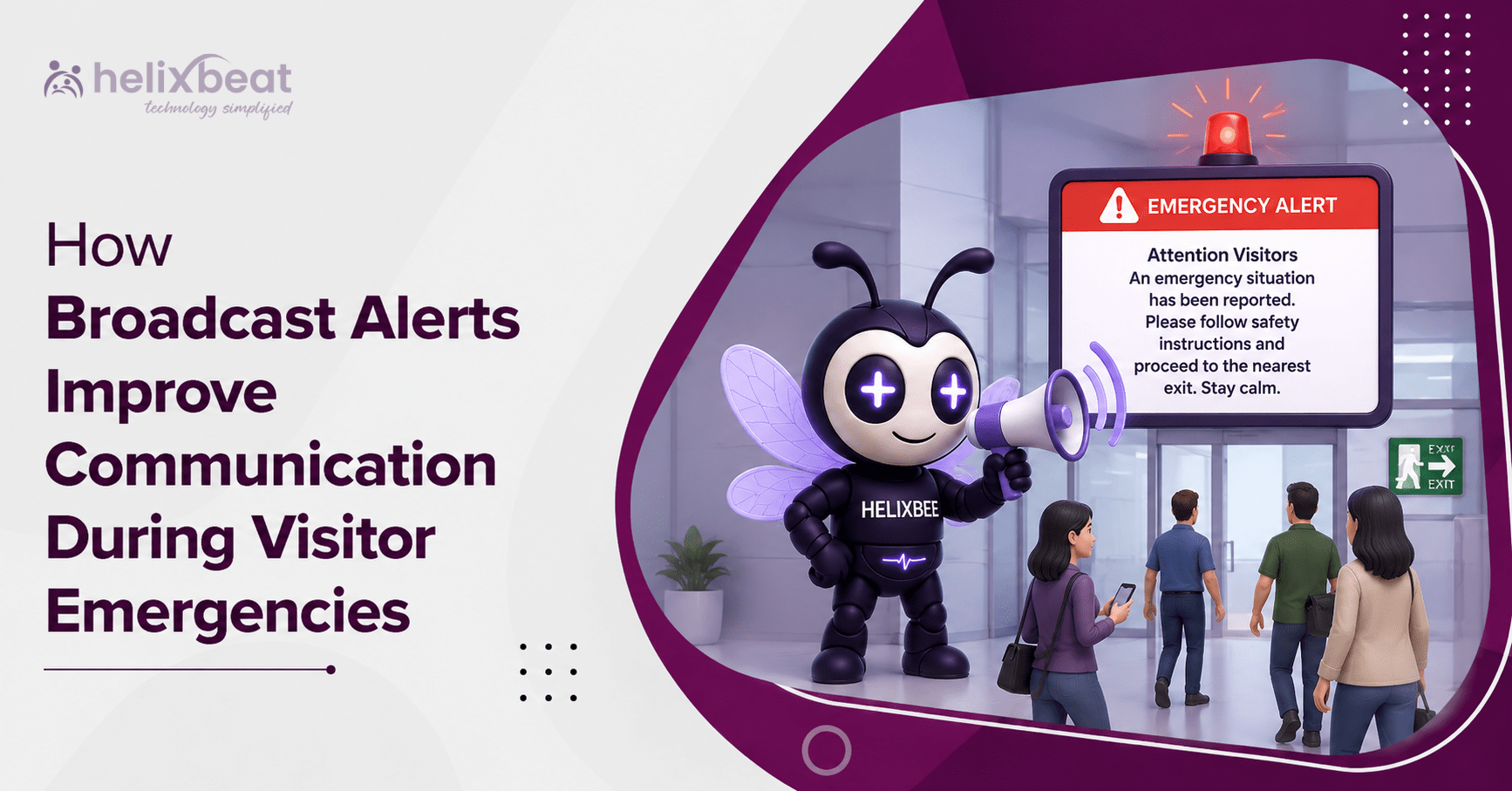
How Broadcast Alerts Improve Communication During Visitor Emergencies
Visitors may know why they entered a workplace, but they may not know its exits, alarm signals, shelter areas or emergency response team. During an emergency, this information gap can delay safe action.
The OSHA emergency action plan requirements state that covered workplaces must define procedures for reporting emergencies and evacuating occupants. OSHA guidance also explains that visitors and contractors should be accounted for after an evacuation.
Modern visitor badge printing software helps close this communication gap. It connects each badge with a digital record containing the visitor’s name, contact details, host, destination, arrival time and current check-in status.
When an incident occurs, this information can support an emergency notification system that reaches visitors quickly.
Why Visitors Need Direct Emergency Messages
Employees usually receive emergency training. Visitors often do not.
A visitor may be:
- Attending a meeting on an unfamiliar floor
- Working in a maintenance area
- Making a delivery at a loading dock
- Waiting in the lobby without their host
- Visiting a large office or industrial campus
Relying only on the host to share emergency instructions can cause delays. The host may be in another part of the building or already helping with the response.
Visitor emergency alerts create a direct communication channel. A connected mass communication system can notify visitors, hosts, reception teams and security staff together, reducing conflicting instructions.
What Are Broadcast Alerts?
Broadcast alerts are urgent messages sent to a selected group of people through channels such as:
- SMS
- Mobile notifications
- Public-address systems
- Digital displays
- Connected security systems
These alerts can tell visitors to:
- Evacuate through a specific exit
- Avoid a blocked entrance
- Shelter in place
- Move to an assembly area
- Stay away from a hazardous zone
- Confirm that they are safe
- Wait for an all-clear message
The goal is to send the right instruction to people who are currently on-site.
Visitor badge printing software provides the live visitor information needed to select that audience. The same check-in process used to print a badge can register the visitor for safety alerts during the active visit.
The Badge Record Becomes Emergency Data
A printed badge helps employees identify a guest. The digital record behind that badge can support emergency action.
Useful visitor information includes:
- Visitor name and mobile number
- Host name and department
- Check-in and expected check-out times
- Building, entrance, floor or zone
- Visitor type and current status
- Vehicle or accessibility information
With accurate information, emergency response software can show who may still be inside and who is responsible for helping them.
This is why visitor badge printing software should not operate as a separate reception tool. It should support visitor management with emergency notifications, live occupancy records and evacuation accountability.
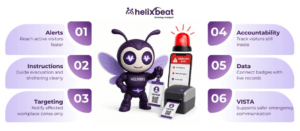
Five Ways Broadcast Alerts Improve Emergency Response
- They Reach Visitors Faster
Manual phone calls are slow because reception teams must find visitor records and contact people individually.
An emergency notification system can send one approved message to every active visitor within seconds.
It can also target:
- One building
- A specific floor
- A department
- A gate or entrance
- A particular visitor group
This is useful when an incident affects only one area.
- They Provide Clear Instructions
An alarm may tell visitors that something is wrong, but it may not explain what they should do.
Effective safety alerts provide clear instructions, such as:
- “Use the east stairwell.”
- “Do not enter the main lobby.”
- “Shelter in place and lock the door.”
- “Report to Assembly Area B.”
- “Keep the loading dock clear for responders.”
OSHA states that an alarm system should warn people to take the required emergency action. Clear instructions help visitors understand whether they should evacuate, shelter or remain where they are.
- They Notify Hosts and Visitors Together
Hosts need the same real-time information as their visitors.
A mass communication system can notify:
- Visitors
- Host employees
- Reception teams
- Floor wardens
- Security personnel
- Emergency coordinators
Visitor emergency alerts can also tell hosts whether they should meet visitors at an assembly area or avoid returning to an unsafe location.
This shared communication reduces confusion and prevents different people from giving different instructions.
- They Allow Targeted Communication
Not every emergency affects the entire workplace.
For example:
- A chemical spill may affect one laboratory.
- A suspicious package may close one entrance.
- A medical incident may require people to avoid one hallway.
- A security threat may affect a particular floor.
Visitor badge printing software can connect visitors to specific buildings, departments, hosts and visit types.
Emergency response software can then send targeted instructions instead of alarming everyone unnecessarily.
- They Improve Visitor Accountability
After an evacuation, emergency teams must determine whether anyone remains inside.
Paper visitor logs may be:
- Incomplete
- Outdated
- Difficult to access
- Missing check-out details
Visitor badge printing software provides a current list of people who checked in but have not checked out.
Security teams can compare this list with:
- Roll-call results
- Visitor replies
- Host confirmations
- Security observations
This gives emergency teams a clearer understanding of who may still require assistance.
Emergencies Where Broadcast Alerts Can Help
Broadcast communication can support many workplace emergencies.
Fire or Smoke
Alerts can direct visitors away from affected entrances, stairwells or floors.
Severe Weather
Visitors can be told which internal rooms or shelter areas to use.
Workplace Violence
Security teams can send lockdown, evacuation or avoidance instructions.
Medical Emergency
Messages can ask people to keep hallways and entrances clear for first responders.
Gas or Chemical Leak
Visitors can be warned to avoid a restricted area.
Power Failure
The system can explain whether visitors should remain where they are or leave the building.
Earthquake or Access-Control Outage
Visitors and guards can receive protective actions and temporary entry instructions.
An emergency communication system for offices should include pre-approved templates for common situations. Authorized employees should also be able to update messages as conditions change.
A Practical Broadcast Alert Workflow
A strong process connects check-in, communication, response and accountability.
Before an Emergency
Visitor badge printing software should:
- Capture accurate contact information
- Record the visitor’s host and destination
- Track check-in and check-out
- Maintain a current occupancy list
- Assign visitors to the correct building or zone
A well-configured visitor badge printing software workflow ensures that emergency information is based on current visitor activity.
During an Emergency
Authorized teams should be able to:
- Select the affected location
- Select the visitor audience
- Choose an approved message template
- Send mass alerts during visitor emergencies
- Notify hosts and response teams
- View message-delivery status
- Send updated instructions
After an Emergency
Teams should:
- Confirm visitor safety
- Investigate unresolved names
- Export occupancy and communication records
- Review message delivery
- Improve templates and procedures
These records can support emergency drills, investigations, insurance reviews and safety planning.
Common Communication Gaps to Avoid
Visitor badge printing software cannot compensate for weak data or unclear procedures.
Organizations should avoid:
- Missing or incorrect mobile numbers
- Visitors remaining checked in after leaving
- Vague messages such as “There is an emergency”
- Relying on only one communication channel
- Excluding contractors or delivery drivers
- Ignoring accessibility needs
- Allowing untrained employees to send alerts
- Using outdated templates
- Skipping emergency drills
Role-based permissions should control who can activate the emergency notification system.
Reception and security teams may be allowed to view occupancy and confirm visitor status. However, only trained and authorized employees should send organization-wide emergency messages.
Use More Than One Communication Channel
No single communication method works in every situation.
A phone may be on silent. An email may not be opened. Cellular or internet service may also be interrupted.
A mass communication system should combine:
- SMS
- Mobile or web notifications
- Public-address announcements
- Digital displays
- Visual and audible alarms
- Security-radio communication
The OSHA employee alarm system requirements state that emergency messages must receive priority when a communication system also serves as an alarm system.
Safety alerts should also consider visitors who may not hear an audible alarm or understand a complicated message.
Organizations should use:
- Plain language
- Short sentences
- Clear location names
- Visual and audible communication
- Easily understood instructions
These safety alerts should be simple enough for an unfamiliar visitor to follow immediately.
How VISTA Supports Visitor Emergency Communication
VISTA connects visitor registration, badge generation, host details, entry records and emergency visibility in one platform.
With VISTA, visitor badge printing software can support:
- Live lists of checked-in visitors
- Host and department details
- Centralized monitoring across entrances
- Visitor contact information
- Emergency and evacuation lists
- Notifications to authorized users
- Visitor movement records
- Check-out records
- Post-incident reports
VISTA’s real-time visitor monitoring and smart security capabilities include emergency alerts, evacuation support and visibility into current visitor activity.
This enables the platform to work as emergency response software for workplaces instead of operating only as a badge-printing station.
A configured emergency response software workflow can help administrators select active visitors, send approved messages and coordinate with hosts and security teams.
Visitor emergency alerts become more reliable because they use current check-in information instead of an old spreadsheet or paper register.
Connect Alerts to the Emergency Action Plan
Visitor badge printing software must be included in the workplace emergency plan instead of operating as an isolated reception process.
The system should support written emergency procedures without replacing planning, employee training or emergency drills.
The plan should define:
- Who can send broadcast alerts
- Who approves message templates
- Which incidents require evacuation
- Which incidents require sheltering
- How visitors receive instructions
- Who assists visitors at each location
- How visitor safety is confirmed
- What happens when a message is not delivered
- How visitor information is protected
- How often the process is tested
Visitor badge printing software should also be included in evacuation and lockdown drills.
Teams should test the complete workflow, from generating the live occupancy list to sending the final all-clear message.
Test and Measure the Process
Organizations should measure whether their emergency communication process works as expected.
Useful measures include:
- Time required to send an alert
- Percentage of messages delivered
- Visitor acknowledgement rate
- Time needed to produce the occupancy list
- Number of visitors with missing contact details
- Time needed to complete roll call
- Missed host notifications
- Problems identified during drills
These results show whether the emergency notification system needs better data, employee training, message templates or system configuration.
Visitor badge printing software can also reveal recurring problems, such as visitors who leave without checking out.
Testing the full workflow is the best way to identify communication gaps before a real incident occurs.
Conclusion
Visitor badge printing software connects a visible visitor badge with an actionable digital record.
During an emergency, that record can show:
- Who is inside
- Where the visitor was expected to be
- Who is hosting the visitor
- How the visitor can be contacted
- Whether the visitor has checked out
Visitor badge printing software becomes a safety tool when it connects with a mass communication system, live occupancy data, host notifications and tested emergency procedures.
It supports faster safety alerts, stronger accountability and a more dependable mass communication system.
For U.S. workplaces, an emergency notification system should not simply send more messages. The goal is to send accurate instructions to the right visitors at the right time.
VISTA connects check-in and badge printing with emergency response software, visitor emergency alerts and real-time visibility. These visitor emergency alerts support faster and more coordinated action.
With clear policies and regular drills, visitor badge printing software can strengthen communication from the first warning through evacuation, accountability and the final all-clear.
FAQs
- How does visitor badge printing software help during emergencies?
Visitor badge printing software maintains a live record of checked-in visitors, including their contact details, host and location. This helps security teams send alerts and account for visitors during an emergency.
- Can visitor badge printing software send emergency alerts?
Visitor badge printing software can work with an emergency notification system to send SMS, email or mobile alerts to visitors, employees, hosts and security teams during workplace emergencies.
- Why is live visitor data important during an evacuation?
Live visitor data helps emergency teams identify who is still inside the building. Visitor badge printing software provides current check-in and check-out records for faster roll calls and safer evacuation management.
- Can visitor badge printing software support multiple office locations?
Yes. Visitor badge printing software can provide centralized visitor records across multiple offices, entrances and buildings. It also helps organizations send location-specific safety alerts during an emergency.