

Table of Contents
5 Features for the Best Visitor Management Software for Coworking Spaces
A coworking lobby can change in minutes. Members, clients, delivery drivers, vendors and event guests may arrive together. One missed approval or check-out can leave the front desk unsure who is still inside.
That is why visitor management software for coworking spaces should do more than replace a paper sign-in sheet. It should give admins a live view of every visit while allowing each tenant to manage its own guests.
For U.S. operators, changing work patterns make traffic harder to predict. The U.S. Bureau of Labor Statistics reported that 35% of employed people did some or all of their work at home on days they worked in 2025. Flexible schedules make a consistent visitor process essential.
Below are the best visitor management features for coworking spaces and the information admins should review every day.
- Pre-Registration and Approval Status
Members should enter a guest’s name, time, purpose and contact details before arrival. Vendors may also need a company name or work order.
Good visitor management software for coworking spaces should show whether a request is pending, approved, rejected, expired or completed. The admin should not have to search emails or texts to understand the visit.
In a multi-tenant location, the approval must identify the responsible host and company. A shared office visitor system should let members manage their own guests without exposing another tenant’s records.
Admins should watch pending requests, after-hours visits, missing hosts and rejected visitors who still arrive.
This protects workspace security without slowing down expected guests. Pre-registration also reduces lobby congestion because basic details are already available when the visitor arrives.
For example, a client scheduled to meet a tenant at 10:00 a.m. should already have an approved visit attached to the correct host. Reception can confirm the details quickly instead of calling several companies in the building.
The same process helps admins prepare for large group visits. If one tenant has invited 20 people for a workshop, the front desk can plan staffing and check-in arrangements before the group appears.
- Live Check-In, Check-Out and Occupancy
Admins need to know who is expected, checked in, waiting for a host or already gone.
Visitor management software for coworking spaces should update these stages in real time and flag visits that remain active longer than planned.
Peak attendance is a real concern. CBRE’s 2025 Americas Office Occupier Sentiment Survey found that 73% of organizations said their offices were effectively at capacity on peak attendance days. Coworking sites can face similar pressure when member teams, client meetings and community events overlap.
The shared office visitor system should show lobby volume and active visitors across entrances or floors. A reliable count supports staffing and emergency response.
Missed check-outs deserve daily attention. Admins should review active passes and confirm departures before closing.
Among all coworking visitor management software features, accurate check-out is easy to overlook but critical for trustworthy records.
An incomplete check-out can create several problems. The active visitor count becomes inaccurate, access may remain available longer than required, and the emergency list may include people who have already left.
Admins should therefore monitor both visitor entry and exit. A complete visit record should show the arrival time, host, purpose, permitted area and confirmed departure.
- Identity Verification and Host Notifications
Fast entry should not mean unverified entry. Depending on site policy, verification may include a QR code, digital pass, ID check or visitor photo.
Visitor management software for coworking spaces should make approved details easy for authorized staff to review without displaying unnecessary personal information.
Once the guest checks in, the host should receive an immediate notification. The admin should see whether the alert was sent and whether the host responded. Slow responses may reveal outdated contacts or unavailable hosts.
A well-run shared office visitor system keeps the guest in an approved waiting area until the host confirms the meeting. This matters in buildings with private suites and shared areas.
Admins should monitor failed identity checks, duplicate profiles, undelivered alerts and guests waiting too long for a response.
These checks improve workspace security while keeping arrival professional.
A smooth notification process also improves the visitor experience. Guests should not have to repeatedly call or message their host while standing at reception. The system should alert the right person as soon as check-in is completed.
Admins can review host response times to identify recurring issues. If one tenant frequently leaves visitors waiting, the coworking operator can update the tenant’s contact list or reinforce the visitor policy.
- Role-Based Permissions and Area Access
Coworking spaces serve independent businesses, but the building still needs one security standard and role-based permissions.
Visitor management software for coworking spaces should let a host see only their visitors, while a site admin can review activity across the location. High-level settings, data exports and access rules should remain limited to authorized roles.
Visitor permissions should also match the purpose of the visit. A courier may need reception access only. A client may need a meeting room and tenant suite. A repair technician may need a service area for a fixed period.
This is where a workspace security strategy becomes practical. Digital approvals can connect with badge readers, QR devices or door-access systems so visitors receive only the access required for the visit.
The shared office visitor system should flag overly broad credentials, passes active after departure, attempts to enter unapproved areas and vendors arriving outside the approved time.
Clear permissions reduce unnecessary movement and make exceptions easier to trace.
Role-based controls are especially important when several companies share the same location. A member should not be able to view the guest records of another tenant. Similarly, a regular front-desk user may not need permission to change organization-wide access rules.
Admins should review user permissions regularly, especially after staff changes. Old accounts, unnecessary administrative rights and outdated tenant profiles can weaken control even when visitor entry is properly managed.
- Reporting and Exception Review
Daily operations produce patterns. The challenge is turning those records into decisions.
Visitor management software for coworking spaces should provide visitor analytics for arrival volume, peak hours, tenant activity, visit duration, host response time and missed check-outs.
If most client guests arrive between 9:00 and 10:30 a.m., the operator can adjust front-desk coverage. If event visitors create queues on Thursday evenings, the team can use group pre-registration or a separate arrival point.
Useful visitor analytics should highlight exceptions, not only totals. An unusually long visit, repeated failed entry, frequent after-hours arrivals or a high number of incomplete records deserves attention.
Admins should review visitor volume by tenant, average host response time, missed check-outs, denied attempts, repeat visitors and weekend arrivals.
These reports explain how to manage visitors in shared office spaces without creating more manual work. They help operators improve staffing, tenant policies and front-desk workflows using evidence rather than assumptions.
Reports can also support discussions with member companies. For example, a tenant generating frequent vendor visits may need a separate approval process. A tenant hosting large weekly meetings may benefit from batch pre-registration.
The purpose of reporting is not to monitor members unnecessarily. It is to understand visitor flow, identify operational gaps and keep the location prepared.
What Admins Should Check Every Day
Even strong technology becomes unreliable when no one reviews it. A short routine keeps visitor management software for coworking spaces accurate. Reliable visitor management software for coworking spaces still depends on consistent admin review.
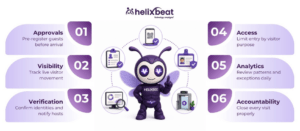
Before peak arrival, check expected guests, pending requests, vendors and events. Confirm that host details are current.
During the day, monitor active visitor count, lobby wait time, host responses and access exceptions. At closing, review guests still marked on-site and credentials that have not expired correctly.
The admin should also confirm that the shared office visitor system is being used consistently. If members continue sending informal messages instead of pre-registering guests, the process will always contain gaps.
A weekly review can identify repeated delays, missed check-outs and unusually high guest traffic.
Admins should also create a clear escalation process. Reception should know what to do when a visitor has no approval, when the host cannot be reached or when someone attempts to access an unauthorized area.
How VISTA Supports Coworking Operations
VISTA’s visitor management software for coworking spaces provides a centralized dashboard for real-time visitor data, approvals and check-in status. It supports pre-registration, approval or denial controls, QR-code or facial-recognition-enabled check-in, digital ID verification, host notifications, role-based permissions, visitor profiles, check-out records and emergency visitor information.
For a coworking operator, role-based visibility is essential. Hosts can focus on their own guests, while admins maintain a broader view across tenants and entry points. Rule-based access can limit visitors by type and permitted area.
VISTA also provides visitor analytics and real-time logs. It can integrate with badge readers, door-access systems and surveillance infrastructure, allowing approved access to be enforced beyond reception.
These functions show how visitor management software for coworking spaces can support workspace security while keeping entry simple for genuine visitors. Pre-registered guests can move through check-in quickly, and admins retain the information needed to manage the site.
A centralized dashboard is particularly valuable for operators managing several locations. Instead of maintaining separate paper records or spreadsheets, authorized teams can review visitor activity through a more consistent process.
How to Evaluate the Right Platform
When comparing visitor management software for coworking spaces, begin with the daily workflow rather than a long checklist.
Map how members invite guests, who approves after-hours visits, how vendors are handled, which areas need restricted access and what admins need during an emergency. Test whether the platform can handle these situations without complicated workarounds.
Review privacy controls as carefully as check-in speed. Collect only necessary information, limit access by role and set appropriate retention periods.
Scalability matters too. Effective visitor management software for coworking spaces should support centralized oversight as new locations open.
The platform should also be easy for members and front-desk teams to use. A complex process may encourage employees to bypass the system, leaving visitor information incomplete.
Before implementation, test common scenarios such as client meetings, delivery arrivals, large events, after-hours vendors and visitors without pre-registration.
Why Monitoring Matters More Than Feature Count
A platform may include dozens of tools, but only monitored features improve operations. Admins must know which alerts and exceptions require action.
A host alert has little value if contact records are outdated. Area restrictions do not help if expired passes remain active. Visitor analytics cannot guide staffing if check-out records are incomplete.
The strongest visitor management software for coworking spaces combines automation with clear ownership. Members register guests, hosts respond, reception verifies arrivals and admins review exceptions.
This shared responsibility improves workspace security without creating an overly rigid visitor experience.
Admins should document who owns each task. For example, members may be responsible for pre-registration, reception for verification, hosts for collecting guests and site admins for reviewing exceptions.
Clear ownership prevents the technology from becoming another system that records information without improving daily operations.
Make Every Visit Visible and Accountable
Coworking is designed around flexibility, but visitor operations cannot depend on guesswork. Admins need to know who is expected, who approved the visit, where the guest may go and whether the person has left.
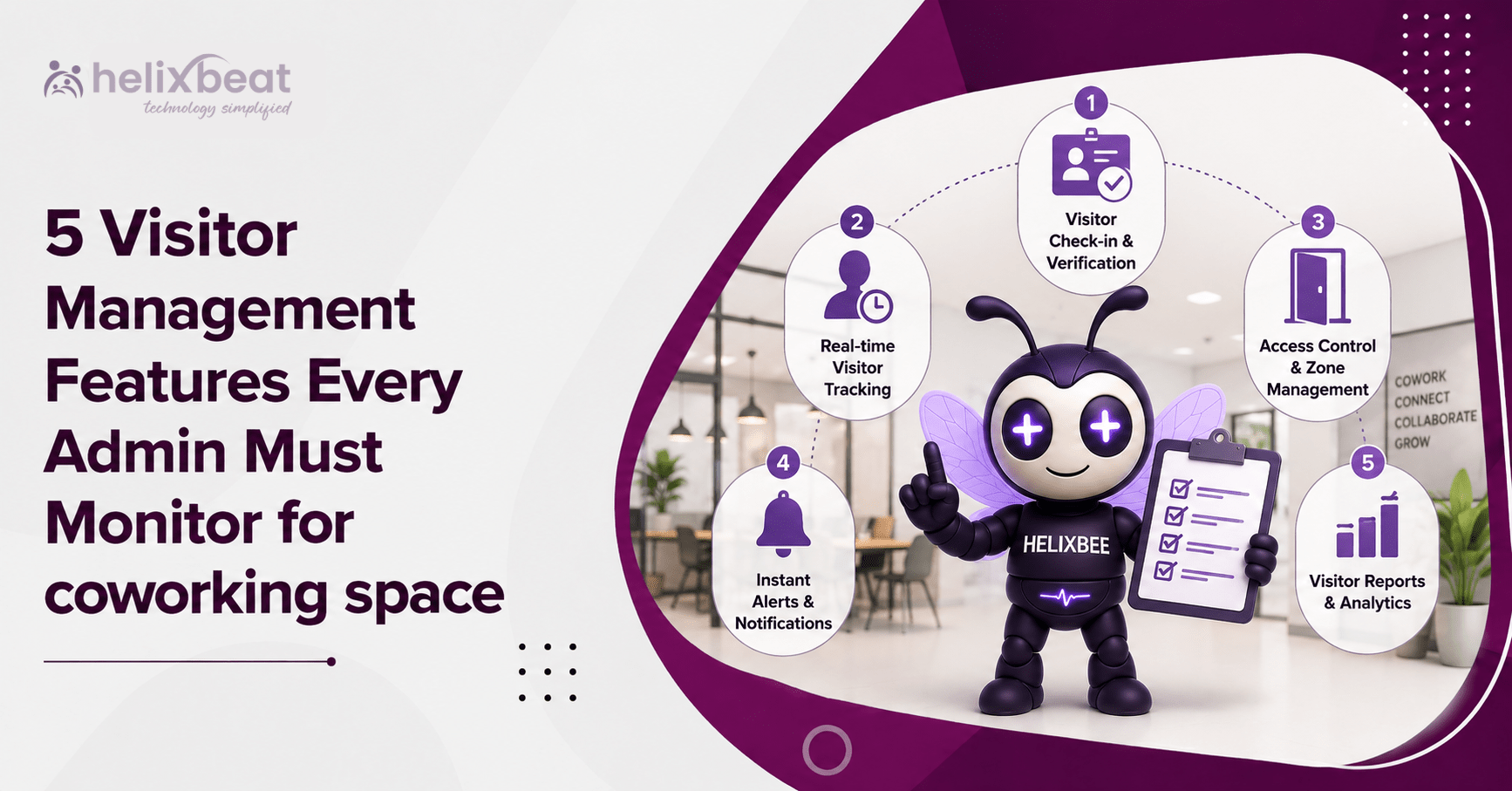
The five features that matter most are pre-registration, live status, identity verification, access permissions and visitor analytics. Together, they create a clear arrival process and stronger accountability.
The right visitor management software for coworking spaces helps operators welcome members’ guests without losing control of the building. It improves front-desk service, reduces avoidable delays and gives admins reliable information during busy periods or emergencies.
For operators deciding how to manage visitors in shared office spaces, the answer is not another paper log. It is visitor management software for coworking spaces that makes each visit visible, approved and properly closed.
FAQs
- What is visitor management software for coworking spaces?
It is a digital system for registering, approving, tracking and checking out visitors across shared workspaces.
- Which visitor management feature should admins monitor daily?
Admins should monitor pending approvals, active visitors, missed check-outs, host responses and access exceptions.
- How does visitor management software improve workspace security?
It verifies visitors, limits access by role or area and keeps accurate entry and exit records.
- Why are visitor analytics important for coworking spaces?
They reveal peak hours, visitor trends, delayed approvals and incomplete check-outs, helping admins improve operations.