

If a hospital loses its FHIR server for even an hour, it’s way more than a simple IT glitch. It’s a clinician who can’t pull up allergy records before a procedure. It’s a lab result that never reaches the ordering physician. It’s a claims pipeline that stalls while patients wait on care decisions.
That’s why FHIR server disaster recovery has become a board-level conversation at hospitals, payers, and health tech vendors alike.
In this guide, we walk you through the specific mechanics of backup, redundancy, and recovery that keep patient data available when something breaks.
Table of Contents
Why Healthcare Downtime Hits Differently?
Most industries can absorb a short outage. For instance, an online store losing an hour of uptime loses some sales. But a hospital losing an hour of access to its FHIR server can delay a diagnosis or disrupt medication reconciliation.
Besides, healthcare data carries legal weight a shopping cart doesn’t. Under the HIPAA Security Rule, covered entities and business associates must maintain a written contingency plan covering data backup, disaster recovery, and emergency mode operation (45 CFR § 164.308(a)(7)). This isn’t optional guidance. It’s a documented requirement, and regulators expect proof it’s been tested.
The 2024 ransomware attack on Change Healthcare is a stark reminder of what happens when that planning falls short.
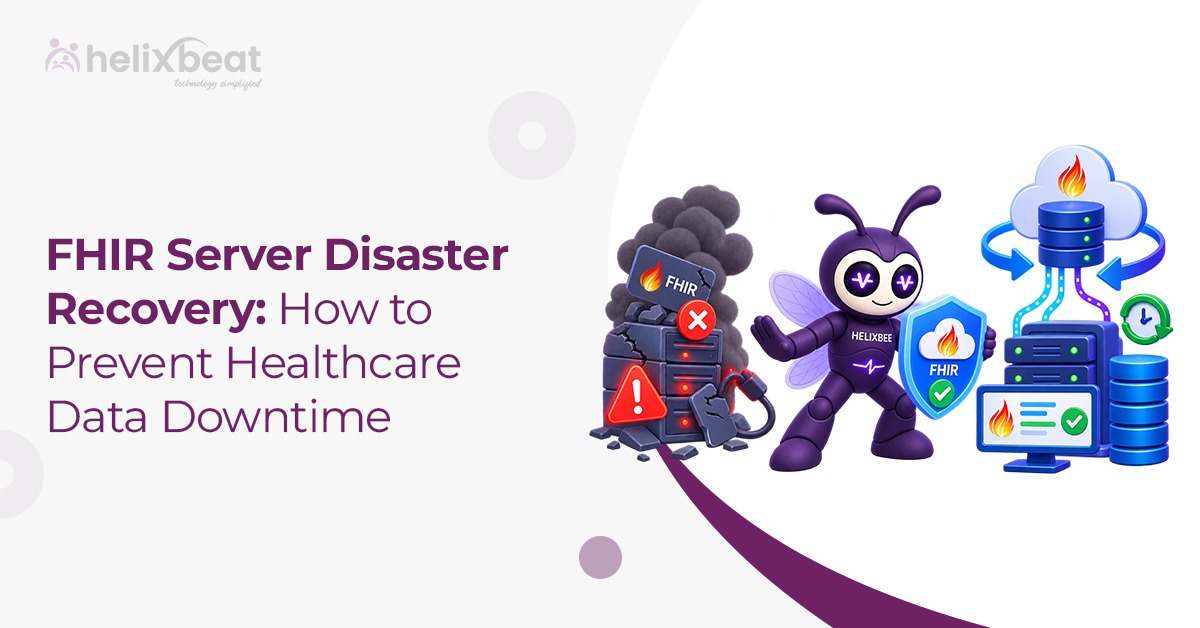
What FHIR Server Disaster Recovery Actually Means?
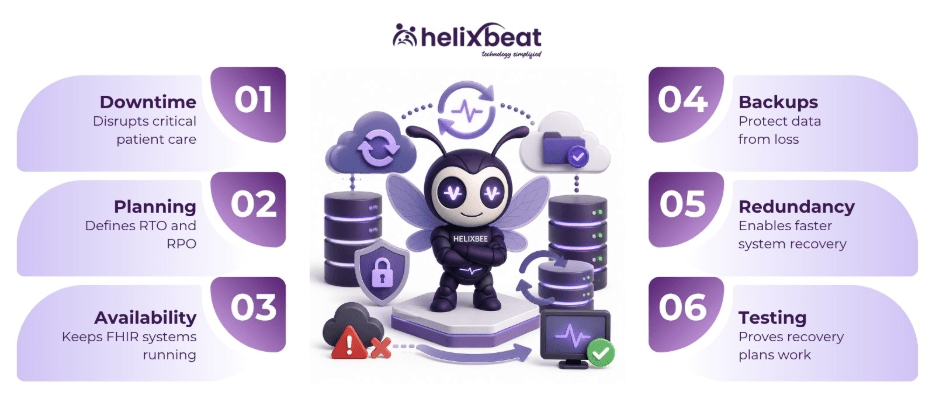
FHIR server disaster recovery is a set of coordinated capabilities every IT and clinical leader should know:
- Recovery Time Objective (RTO) — how long the organization can tolerate the FHIR server being unavailable before care or operations are seriously affected.
- Recovery Point Objective (RPO) — how much data the organization can afford to lose, measured in time. An RPO of 15 minutes means, worst case, the last 15 minutes of writes are gone.
Therefore, set these numbers before designing anything else. A community clinic’s FHIR endpoint might tolerate a four-hour RTO. But a hospital’s real-time clinical decision support integration probably can’t tolerate more than a few minutes.
Designing for FHIR Server High Availability
High availability keeps the server running through routine failures without anyone noticing. The core patterns look like:
Multi-zone or multi-region deployment. Running instances across at least two availability zones means a single data center failure doesn’t take the whole system down.
Load balancing with health checks. Traffic should route away from unhealthy nodes automatically, not after a human spots a spike in errors.
Active-active or active-passive clustering. Active-active setups split traffic across multiple live nodes for near-zero failover time. Whereas active-passive setups keep a standby ready to take over, which costs less but adds a short recovery window.
Database replication. FHIR resources sit in an underlying database, relational or document-based depending on the server. That database needs its own replication strategy, separate from the application layer.
None of this works without good FHIR server monitoring. Dashboards that only check “is the server responding” tend to miss slow degradation long before a full outage hits.
A FHIR Data Backup Strategy That Actually Works
Backup planning for FHIR data has a few quirks. Every resource carries a meta.versionId and meta.lastUpdated field, and servers that support the history interaction can pull prior versions of a resource. While that’s useful for undoing a bad write, it’s not a substitute for a real backup.
For full protection, most teams combine a few layers:
- Scheduled exports. The Bulk Data Access ($export) operation pulls entire datasets in NDJSON format, which works well for periodic, verifiable backups. Our breakdown of FHIR bulk data export covers how this operation works in practice.
- Database-level snapshots, taken on a schedule that matches the RPO.
- The 3-2-1 rule — three copies of data, on two different storage types, with one copy kept offsite.
- Immutable, write-once backups, so a ransomware attack that encrypts live data can’t reach the backup copy too.
FHIR Server Redundancy Without Unnecessary Complexity
Redundancy and high availability overlap, but they aren’t the same thing. High availability handles routine failures within a system. Redundancy means having a genuinely separate path — maybe a secondary cloud region — for when the primary system is unavailable.
However, over-building redundancy is a real risk. A full duplicate FHIR environment in a second cloud region, kept in sync in real time, is expensive to build and run. Yet sizing redundancy to your RTO saves real money. A standby that can be promoted in minutes for critical systems, and a slower, cheaper cold-start path for lower-priority workloads.
Testing Is the Part Most Teams Skip
A disaster recovery plan that has never been tested is a hypothesis, not a plan. Therefore, run scheduled failover drills — actual failovers to the standby environment. Time how long recovery really takes against the stated RTO. Check that restored data matches the RPO. Do this at least twice a year, and again after any major infrastructure change. Teams that skip testing usually find out their plan had a gap during a real incident, which is the worst possible time to learn it.
The Bottom Line
Healthcare data doesn’t get a grace period during downtime. Patients still need care, claims still need processing, and clinicians still need access to records, regardless of what’s happening in the data center. Getting FHIR server disaster recovery right starts with setting real RTO and RPO targets. From there, it means building high availability into the architecture from day one, backing up data in a way that survives an attack, and testing the whole plan before it’s ever needed for real.
Don’t wait for downtime to expose the gaps. Talk to Helixbeat today and build a FHIR disaster recovery strategy!
FAQs
- What is FHIR server disaster recovery?
It’s the combination of planning, backup, and failover architecture that keeps a FHIR server’s data available and recoverable after an outage, whether caused by hardware failure, a cyberattack, or a regional cloud disruption.
- What’s the difference between RTO and RPO?
RTO measures how long a system can stay down before it’s considered a serious problem. RPO measures how much data loss, in time, is acceptable if a failure happens. Both numbers should come from clinical and business stakeholders, not just IT.
- Is high availability the same as disaster recovery?
No. High availability keeps a system running through routine failures, like a single crashed server. Disaster recovery covers larger events — a full data center outage, a ransomware attack, a regional cloud failure — where the primary environment is unavailable altogether.
- How often should a FHIR server be backed up?
It depends on the RPO. A system that can’t lose more than 15 minutes of data needs near-continuous replication, not just nightly backups. Many organizations combine frequent database snapshots with a daily or weekly full export.
- Does the FHIR standard include backup features on its own?
Not directly. FHIR resources carry version history through the meta.versionId field, and servers supporting the history interaction can retrieve older versions. That helps with rolling back individual bad writes, but it doesn’t replace a proper backup and disaster recovery architecture.