

Table of Contents
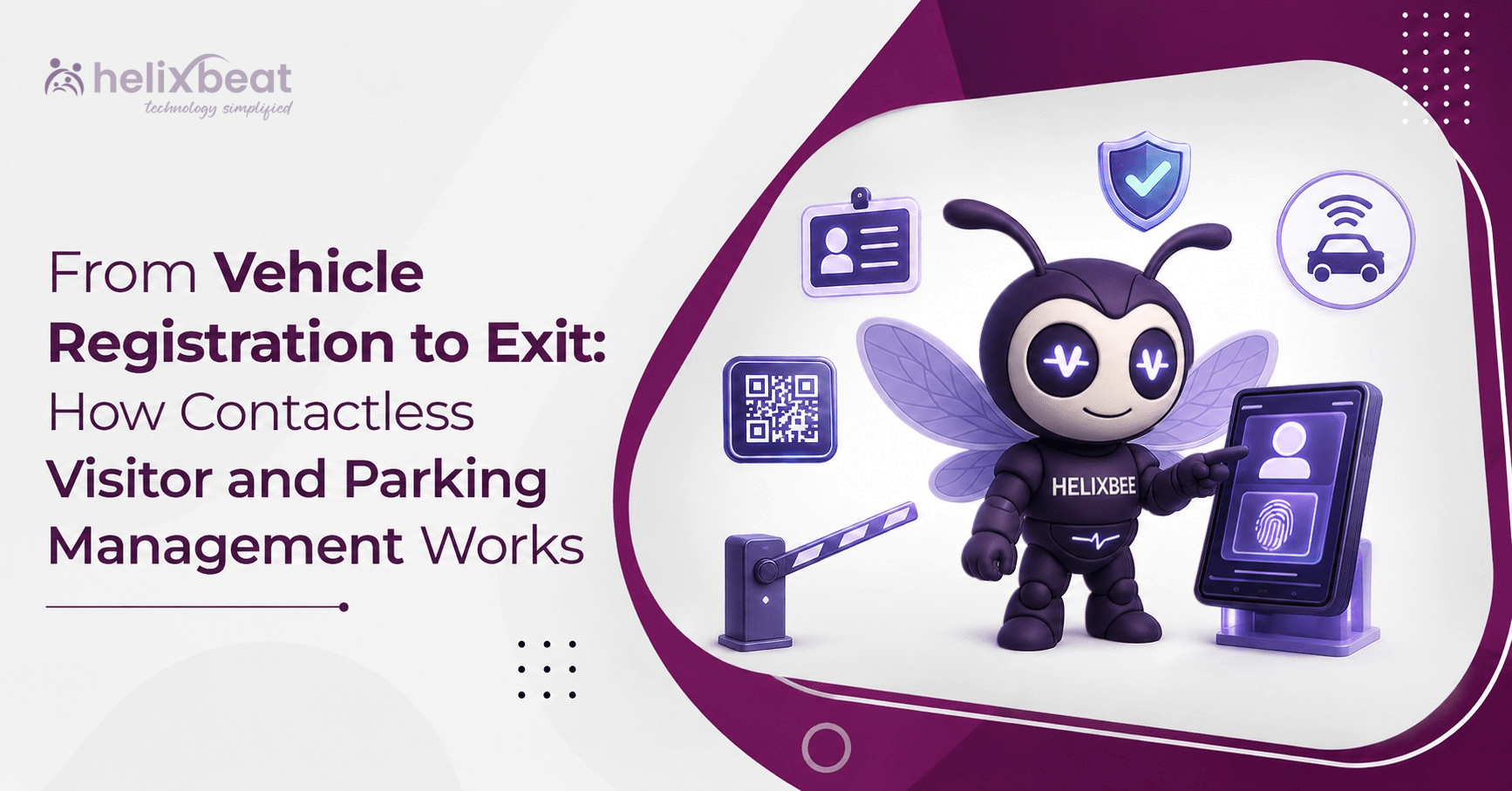
From Vehicle Registration to Exit: How Contactless Visitor Management Works
Managing visitors inside a secure facility is no longer limited to recording a name at reception. Visitors often arrive in private vehicles, taxis, service vans, ambulances, contractor vehicles, or valet-managed cars. Each vehicle must be identified, authenticated, directed to the correct parking area, tracked during the visit, and recorded at exit.
When visitor registration and parking operations are handled separately, security teams may depend on paper slips, manual registers, phone calls, and visual checks. These disconnected processes can create delays at entry gates, unclear parking allocation, duplicate records, unauthorized vehicle movement, and limited visibility into who is currently inside the premises.
By replacing disconnected handoffs with one verified workflow, contactless visitor management gives security teams a more consistent way to handle arrivals.
What Is Contactless Visitor and Parking Management?
Contactless visitor and parking management is a digital process through which a visitor and their vehicle can be registered, authenticated, allowed into the premises, assigned parking, monitored, and checked out without relying on handwritten registers or physical passes. Contactless visitor management therefore covers more than touch-free check-in; it coordinates identity, vehicle, parking, movement, and exit data.
The workflow can begin before the visitor arrives or directly at the entry gate. Visitor and vehicle information is stored in the system, and a QR-based credential is generated. Security personnel can scan that credential at the main gate, parking entrance, building entrance, or exit point.
For additional context, Avigilon’s guide to touchless visitor management systems explains how QR codes, mobile credentials, and photo capture can support low-contact visitor processing.
A connected vehicle access management system helps answer important questions in real time:
- Who is driving the vehicle?
- Which visitor or employee is the vehicle linked to?
- What is the vehicle number?
- Why is the person visiting?
- Which parking area should be used?
- How long is the gate pass valid?
- Has the vehicle already entered?
- Has it been verified at the parking entrance?
- Has the visitor or vehicle checked out?
This provides security teams with a clearer record of both people and vehicles moving through the facility. For facilities with multiple gates or parking zones, contactless visitor management also improves visibility across the complete journey. A vehicle access management system can also standardize authorization decisions across different entry points.
Step 1: Registering the Visitor’s Vehicle
The process starts with vehicle registration. A security guard can use the VISTA mobile VMS application to register a new visitor vehicle at the entry gate.
The registration process can capture:
- Vehicle image
- Driver name
- Phone number
- Vehicle number
- Visitor category
- Parking assignment
- Gate-pass validity
- Visit duration
- Additional vehicle or visitor information
The vehicle can be connected to the visitor’s appointment, host, department, purpose of visit, parking location, or access period.
This makes the vehicle part of the visitor record rather than treating it as an unrelated entry. It also reduces the possibility of a valid visitor pass being used for a different vehicle.
For planned visitors, the registration can be completed before arrival. For walk-in visitors, the security guard can capture the details while onboarding the visitor at the gate. This flexibility allows contactless visitor management to support both scheduled and unplanned arrivals.
VISTA can support both single-day and multi-day gate-pass validity. This is useful for contractors, consultants, technicians, patient attendants, project teams, and other visitors who may need access for more than one day.
This first step creates the foundation for contactless vehicle registration and parking access control.
Step 2: Generating a Digital Visitor Gate Pass
After the visitor and vehicle information is submitted, the system generates a temporary QR-based pass. In a contactless visitor management workflow, the pass becomes the visitor’s temporary digital credential.
The digital visitor gate pass can contain:
- Visitor or driver name
- Purpose of visit
- Visitor type
- Host or destination
- Parking location
- Vehicle number
- Pass validity
- Visitor token or identification code
- Vehicle image
- QR code
The pass can be shared with the visitor through SMS or email. The visitor can display it on a mobile phone instead of collecting a printed paper slip. The digital visitor gate pass can be opened directly from the visitor’s phone when they reach a checkpoint.
This makes the process more convenient for visitors while also giving security personnel a standard credential to scan at different access points.
A QR code-based visitor and vehicle entry system also helps reduce errors caused by handwritten vehicle numbers, unclear signatures, misplaced paper passes, and repeated manual data entry.
Step 3: Validating the Vehicle at the Main Gate
When the vehicle reaches the main gate, the security guard scans the QR code using the VISTA mobile application.
The system validates the credential and checks whether the pass is active and associated with the correct visitor and vehicle. Security personnel can view the available visitor, vehicle, host, parking, and validity information before allowing entry. This allows contactless visitor management to validate the person, vehicle, destination, and pass status before entry.
Only authenticated credentials are accepted. This helps prevent an unknown vehicle from entering simply because the driver mentions an employee name, appointment, or department.
Pre-registered visitors can move through the gate faster because their information is already available. Walk-in visitors can be registered and issued a pass before access is granted.
For employees and doctors, an existing employee ID or QR credential can be used as a vehicle access credential. The credential may be displayed or printed for scanning at the gate.
This creates a faster route for regular internal users while maintaining a verified record of vehicle access. The vehicle access management system records these regular-user validations without removing gate-level accountability. This supports consistent visitor entry and exit management for employees, doctors, and temporary guests.
Step 4: Directing Vehicles to the Correct Parking Area
Once the vehicle has been authenticated, the guard can direct it to the appropriate parking location.
Parking may be divided into areas such as:
- Employee parking
- Doctor parking
- Visitor parking
- Basement parking
- VIP parking
- Contractor parking
- Valet parking
- Overflow parking
- Emergency or service vehicle parking
Staff parking slots can be pre-allocated, while the remaining capacity can be made available for visitors. This helps facilities separate regular users from temporary visitors and manage limited parking space more systematically.
The parking assignment can also be linked to the visitor pass. This allows the security team to guide the vehicle based on the approved destination rather than depending entirely on verbal instructions. With contactless visitor management, parking instructions remain connected to the approved visit instead of being communicated separately.
Through automated visitor parking management for secure premises, facilities can connect the visitor’s purpose with the parking area they are authorized to use.
Step 5: Verifying the Vehicle at the Parking Entrance
For facilities with basement parking, multiple buildings, restricted zones, or separate parking gates, a second security guard can scan the same QR code before the vehicle enters the parking area.
This second verification confirms that:
- The vehicle passed through the main gate.
- The credential is still valid.
- The vehicle is entering the correct parking area.
- The QR code has not been copied or misused.
- The vehicle record matches the approved visitor journey.
Using the same credential at two checkpoints creates an audit trail. The system can record when the vehicle was verified at the main gate and when it entered the parking area. This checkpoint history makes contactless visitor management easier to audit across larger or more complex premises.
This dual-checkpoint process can help reduce tailgating, where an unauthorized vehicle follows an approved vehicle through a controlled gate. It also gives security teams better visibility into vehicle movement inside the premises.
For hospitals, business parks, factories, hotels, educational campuses, and government facilities, this additional verification can be valuable because the main gate and final parking destination may be located far apart. For a broader security perspective, Avigilon’s parking lot access control guide discusses controlled entry and organized traffic flow in parking environments.
Step 6: Supporting Automated Parking Access Control
Manual QR scanning can also be supported by camera-based automation where such infrastructure is configured.
A camera positioned at the entry point can detect the QR code displayed on the vehicle and read the number plate. The captured information can then be compared with the approved vehicle record. When configured with the required cameras and gate infrastructure, automated parking access control can compare the displayed credential with the captured number plate.
This form of automated parking access control can reduce the need for the driver to stop, open a window, hand over a pass, or wait for a guard to type the vehicle number manually.
It also helps identify mismatches. For example, a QR credential may be valid, but the number plate captured by the camera may not match the number registered in the system. The security team can review the vehicle before allowing access.
Camera-assisted QR and plate validation is particularly useful during busy entry periods when many employees, visitors, patients, vendors, and service vehicles arrive within a short time. During peak traffic periods, automated parking access control can help security teams process approved vehicles more consistently.
However, automated validation should remain connected to the visitor record. Number plate recognition alone confirms the vehicle number; it does not always explain who is inside the vehicle, why they are visiting, or which host is responsible for the visit.
Step 7: Managing Parking and Valet Operations
The same vehicle gate pass can continue to be used after the vehicle enters the premises.
At the parking entrance, the QR credential can be scanned to confirm access and review parking availability. Where valet services are available, the same gate pass can be linked to the valet-managed vehicle. By using one credential across security, parking, and valet operations, contactless visitor management reduces fragmented records.
This avoids creating separate visitor, parking, and valet records.
A shared digital record can help parking and valet teams identify:
- The vehicle owner or driver
- Vehicle number
- Vehicle image
- Entry time
- Parking location
- Visitor destination
- Gate-pass validity
- Valet status
This creates continuity between security and parking operations. It also reduces confusion when a visitor returns to collect the vehicle. When parking and security share the same vehicle access management system, teams can retrieve the same approved vehicle record.
Step 8: Tracking Visitor Transit and Status
Contactless management is not complete when the vehicle crosses the entry gate. The facility must also know whether the visitor has checked in, reached the destination, completed the visit, and checked out. Effective contactless visitor management must continue after gate entry and show the visitor’s current status throughout the visit.
The VISTA Visitor Transit dashboard can display information such as:
- Total visitor records
- Accompanied visitors
- Checked-in visitors
- Checked-out visitors
- Visit type
- Host
- Time period
- Current status
- Available actions
This supports visitor entry and exit management across the complete visit.
Security, reception, and administration teams can use a shared dashboard instead of maintaining separate spreadsheets or registers. The system can also support broadcast communication, email alerts, and operational notifications.
For facilities that manage waiting areas or token-based movement, the visitor transit information can also support queue visibility.
Step 9: Recording Vehicle and Visitor Exit
At the end of the visit, the visitor or vehicle credential can be scanned again at the exit checkpoint. The same digital visitor gate pass can be presented again during checkout.
The system can update the record to show that the visitor and vehicle have left the premises. This closes the active visit and improves the accuracy of current occupancy data. This final scan allows contactless visitor management to close the active record and maintain more accurate occupancy information.
A structured exit process helps facilities avoid situations where a visitor remains marked as active long after leaving. It also provides a more complete audit trail by connecting every stage of the journey. Accurate visitor entry and exit management depends on closing every completed visit rather than leaving records active.
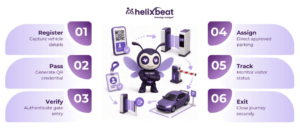
Registration → Pass generation → Main-gate entry → Parking verification → Visit completion → Exit
The exit record can be useful during security reviews, incident investigations, emergency evacuations, parking disputes, and compliance checks.
What Are the Benefits of a Parking Management System?
A connected visitor and parking platform offers several operational and security benefits.
Stronger vehicle authentication
Vehicle images, number plates, visitor details, QR credentials, and validity periods can be checked together before access is granted.
Faster entry
Pre-registration and QR scanning reduce manual form filling and repeated data entry at the gate.
Better parking allocation
Employee, visitor, doctor, VIP, valet, contractor, and overflow parking can be managed through clearer access rules.
Improved traceability
Each scan creates a record of where and when the vehicle was verified.
Reduced unauthorized access
Invalid, expired, duplicated, or mismatched credentials can be identified before the vehicle enters a restricted area.
Contactless processing
Visitors can receive gate passes by SMS or email and display them from their mobile devices.
Better coordination
Security, reception, administration, parking, and valet teams can work with a connected visitor record.
Operational continuity
During internet or local-network disruption, biometric QR scanning devices can be used as a contingency where configured.
Frequently Asked Questions
What is a vehicle parking management system?
A vehicle parking management system is a digital platform used to register vehicles, authenticate drivers, assign parking areas, control entry, record parking activity, and track vehicle exit. When integrated with visitor management, the system connects the vehicle with the visitor, host, visit purpose, access validity, and parking authorization.
What is an automated parking lot management system using number plate recognition?
An automated parking lot management system using number plate recognition uses cameras to capture and read vehicle registration numbers at entry and exit points. The detected number plate can be compared with an approved employee, visitor, or vehicle record. In a connected VISTA workflow, camera-based plate detection can complement QR validation and help automate vehicle access at controlled gates.
What are the benefits of a parking management system?
The main benefits include faster vehicle registration, improved security, controlled parking allocation, reduced manual paperwork, better use of parking capacity, accurate entry and exit records, stronger audit trails, and easier coordination between gate security, parking teams, reception, and administration. These capabilities strengthen visitor entry and exit management while improving coordination between operational teams.
Build a Connected Journey from Arrival to Exit
Visitor security becomes more effective when people, vehicles, parking spaces, credentials, checkpoints, and exit records are managed as part of one journey.
VISTA combines contactless visitor management with vehicle registration, digital QR gate passes, employee credential validation, parking assignment, multi-level verification, transit tracking, and controlled exit.
Instead of treating parking as a separate activity, organizations can connect it directly to the visitor lifecycle. A connected contactless visitor management approach brings registration, parking, movement, and checkout into one traceable process—from the moment a vehicle arrives at the gate until it leaves the premises.